Free WordPress Meta Title Generator
Craft perfect headlines for your WordPress blog that satisfy both search engine algorithms and human readers.
The Power of WordPress Title Tags
WordPress powers over 40% of the web. Standing out requires titles that leverage the platform's structure to deliver clear topical relevance to search engines.
Built for WordPress Power Users
Whether you use Yoast, RankMath, or block editors, our generator produces titles that fit perfectly within your SEO plugin's preview windows.
WordPress Title Tags Explained
Meta titles in WordPress define how your posts appear in Google. Plugins like Yoast or RankMath use these to tell search engines what your content is about.
How to Change WordPress SEO Titles
Install an SEO plugin like Yoast SEO, RankMath, or All in One SEO.
Edit the post or page you want to optimize.
Scroll down to the SEO meta box below the content editor.
Locate the 'SEO Title' or 'Title Tag' field.
Paste your new optimized title generated by our tool.
Update or Publish your post to save changes.
Understanding Your Results
Keyword focus
Suggestions prioritize placing target terms at the beginning for maximum SEO impact.
Optimal length
Titles are kept within the 555-pixel limit to avoid truncation in Google results.
CTR enhancement
Variations include persuasive language and 'power words' to encourage more clicks.
WordPress SEO FAQs
Do I need a plugin to change titles in WordPress?
While some themes allow it, using a dedicated SEO plugin is highly recommended for full control over meta tags without coding.
Should my meta title be the same as my H1?
Not necessarily. Your H1 is for readers on the page, while the meta title is for searchers. They can be different to target slightly different keywords.
Why is Google showing a different title?
Google sometimes rewrites titles if they think the alternative is more relevant to the query. Ensure your title accurately reflects the content to minimize this.
Can I use emojis in WordPress titles?
Yes, but use them sparingly. They can improve CTR for some niches but may look unprofessional for others.
What is the best separator to use in WordPress titles?
The pipe symbol (|) or hyphen (-) are most common and effective for separating title elements and brand names.
How often should I update old blog titles?
Refreshing titles on older posts can boost traffic. Aim to review your top-performing content every 6-12 months.
Try our other free SEO and AI tools
We have gathered some of our free tools that might help you in your SEO efforts.
Filter what tools to see
Free Meta Title Generator
Generate high-CTR title tags optimized for Google search results using AI-driven templates.
Free Keyword Clustering Tool
Group related keywords into clear topic clusters and build a stronger topical SEO plan.
AI Overview Keyword Finder
Detect keywords that trigger AI overviews and assess citation opportunities with volatility signals.
Low Competition Keyword Finder
Find weak SERPs, forum-heavy opportunities, and keywords where lower-authority sites can still win.
Reddit Keyword Finder
Extract recurring questions, pain points, and buying intent patterns from Reddit and forums.
Question Keyword Tool
Find FAQ-style keywords and common user questions.
Buyer Intent Keyword Finder
Specifically filters for commercial and transactional keywords.
Zero Search Volume Keyword Finder
Uncovers emerging or hidden keywords that traditional volume tools miss.
Free SEO Title Length Checker
Check if your page titles fit within pixel limits to avoid truncation.
Free Meta Description Generator
Create compelling meta descriptions that summarize your content and boost click-through rates.
Free Meta Description Length Checker
Check if your meta descriptions fit within pixel limits to avoid truncation.
Free Google SERP Preview Tool
Simulate how your page title and meta description may appear in Google search results.
Free Schema Markup Checker
Validate your structured data to ensure it is readable by search engines and error-free.
Free Rich Results Test
Determine if your page is eligible for rich results in Google Search with our validation tool.
Free Alt Text Checker
Identify missing, empty, or duplicate alt text values across images.
Free AI Alt Text Generator
Generate descriptive, accessibility-compliant alt text for your images instantly.
Free Image Filename Generator
Convert plain text into SEO-friendly, hyphenated image filenames.
Free On-Page SEO Audit Tool
Run an on-page SEO audit for SEO services pages, technical SEO audit checks, and SEO optimization improvements.
Free H1 Tag Checker
Identify the presence and content of H1 heading tags on any webpage.
Free Heading Structure Checker
Audit your H1-H6 tags to ensure a logical and SEO-friendly document structure.
Free Canonical URL Checker
Identify declared canonical URLs and analyze canonical-related signals on any page.
Free EEAT Audit Tool
Analyze your content for Google's Experience, Expertise, Authoritativeness, and Trustworthiness signals.
Free AIO & GEO Audit Tool
Optimize your content for AI Overviews and Search Generative Experience with a detailed formatting audit.
Free Broken Link Checker
Scan a page to identify links that return error responses or cannot be reached.
Free Redirect Checker
Analyze URL redirection behavior to identify redirect types and destination URLs.
Latest SEO and AI related articles
Browse all articles
Best AI Writer: How To Choose the Right Tool in 2026

How to Create an SEO-Friendly XML Sitemap

11 ChatGPT SEO Strategy for B2B Companies (0 to 90 Days)
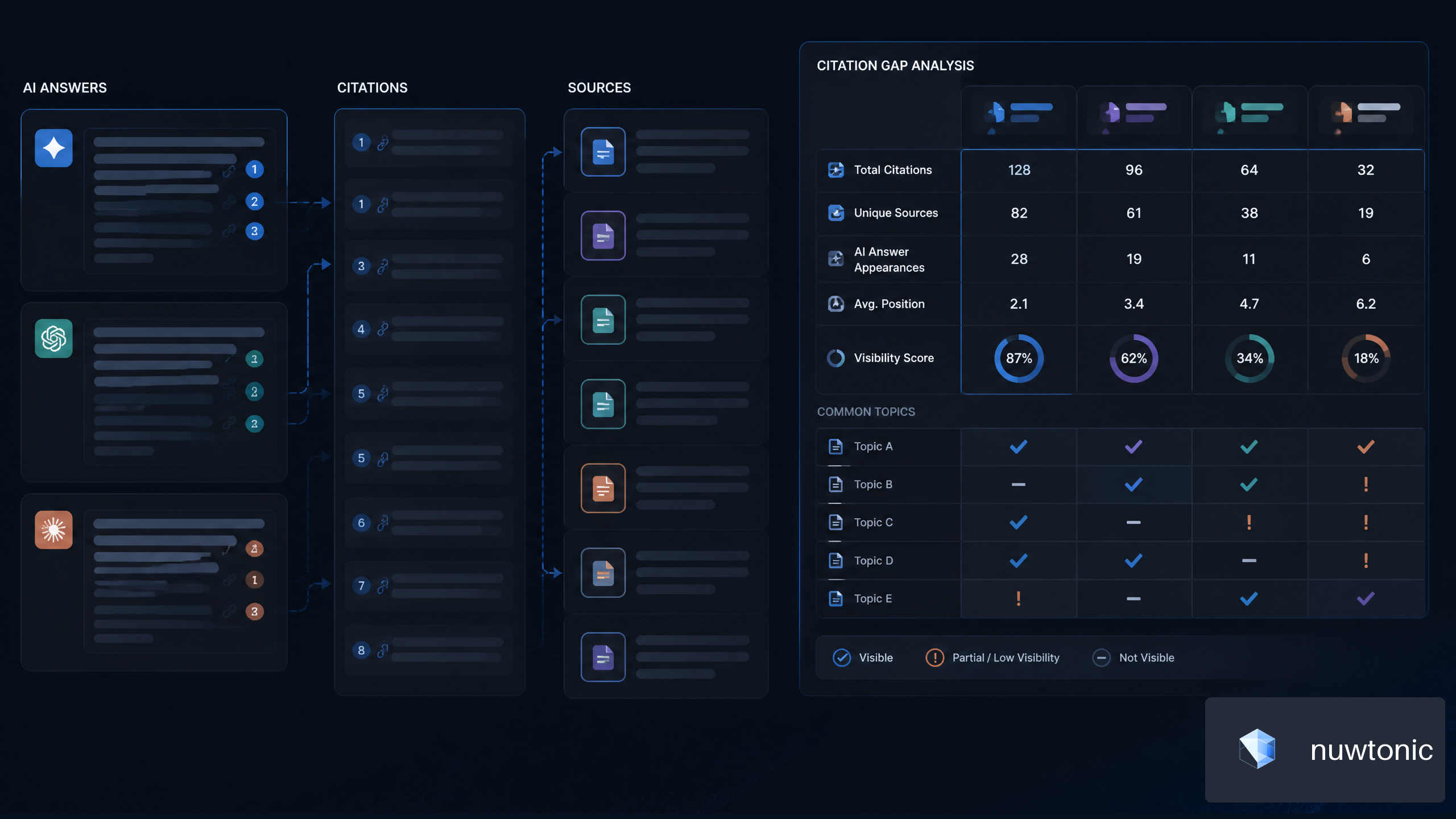
7 Strategies for AI Citation Gap Analysis for SaaS Companies
Best CMS for SEO 2026: Complete Guide & Tips