Free Schema Markup Checker
Validate your structured data for precision SEO. Audit JSON-LD, Microdata, and RDFa markup for errors, missing properties, and schema.org compliance instantly.
What is Schema Markup and How Does It Work?
To understand schema, we first need to understand how search engines read. Humans can look at a page and instantly realize that "$49.99" is a price, "4.8" is a review score, and "In stock" means they can buy the item right now. Search engines, however, are essentially blind to this context unless we explicitly tell them what these numbers mean.
The Core Definition: Structured Data vs. Schema Markup
Look, I get it—people use these terms interchangeably all the time, but there is a distinct difference. Structured data is the overarching system of organizing information on a webpage so that search engines can easily parse it. Think of it as the general concept of putting data into a spreadsheet instead of a messy paragraph. Schema markup, on the other hand, is the specific vocabulary used to write that structured data. This vocabulary was created through a collaborative effort by Google, Bing, Yahoo!, and Yandex, hosted at schema.org.
Analogy: If structured data is the concept of writing a book, schema.org is the dictionary of words you use to write it, and JSON-LD is the specific language you speak.
How Search Engines Process Schema Under the Hood
When a search engine crawler hits your page, it has to download your HTML, render your CSS, and try to make sense of your text. This process is computationally expensive. By adding schema markup, you dramatically improve crawl efficiency. Instead of guessing what your page is about, the crawler reads the structured data block and instantly knows:
- •The exact name of the product.
- •Who manufactured it.
- •The current price and currency.
- •What customers think of it.
This structured data feeds directly into the Google Knowledge Graph, a massive database of entities and the relationships between them. This helps search engines understand that "Apple" the brand is different from "apple" the fruit.
Why Schema Markup Matters for Modern SEO (and AI Overviews)
I've found that implementing schema can significantly improve click-through rates, but it's often overlooked in favor of other SEO tactics. When you give search engines structured data, they can reward you with rich snippets—visual enhancements like stars, images, and FAQ dropdowns directly in the search results. Furthermore, as search engines evolve toward conversational AI, does schema markup help with Google AI Overviews? Absolutely. AI overviews rely on pulling highly structured, factual data quickly to answer complex user queries. If your data is pre-digested in a clean schema format, the AI is far more likely to trust and reference your site as a factual source.
Professional Schema Validation
Nuwtonic's Schema Checker uses strict validation rules based on schema.org standards. We help you find hidden syntax errors and property mismatch issues that basic validators might miss, ensuring your structured data is perfectly readable by search engines.
Why Structured Data is Essential for 2025
Structured data provides a standard way to give search engines information about your page. It helps Google understand that a sequence of numbers is a price or that a name is an author. This clarity is crucial for winning rich results and improving AI search relevance.
What is a Schema Markup Checker?
A schema markup checker is a technical SEO validator that inspects your code (JSON-LD, Microdata, etc.) for syntax errors, mandatory properties, and compliance with the official Schema.org vocabulary.
Formats and Technical Implementation Rules
Now that you know what it is, let's talk about how to actually put it on your site. You have a few options, but one stands head and shoulders above the rest.
JSON-LD: The Recommended Format
There are three main formats for structured data: JSON-LD, Microdata, and RDFa.
| Format | Where It Lives | Complexity | Google Preference | Best For |
|---|---|---|---|---|
| JSON-LD | Inside a <script> tag (usually in <head>) | Low (Clean & separated) | Highly Recommended | Almost all modern SEO implementations |
| Microdata | Embedded directly within HTML tags | High (Messy to maintain) | Accepted | Legacy websites with inline data |
| RDFa | Embedded in HTML5 attributes | High (Hard to read) | Accepted | Complex portal sites using XML/HTML |
Google prefers JSON-LD because it does not mess with your user-facing HTML. It is a clean block of JavaScript that sits quietly in the background, making it incredibly easy to generate, edit, and maintain.
Where to Place JSON-LD Schema Markup for Google
For optimal results, you should place your JSON-LD block within the <head> section of your HTML. However, Google's crawlers are smart enough to read it even if it is placed in the <body> or generated dynamically via JavaScript.
Can You Add CSS Style to Schema Markup?
No. Schema markup is purely data for search engine robots; it is not meant for human eyes. Therefore, you cannot (and should not) try to add CSS styles to your schema code.
However, does schema markup need to be visible on website? This is a critical distinction. While the code itself remains hidden, the content it represents must be visible to users. If you mark up a product price of $49.99 in your JSON-LD, that exact price must be clearly visible to human visitors on the page. Marking up hidden content is a major violation of search engine guidelines and can lead to penalties.
How to Implement Schema Without Plugins (WordPress & Webflow)
A lot of tutorials out there make schema seem more complex than it is; in most cases, it's just about following a few simple guidelines. You don't need bloated plugins to do this.
How to Add Schema Markup to WordPress Without Plugin
- 1
Generate your JSON-LD code using a reliable generator.
- 2
Open your WordPress dashboard and navigate to the page or post editor.
- 3
Add a Custom HTML block where you want to place the schema (the top or bottom of the page works fine).
- 4
Paste your JSON-LD code directly into the block and update the page.
Alternatively, if you want global schema (like LocalBusiness) across your entire site, you can paste the code into your theme's header.php file within the <head> tags, or use a hooks manager in your child theme's functions.php file.
How to Add Schema Markup in Webflow
- 1
Go to your Webflow project and open the page settings for the page you want to optimize.
- 2
Scroll down to the Custom Code section.
- 3
In the Inside <head> tag box, paste your JSON-LD code.
- 4
If you are using dynamic CMS collections (like blog posts or products), you can insert dynamic fields directly into your JSON-LD template inside Webflow to automate the process for thousands of pages.
How Best to Do Schema Markup with Elementor
If you are using Elementor on WordPress, the cleanest method is to use the HTML Widget. Drag the widget to the very top or bottom of your Elementor template, paste your JSON-LD script, and save. This keeps your layout intact while ensuring the search engines get the structured data they need.
Advanced Tactics: Entities, Knowledge Graphs, and Local SEO
If you want to move beyond basic schema and truly dominate search, you need to think about how you connect different concepts together.
Connecting Entities for Knowledge Graphs
Search engines no longer look at keywords in isolation; they look at entities (real-world people, places, organizations, and concepts). To help search engines connect your brand to the global knowledge graph, you should use the @id and sameAs properties in your schema. For example, if you are marking up an Organization, you can use the sameAs array to link to your official Wikipedia page, Wikidata profile, and primary social media channels. This tells Google: "Yes, this website belongs to the exact same organization mentioned on these authoritative platforms."
Adding Schema Markup for Local Business Information
For local businesses, schema is your ticket to appearing in the local map pack. Does geoshape schema markup help with local business search? Yes, absolutely. By defining your GeoCoordinates or GeoShape (the physical boundaries of your service area), you give search engines precise geographic data, which helps them serve your business to users searching within your exact vicinity.
Can I Add Multiple Business Types in Schema Markup?
Yes, you can. If your business is both a "Restaurant" and a "Bakery", you can use a multi-type declaration in your JSON-LD. However, it is usually better to choose the single most specific primary type (e.g., Bakery) and use sub-properties or additional types to describe your secondary services to avoid confusing the crawl engines.
Job Listings, Honorifics, and Edge Cases
Testing, Troubleshooting, and Maintenance
Now, let's be honest—writing schema is only half the battle. If you don't test it, you are asking for trouble. I once had a client who lost their rich snippets overnight because a developer accidentally deleted a closing curly bracket during a site update. Don't be that person who forgets to validate their markup!
How to Check Schema Markup for Errors
Before you publish your schema, you need to run it through a validation tool. You should use a dedicated Schema Markup Checker to verify that your syntax is flawless and conforms to the schema.org standards. Once your code is live, you can use Google's official Rich Results Test to see exactly how Google interprets your structured data and whether it qualifies for visual enhancements in search results. Utilizing comprehensive schema tools during your development workflow will save you hours of debugging down the road.
Can Bad Schema Markup Cause a Ranking Loss?
Yes, it absolutely can. While correct schema won't directly boost your rankings, bad or manipulative schema can actively harm them. If you implement "spammy" structured data—such as marking up reviews that don't exist, showing different data to search engines than what is visible to users, or applying irrelevant schema types—Google may issue a manual action against your site. This will strip away your rich snippets and can lead to a severe drop in organic traffic.
Do I Need to Request a Reindex After Updating Schema Markup?
You don't have to, but it is highly recommended. If you've just fixed broken schema or added new rich markup, submitting the URL via Google Search Console's URL Inspection tool will prompt Googlebot to recrawl the page faster, allowing your new rich snippets to appear in search results within a few hours to a few days instead of weeks.
Schema Impact on Site Structure and Keywords
One of the most overlooked aspects of structured data is how it influences your overall site architecture and your ability to rank for highly specific search terms.
Does Using Schema Markup Improve Website Structure for Long-Tail Keywords?
Yes, it does. By utilizing schemas like BreadcrumbList, CollectionPage, or AboutPage, you establish a clear semantic hierarchy for your site. When search engines understand the exact relationships between your parent categories and child pages, they can crawl your site more efficiently. This semantic clarity makes it much easier for search engines to match your deep, highly specific content pages to complex, long-tail keywords searched by users who are ready to convert.
Technical Validation Scope
This tool evaluates schema syntax (JSON-LD format), required vs. recommended properties, nesting logic, and official schema.org vocabulary compliance.
How to Validate Your Schema Code
Enter your page URL or paste your JSON-LD markup directly.
Click Validate to begin the technical code audit.
Review the detected schema types and property status.
Fix any red syntax errors or yellow missing property warnings.
Understanding Your Validation Report
Valid Schema
Your code is technically correct and follows all mandatory syntax rules.
Invalid Markup
Critical syntax errors found. Search engines will likely ignore this schema entirely.
Missing Properties
You've missed recommended fields that could improve your search presence.
Types Detected
Specific schema categories (e.g., Product, Organization) found in your code.
Validation Disclaimer
Valid code is a technical requirement, but it does not guarantee that search engines will display rich snippets for your page.
Frequently Asked Questions About Schema Markup
Common Schema Markup SEO Questions Answered
What is the recommended format for implementing schema markup?
Google recommends using JSON-LD because it is easier to implement, maintain, and does not interfere with the visual presentation of your website's HTML.
Does schema markup guarantee my site will get rich snippets?
No. Schema markup makes your page eligible for rich snippets, but Google ultimately decides whether to display them based on searcher intent, site quality, and query context.
Do I need to know how to code to use schema?
Not necessarily. While understanding basic JSON-LD is helpful, you can easily generate schema using automated tools and generators, then copy and paste the code directly into your CMS.
Can I use multiple schema types on a single page?
Yes, you can combine multiple schemas (e.g., a Product schema and an FAQPage schema) on a single page, provided they accurately represent the visible content on that page.
Try our other free SEO and AI tools
We have gathered some of our free tools that might help you in your SEO efforts.
Filter what tools to see
Free Meta Title Generator
Generate high-CTR title tags optimized for Google search results using AI-driven templates.
Free Keyword Clustering Tool
Group related keywords into clear topic clusters and build a stronger topical SEO plan.
AI Overview Keyword Finder
Detect keywords that trigger AI overviews and assess citation opportunities with volatility signals.
Low Competition Keyword Finder
Find weak SERPs, forum-heavy opportunities, and keywords where lower-authority sites can still win.
Reddit Keyword Finder
Extract recurring questions, pain points, and buying intent patterns from Reddit and forums.
Question Keyword Tool
Find FAQ-style keywords and common user questions.
Buyer Intent Keyword Finder
Specifically filters for commercial and transactional keywords.
Zero Search Volume Keyword Finder
Uncovers emerging or hidden keywords that traditional volume tools miss.
Free SEO Title Length Checker
Check if your page titles fit within pixel limits to avoid truncation.
Free Meta Description Generator
Create compelling meta descriptions that summarize your content and boost click-through rates.
Free Meta Description Length Checker
Check if your meta descriptions fit within pixel limits to avoid truncation.
Free Google SERP Preview Tool
Simulate how your page title and meta description may appear in Google search results.
Free Rich Results Test
Determine if your page is eligible for rich results in Google Search with our validation tool.
Free Alt Text Checker
Identify missing, empty, or duplicate alt text values across images.
Free AI Alt Text Generator
Generate descriptive, accessibility-compliant alt text for your images instantly.
Free Image Filename Generator
Convert plain text into SEO-friendly, hyphenated image filenames.
Free On-Page SEO Audit Tool
Run an on-page SEO audit for SEO services pages, technical SEO audit checks, and SEO optimization improvements.
Free H1 Tag Checker
Identify the presence and content of H1 heading tags on any webpage.
Free Heading Structure Checker
Audit your H1-H6 tags to ensure a logical and SEO-friendly document structure.
Free Canonical URL Checker
Identify declared canonical URLs and analyze canonical-related signals on any page.
Free EEAT Audit Tool
Analyze your content for Google's Experience, Expertise, Authoritativeness, and Trustworthiness signals.
Free AIO & GEO Audit Tool
Optimize your content for AI Overviews and Search Generative Experience with a detailed formatting audit.
Free Broken Link Checker
Scan a page to identify links that return error responses or cannot be reached.
Free Redirect Checker
Analyze URL redirection behavior to identify redirect types and destination URLs.
Latest SEO and AI related articles
Browse all articles
Best AI Writer: How To Choose the Right Tool in 2026

How to Create an SEO-Friendly XML Sitemap

11 ChatGPT SEO Strategy for B2B Companies (0 to 90 Days)
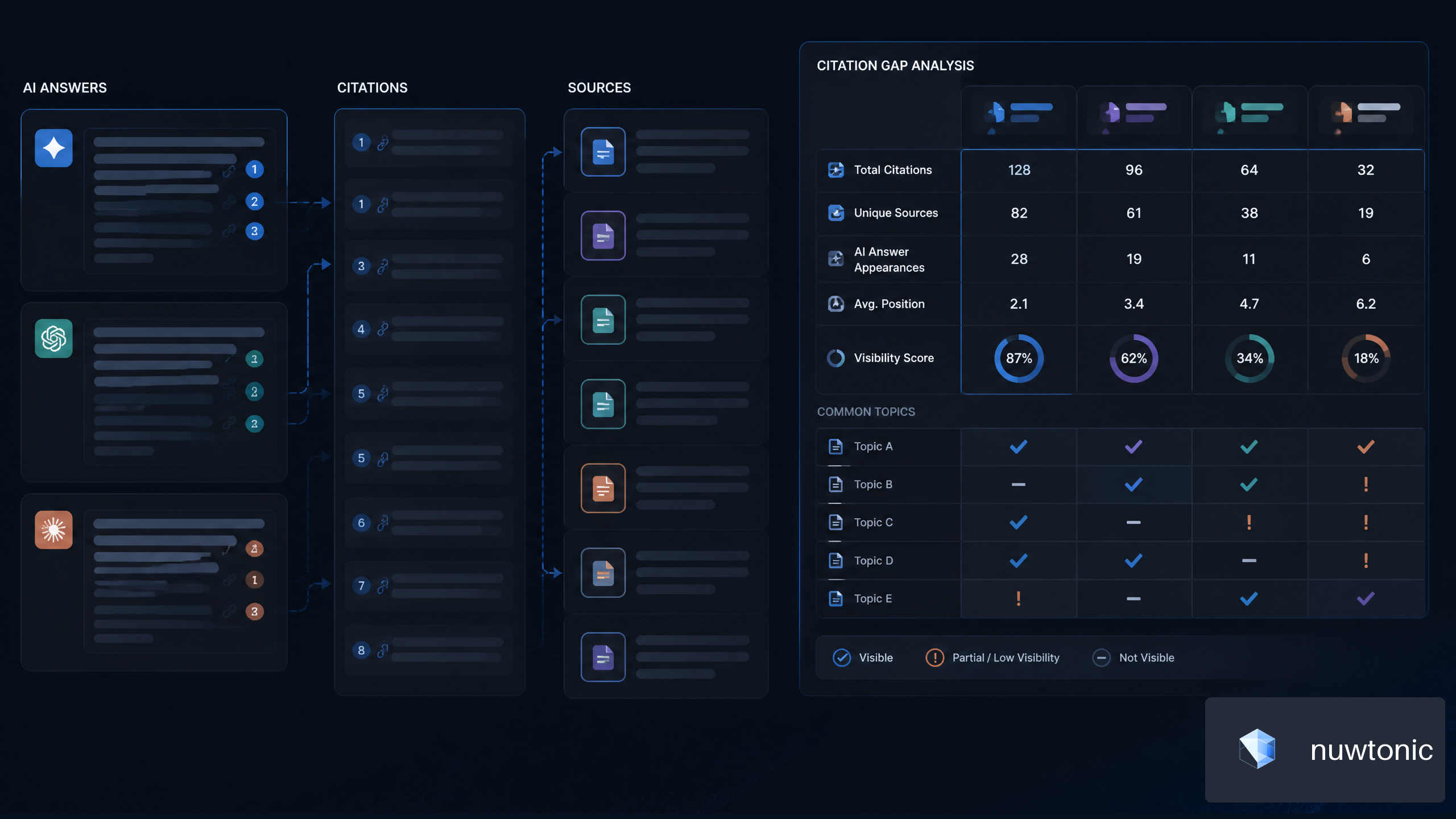
7 Strategies for AI Citation Gap Analysis for SaaS Companies
Best CMS for SEO 2026: Complete Guide & Tips