Low Competition Keyword Finder
Find keywords where weaker SERPs and forum-heavy results create realistic opportunities for faster rankings.
Why Low Competition Keywords Still Win
When SERPs are dominated by forums, thin pages, or mismatched intent, smaller websites can rank faster with focused content. This tool helps you find those gaps before stronger competitors optimize them.
What This Tool Does
The tool takes seed keywords, fetches live Google search suggestions in your browser, and scores each suggestion for weak SERP signals, forum dominance, and low-authority win potential.
How to Use the Tool
Enter your seed topics, one per line.
Run the finder to collect keyword suggestions directly from Google Suggest.
Review weak SERP and low-authority scores.
Prioritize keywords with low competition and strong intent fit.
Best Use Cases
Build content plans for new sites with low domain authority.
Find quick-win blog topics in forum-dominated SERPs.
Discover long-tail keywords with weaker first-page competition.
Prioritize editorial tasks by realistic ranking probability.
What Are Low Competition Keywords Anyway?
To build a solid organic strategy, we first need to strip away the industry buzzwords and understand what we are actually fighting for.
The Core Definition of Low Competition
Simply put, low competition keywords are search queries that established, high-authority websites have not fully optimized for. These terms represent gaps in the market where searchers are looking for specific answers, but the current search results are weak, outdated, or off-topic. When you target these terms, you aren't trying to out-muscle the giants of the internet; you are simply stepping into spaces they have ignored. In my experience, focusing on these gaps is the single most efficient way to build momentum for a new domain.
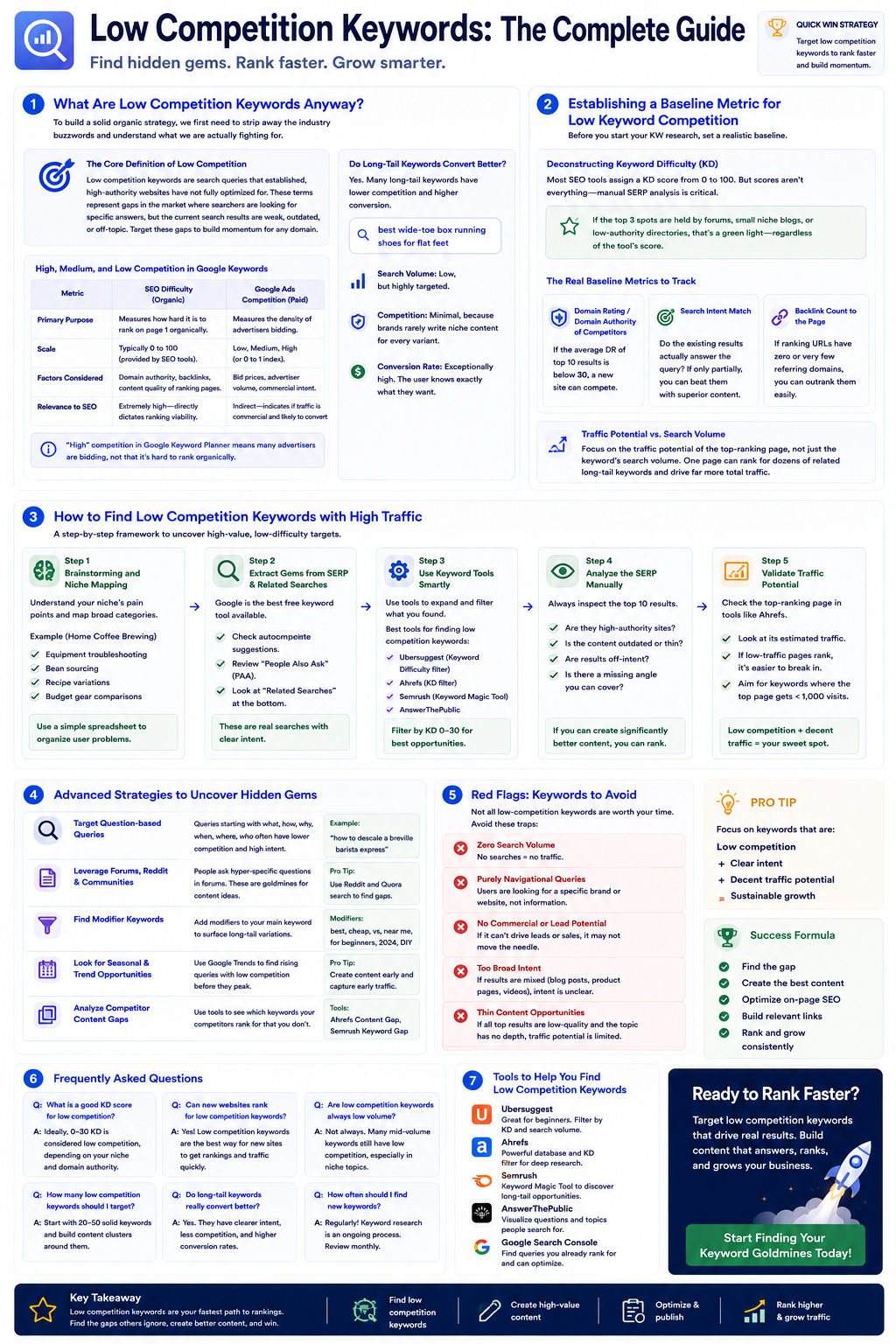
High, Medium, and Low Competition in Google Keywords
Just a heads up: there is a massive difference between "competition" in Google Keyword Planner and organic keyword difficulty. Many beginners make the mistake of looking at the "Competition" column in Google's free tools and assuming it applies to SEO.
| Metric | SEO Difficulty (Organic) | Google Ads Competition (Paid) |
|---|---|---|
| Primary Purpose | Measures how hard it is to rank on page 1 of the SERP organically. | Measures the density of advertisers bidding on the keyword. |
| Scale | Typically 0 to 100 (provided by SEO tools). | Low, Medium, High (or an index from 0 to 1). |
| Factors Considered | Domain authority, backlink profiles, content quality of ranking pages. | Bid prices, advertiser volume, commercial intent. |
| Relevance to SEO | Extremely high—directly dictates organic ranking viability. | Indirect—indicates if traffic is highly commercial and likely to convert. |
If a keyword has "High" competition in Google Keyword Planner, it simply means many advertisers are bidding on it. It does not necessarily mean it is hard to rank for organically.
Do Long-Tail Keywords Have Lower Competition and Higher Conversion?
Absolutely. Many people overlook the value of long-tail keywords; they often convert better than high-competition ones. Consider the search query "shoes." The search intent is incredibly vague. Is the searcher looking to buy? Are they researching the history of footwear? Who knows.
Now, consider the query "best wide-toe box running shoes for flat feet."
- •Search Volume: Low, but highly targeted.
- •Competition: Minimal, because massive brands rarely write highly specific content for every niche variant.
- •Conversion Rate: Exceptionally high, because the user knows exactly what they want and is likely ready to make a purchase.
Establishing a Baseline Metric for Low Keyword Competition
Before you start your KW (keyword) research, you need a realistic baseline. If you don't establish parameters, you will waste hours analyzing terms you have no realistic chance of ranking for anytime soon.
Deconstructing Keyword Difficulty (KD)
Most modern SEO platforms assign a Keyword Difficulty (KD) score from 0 to 100. While these scores are helpful directional guides, they are far from perfect. Most keyword tools are overhyped—you can find gems by just looking at Google's related searches and evaluating the actual SERP manually. When evaluating difficulty, you must look at the actual websites occupying the top positions. If the top 3 spots are held by forums (like Reddit or Quora), small niche blogs, or low-authority directories, that is a green light—regardless of what a tool's automated difficulty score tells you.
The Real Baseline Metrics to Track
To keep your SEO tools stack lean and effective, focus on these three primary indicators when determining if a keyword is truly low-competition:
- Domain Rating / Domain Authority of Competitors: If the average DR of the top 10 results is below 30, a relatively new site can compete.
- Search Intent Match: Does the existing content actually answer the searcher's query? If the top results only partially answer the question, you can easily beat them with superior content.
- Backlink Count to the Specific Page: If the ranking URLs have zero or very few referring domains pointing directly to them, you can often outrank them with better on-page optimization.
Traffic Potential vs. Search Volume
I've seen businesses put too much faith in competitive metrics; sometimes, a niche keyword can drive more relevant traffic than a high-volume head term. When analyzing keywords, look at the traffic potential of the top-ranking page rather than the individual keyword's search volume. A single well-optimized article can rank for dozens of related long-tail keywords, resulting in far more total traffic than the primary search volume metric suggests.
How to Find Low Competition Keywords with High Traffic
Now let's get into the step-by-step execution. Finding these high-value, low-difficulty targets requires a structured framework.
Step 1: Brainstorming and Niche Mapping
You cannot find low competition keywords without first understanding your specific niche's pain points. Start by mapping out the broad categories of your industry. If you want a deep dive into this phase, check out our guide on How to Research Keywords for a Niche.
Create a simple spreadsheet categorized by user problems. For example, if your niche is home coffee brewing, your categories might include:
- •Equipment troubleshooting
- •Bean sourcing
- •Recipe variations
- •Budget gear comparisons
Step 2: Extracting Gems from SERP and Google's Related Searches
Don't fall for the shiny tool syndrome before recommending simpler, highly reliable solutions. Google itself is the best keyword research tool available. Go to Google and type in a broad query related to your niche, but do not press enter. Look at the autocomplete suggestions. These are real searches people are making right now. Once you run a search, scroll down to the "People Also Ask" (PAA) section and the "Related Searches" at the bottom of the page. These represent highly specific, low-competition queries that are often ripe for the picking.
Step 3: Using Dedicated SEO Tools Smartly
Once you have a list of seed ideas, it's time to scale your research. By leveraging advanced Keyword Research Features, you can filter out high-difficulty terms automatically and focus purely on the low-hanging fruit.
If you want to speed up this process and stop guessing, using a specialized Low Competition Keyword Finder can save you hours of manual scraping and point you directly to keywords with high traffic potential and minimal organic resistance.
How to Rank Low Competition Keywords Effectively
Finding the keywords is only half the battle; you still have to build the content and optimize it correctly to claim that page-one real estate.
Aligning with Search Intent (The Non-Negotiable Step)
If you fail to match search intent, no amount of optimization or backlinks will save your rankings. Search intent generally falls into four buckets:
- Informational: The user wants to learn something (e.g., "how to clean a French press").
- Navigational: The user wants to find a specific website (e.g., "Blue Bottle Coffee login").
- Commercial: The user is researching options before buying (e.g., "best burr grinders under $100").
- Transactional: The user is ready to buy right now (e.g., "buy Baratza Encore grinder online").
Analyze the current top 5 results for your target keyword. If they are all blog posts, do not try to rank a product page. If they are all product category pages, do not write a 3,000-word informational guide.
On-Page Optimization and LSI Keywords
- Title Tag: Include your primary low-competition keyword near the beginning.
- H2 and H3 Headings: Use variations of your target term to structure your content clearly.
- LSI Keywords: Weave in Latent Semantic Indexing (LSI) keywords—semantically related terms—to show search engines that your content is comprehensive and contextually rich.
- Introduction: State your answer early to satisfy searchers who want quick information.
Building Contextual Authority Without Massive Backlinks
One of the biggest benefits of targeting low competition terms is that you don't need a massive backlink profile to rank. Instead, focus on internal linking. Create a "pillar page" that covers a broad topic, and then write several smaller, highly specific articles targeting low-competition long-tail keywords. Link those smaller articles back to your pillar page. This signals to search engines that you have deep, structured knowledge on the subject, boosting the rankings of all pages in the cluster.
Frequently Asked Questions About Keyword Competition
Low Competition Keyword Finder Questions Answered
Can I rank for low competition keywords without backlinks?
Yes. For truly low-competition terms, a well-optimized, highly comprehensive piece of content that perfectly satisfies search intent can easily rank on page one without a single external backlink.
How long does it take to rank for these terms?
For a new website, it typically takes anywhere from several weeks to a few months for Google to index, test, and rank your content. For established sites with existing authority, rankings can occur within days or even hours.
Why is my keyword tool showing 0 volume for a term that gets traffic?
Keyword tools rely on historical averages and sampled data, which often completely misses highly specific long-tail queries. If a query appears in Google's autocomplete or "People Also Ask" sections, real people are searching for it—regardless of what a tool's volume estimate says.
Where do these keyword ideas come from?
Keyword ideas are pulled from Google search suggestions in your browser session.
What does weak SERP score mean?
Weak SERP score estimates how likely the search results are to contain weaker pages that can be outperformed with better intent-focused content.
What is forum-dominated likelihood?
It estimates if forum-like results (such as threads and discussion pages) are likely present. This can indicate lower editorial competition.
Can I export results?
Yes. You can copy all keyword opportunities or download them as CSV.
Try our other free SEO and AI tools
We have gathered some of our free tools that might help you in your SEO efforts.
Filter what tools to see
Free Meta Title Generator
Generate high-CTR title tags optimized for Google search results using AI-driven templates.
Free Keyword Clustering Tool
Group related keywords into clear topic clusters and build a stronger topical SEO plan.
AI Overview Keyword Finder
Detect keywords that trigger AI overviews and assess citation opportunities with volatility signals.
Reddit Keyword Finder
Extract recurring questions, pain points, and buying intent patterns from Reddit and forums.
Question Keyword Tool
Find FAQ-style keywords and common user questions.
Buyer Intent Keyword Finder
Specifically filters for commercial and transactional keywords.
Zero Search Volume Keyword Finder
Uncovers emerging or hidden keywords that traditional volume tools miss.
Free SEO Title Length Checker
Check if your page titles fit within pixel limits to avoid truncation.
Free Meta Description Generator
Create compelling meta descriptions that summarize your content and boost click-through rates.
Free Meta Description Length Checker
Check if your meta descriptions fit within pixel limits to avoid truncation.
Free Google SERP Preview Tool
Simulate how your page title and meta description may appear in Google search results.
Free Schema Markup Checker
Validate your structured data to ensure it is readable by search engines and error-free.
Free Rich Results Test
Determine if your page is eligible for rich results in Google Search with our validation tool.
Free Alt Text Checker
Identify missing, empty, or duplicate alt text values across images.
Free AI Alt Text Generator
Generate descriptive, accessibility-compliant alt text for your images instantly.
Free Image Filename Generator
Convert plain text into SEO-friendly, hyphenated image filenames.
Free On-Page SEO Audit Tool
Run an on-page SEO audit for SEO services pages, technical SEO audit checks, and SEO optimization improvements.
Free H1 Tag Checker
Identify the presence and content of H1 heading tags on any webpage.
Free Heading Structure Checker
Audit your H1-H6 tags to ensure a logical and SEO-friendly document structure.
Free Canonical URL Checker
Identify declared canonical URLs and analyze canonical-related signals on any page.
Free EEAT Audit Tool
Analyze your content for Google's Experience, Expertise, Authoritativeness, and Trustworthiness signals.
Free AIO & GEO Audit Tool
Optimize your content for AI Overviews and Search Generative Experience with a detailed formatting audit.
Free Broken Link Checker
Scan a page to identify links that return error responses or cannot be reached.
Free Redirect Checker
Analyze URL redirection behavior to identify redirect types and destination URLs.
Latest SEO and AI related articles
Browse all articles
Best AI Writer: How To Choose the Right Tool in 2026

How to Create an SEO-Friendly XML Sitemap

11 ChatGPT SEO Strategy for B2B Companies (0 to 90 Days)
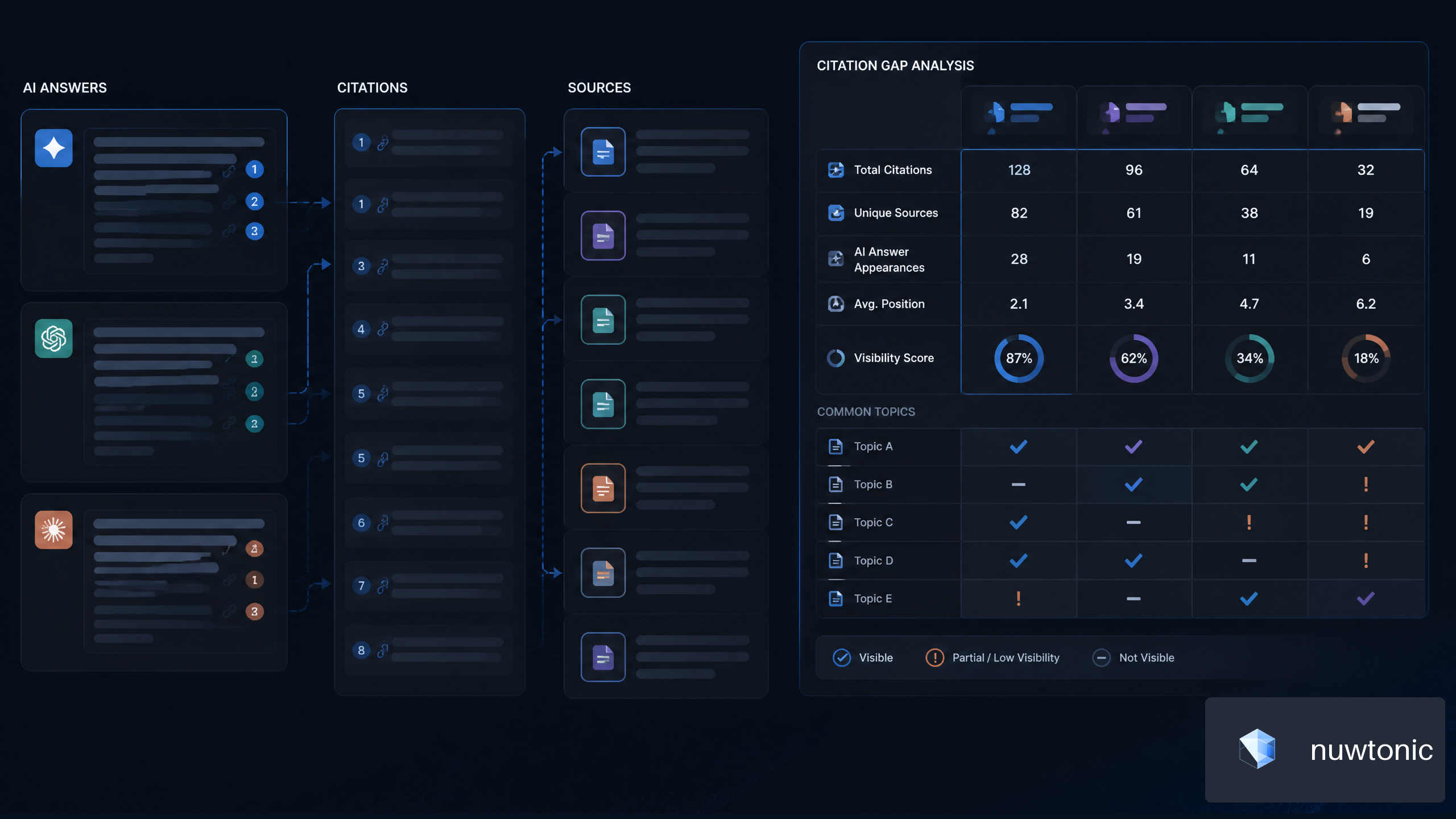
7 Strategies for AI Citation Gap Analysis for SaaS Companies
Best CMS for SEO 2026: Complete Guide & Tips