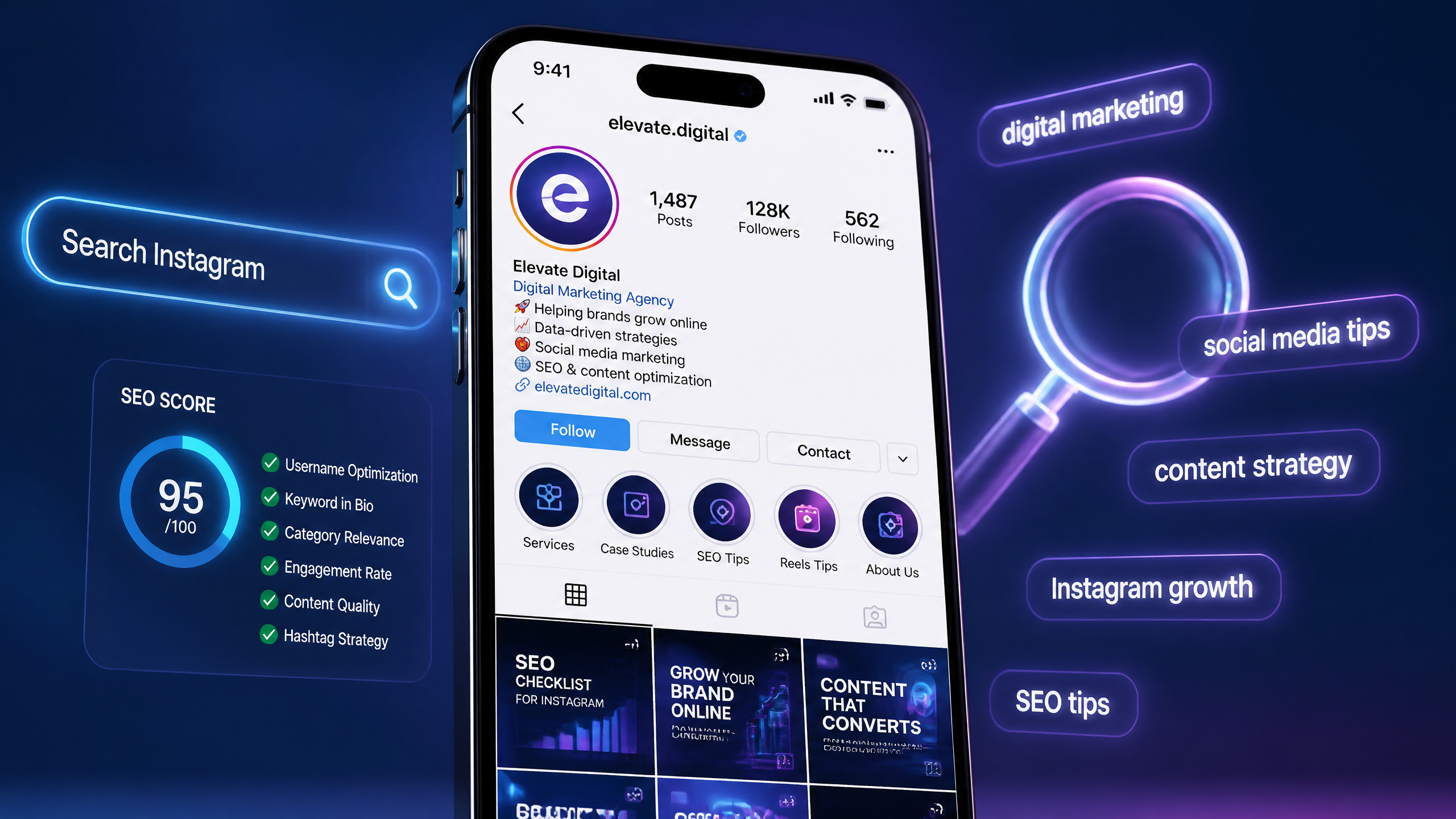
Ever wondered why your posts aren’t getting traction? You spend hours designing beautiful carousel posts, writing witty captions, and researching a million hashtags, only to be met with cricket sounds. Trust me, I’ve been there! Early in my career, I managed an organic wellness campaign where we did exactly that—stuffed 30 generic tags on every single post and hoped for the best. Spoiler alert: it bombed. Why? Because we were treating discovery like a lottery instead of a science.
Today, getting eyes on your content requires a deliberate approach to seo for instagram. Let's break down how the platform indexes content, how you can optimize your profile, and how to turn search visibility into actual business growth.

TL;DR Summary
If you only have two minutes, here is the quick breakdown. Instagram SEO is the practice of optimizing your profile and content to rank higher in search results and recommendation feeds. By focusing on searchable display names, keyword-rich captions, strategic alt text, and high-quality content pillars, you can drive consistent non-follower reach without relying solely on viral trends.
Key Takeaways
• Optimized Metadata Rules: Your username, display name, and bio are the strongest search ranking signals on the platform.
• Captions Over Hashtags: The IG algorithm relies heavily on semantic keyword relevance within captions rather than a wall of hashtags.
• Accessibility Drives Reach: Writing descriptive alt text helps search crawlers categorize your visual content accurately.
• Engagement Signals Matter: Search rankings are not static; high engagement rates and dwell time push your content to the top.
Table of Contents
• Demystifying the IG Algorithm for Search
• Profile Optimization: Your Digital Storefront
• Content and Caption Optimization Strategies
• Video SEO: Optimizing Reels and Carousel Posts
• Local SEO and Performance Tracking
• Instagram SEO FAQs
Demystifying the IG Algorithm for Search
How Instagram Search Works Under the Hood
To understand search engine optimization within this platform, we must first abandon the idea that it functions exactly like Google. While understanding on-page SEO on a traditional website involves targeting search engine bots, Instagram’s search engine is built entirely around user intent and real-time social signals.
When a user types a query into the search bar, the IG algorithm immediately parses its database for matching text signals. It looks at your username, display name, bio, captions, and hashtags. However, it does not stop at text. The system layers this relevance with the user's past behavior—who they follow, what posts they have liked, and their overall engagement history—to deliver a highly personalized search engine results page (SERP).
Search vs. Recommendation Engines
It is vital to distinguish between active search and passive recommendation. Active search occurs when a user inputs a specific term into the search bar. Passive recommendation occurs on the Explore page, Reels tab, and the main feed suggestion engine.
While active search relies heavily on direct keyword matching, recommendation engines rely on classification. The platform analyzes your account’s historical output to place you into a specific niche. If your content lacks thematic consistency, the recommendation engine struggles to categorize your account, which severely limits your organic reach.
The Core Ranking Signals
To rank highly in search results, your content must satisfy three primary buckets of ranking signals. The platform looks at text relevance first, followed closely by user activity and popularity metrics.
| Ranking Signal | Primary Driver | Best Practice | Goal |
|---|---|---|---|
| Text Relevance | Search query match | Use keywords in name, bio, and captions | High initial indexing |
| User Activity | Individual preferences | Build a niche-specific, highly engaged audience | Personalized search placement |
| Popularity Signals | Post performance | Drive immediate saves, shares, and comments | Top search result positioning |
Profile Optimization: Your Digital Storefront
Crafting a Searchable Username and Display Name
Your username (your handle) and your display name (the bold text under your profile picture) are the heaviest ranking factors in Instagram search. If your target keywords are not here, you are missing out on the majority of search traffic.
For example, if you are an ecommerce brand selling sustainable footwear, having "EcoSteps" as your username is great for branding—but adding "Sustainable Shoes" to your display name is what actually gets you found when someone searches for eco-friendly footwear. Keep your username simple, memorable, and free of excessive punctuation or numbers that make it hard to spell.
Writing a Bio That Converts and Indexes
Many people underestimate the power of a well-optimized bio—it's often the first impression a visitor gets. Beyond making a good impression, your bio is prime real estate for secondary keywords.
You have 150 characters to explain exactly what you do, who you serve, and why people should care. Instead of filling this space with vague inspirational quotes, use clear, industry-specific terms. If you run a local bakery, include terms like "Sourdough Bread," "Gluten-Free Pastries," and your city name.

Category Tags and the Sacred Bio Link
Selecting the correct business category (such as "Retail Company" or "Digital Creator") provides the algorithm with an explicit signal about your business type. It also frees up valuable character space in your bio.
Additionally, pay close attention to your bio link. This is your primary conversion tool. Ensure that you regularly audit this link to prevent user drop-off. Understanding the impact of broken links on SEO on your main website is equally applicable to your social media funnel; a broken link in your bio destroys credibility and wastes hard-earned search traffic.
Content and Caption Optimization Strategies
Keyword Research for Instagram Content
Before you write a single caption, you need to know what your audience is actually searching for. Instagram’s search bar is your best tool here. Start typing a primary industry term and observe the auto-complete suggestions. These are real search terms used by real people.
To scale this process, you can adapt your traditional search strategies. For instance, learning how to perform keyword research for ecommerce can help you identify high-intent commercial terms that users also use when searching for products directly on social platforms.
Writing Captions for Semantic Relevance
Gone are the days when one-sentence captions were enough to get by. The IG algorithm reads your entire caption to extract semantic context.
When writing captions, structure them like micro-blog posts:
- The Hook: Start with a compelling statement to stop the scroll.
- The Body: Deliver value while naturally incorporating your target keywords and semantic variations.
- The Call to Action (CTA): Prompt users to comment, save, or share to boost those vital popularity signals.
The Reality of Hashtags in 2026
Let's clear up some confusion: hashtags are not dead, but their role has shifted dramatically. I've seen countless brands overthink their hashtag strategy when sometimes just a few relevant tags can work wonders.
Instead of spamming 30 generic tags like #Love or #Marketing, focus on a curated list of 5 to 15 highly specific tags. Break them down into three categories:
• Broad Niche Tags: e.g., #DigitalMarketing
• Specific Topic Tags: e.g., #InstagramSEOTips
• Branded Tags: e.g., #YourBrandName
Alt Text and Accessibility as SEO Signals
Instagram automatically generates alt text for your images using object recognition technology, but it is often highly generic. By manually writing descriptive alt text, you take control of how the algorithm perceives your visual assets.
To edit alt text, go to "Advanced Settings" before publishing a post. Describe the image in detail, incorporating your target keywords naturally. For example: "A flat-lay photograph of a leather planner, a brass pen, and a cup of black coffee on a white wooden desk—productivity and time management tips."
Video SEO: Optimizing Reels and Carousel Posts
Reels Metadata and Audio Alignment
Reels are currently the most powerful engine for organic reach on the platform. To optimize your Reels for search, you must look beyond the written caption.
The algorithm transcribes the audio in your video to understand its content. This means you should clearly speak your target keywords within the first few seconds of your video. Additionally, use the in-app text tool to add on-screen captions—this text is indexed and searchable.
Maximizing Carousel Posts for Dwell Time
Carousel posts are fantastic for SEO because they encourage longer dwell times. When a user swipes through your carousel, they spend more time on your post, signaling to the algorithm that your content is valuable.
To maximize this effect, design your carousels with a clear narrative arc. Use the first slide as a high-impact hook, the middle slides to deliver actionable steps, and the final slide as a strong call to action.
Content Pillars and Topic Authority
Consistency is key, but I've often found that quality trumps quantity in terms of posting. To build true topic authority, define 3 to 5 core content pillars for your brand.
If you constantly bounce from topic to topic, the algorithm will struggle to define your niche. By repeatedly publishing high-quality, deeply optimized content within your established pillars, you signal to the platform that you are an authority in your field, which naturally boosts your search rankings over time.
Local SEO and Performance Tracking
Geotagging and Local Search Visibility
For brick-and-mortar businesses, local SEO on Instagram is a primary driver of foot traffic. Always add a location tag to your posts, Reels, and Stories.
When users search for businesses in a specific area, Instagram surfaces geotagged content. You can also include your physical address directly in your profile contact options, making it incredibly easy for local customers to find and navigate to your storefront.
Metrics That Matter for Instagram SEO
To know if your optimization efforts are actually working, you must move past vanity metrics like follower counts. Instead, dive into your Instagram Insights and monitor these key performance indicators (KPIs):
- Reach from Non-Followers: A steady increase in this metric proves your content is being found via search and recommendations.
- Saves and Shares: These actions indicate high-value content, which heavily influences search rankings.
- Profile Visits: Tracks how many users navigated to your profile after discovering your content.
Common Mistakes That Trigger Spam Signals
While optimizing your content is important, over-optimization can backfire. Avoid these common pitfalls to protect your account's visibility:
• Keyword Stuffing: Forcing keywords into your captions or bio where they don't make grammatical sense.
• Irrelevant Tagging: Using popular but completely unrelated hashtags or location tags just to get views.
• Engagement Baiting: Explicitly asking for artificial engagement (e.g., "like for like") can trigger spam filters and shadowbans.
Instagram SEO FAQs
Common Instagram SEO Questions Answered
Does Instagram SEO actually work?
Yes. When executed correctly, optimizing your profile and content metadata leads to a measurable increase in discoverability, search visibility, and organic non-follower reach.
How many hashtags should I use in 2026?
While the platform technically allows up to 30, the sweet spot for most accounts is between 5 and 15 highly relevant, targeted hashtags.
Should I put keywords in my captions or alt text?
Both. Use your captions to write engaging, semantically rich copy for human readers, and use alt text to provide clear, descriptive metadata for the search crawlers.
How long does it take to see results from Instagram SEO?
Unlike web SEO, which can take months, you can see shifts in your Instagram search visibility within a few weeks of consistently optimizing your profile and content.
Sources and References
• Meta Creators & Business Resource Guidelines (Official Platform Documentation)
• Instagram Search and Explore Discovery Engineering Documentation