
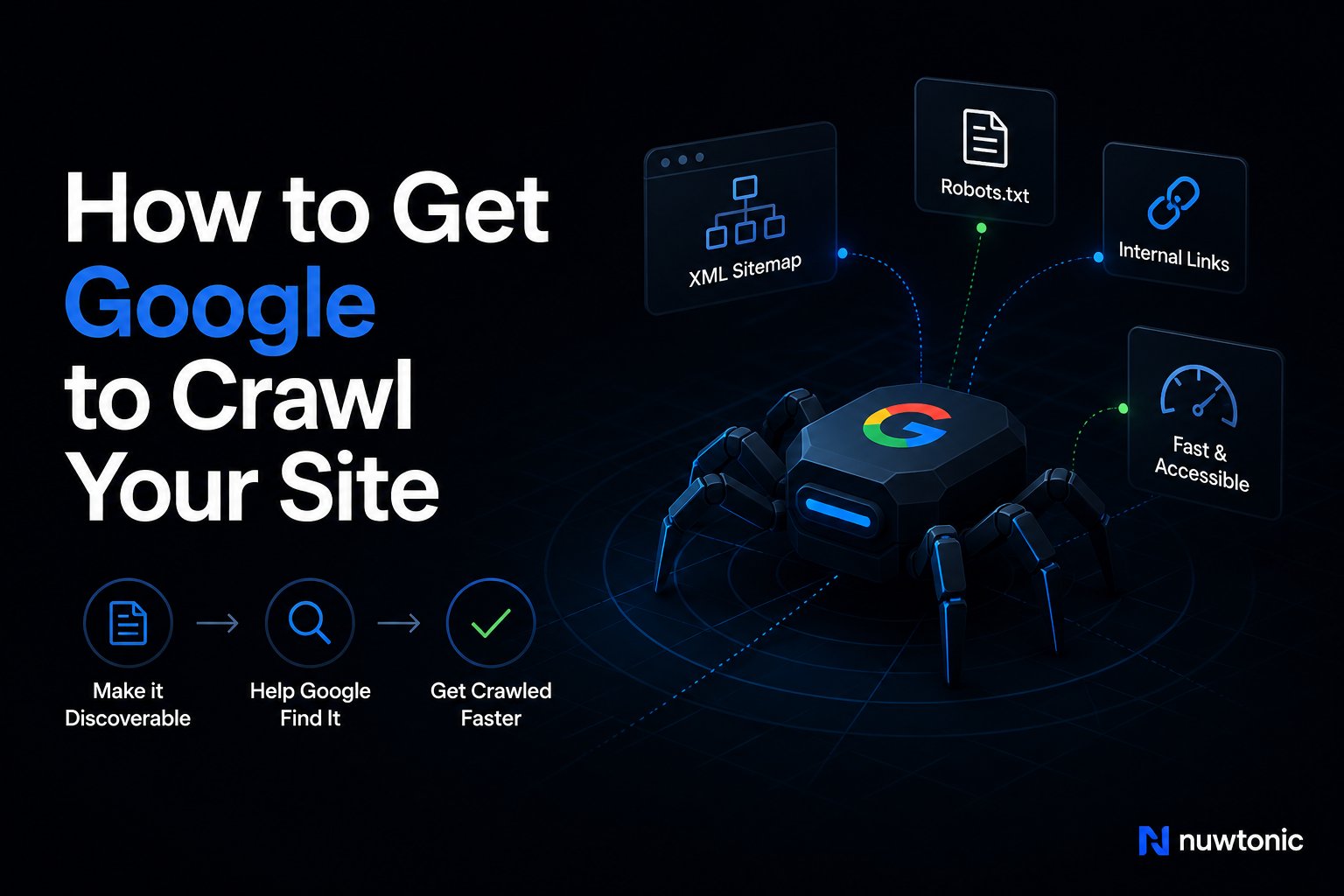
You publish a page, refresh Search Console, and nothing happens. The URL isn't in results, analytics stays flat, and the temptation is to start guessing, maybe the sitemap is broken, maybe Google “hates” the site, maybe a plugin needs another setting. In practice, crawl problems usually sit in one of three places, discovery, crawling, or indexing, and each one leaves a different trail inside Google Search Console.
That's why the fastest way to how to get Google to crawl your site is to stop treating it like a mystery and start treating it like a pipeline. If you need a plain-English companion for the visibility side of this problem, the guide on fix missing Google listing is a useful reference point, because the same diagnostic mindset applies even when the issue is a page, not a business profile.
Table of Contents
- Why Google Hasn't Crawled Your Page Yet
- Setting Up and Verifying Google Search Console
- Reading Crawl Stats Like a Budget Spreadsheet
- Requesting a Crawl With the URL Inspection Tool
- Sitemaps and the Indexing API for Scale
- Diagnosing the Crawl Blockers That Drain Budget
- Connecting Crawl Health to AI Search Visibility
- Your Crawl Readiness Checklist
Why Google Hasn't Crawled Your Page Yet
A marketer publishes a flagship page, then checks real-time traffic and sees nothing. The next move is usually to search the exact URL in Google, which is where the panic starts when the page still isn't visible. That moment feels like a ranking issue, but it's often earlier in the pipeline.
Discovery, crawling, and indexing are separate failures
Google can't index what it hasn't crawled, and it can't crawl what it hasn't discovered. Those stages don't fail for the same reasons, which is why a page missing from results is a symptom, not a diagnosis. The right response is to inspect each stage with the report that matches it.
Search Console gives you the clues. URL Inspection tells you whether a page is known, crawled, or queued. Crawl Stats tells you whether Googlebot is visiting at a healthy pace. The Pages and coverage views tell you whether the page was crawled but excluded later.
Practical rule: if you start fixing “indexing” before you know whether discovery is the problem, you'll waste time on the wrong layer.
That distinction matters on new pages, refreshed content, and migrated URLs. It also matters for local visibility work, where a page can technically exist but still fail to surface in search because the technical path to it is weak. If you need a broader operational reference for visibility troubleshooting, the workflow in simple SEO audit walkthrough is a clean companion to this process.
The symptom tells you where to look next
If a URL inspection says the live page is accessible but not yet indexed, the problem is usually queueing or crawl priority. If the page is blocked or excluded, the issue is structural. If the sitewide crawl volume looks unstable, the problem may be server strain, poor internal linking, or duplicate URL patterns.
That's the practical framing to keep in mind throughout this guide. You're not trying to force Google to do one thing. You're identifying which part of the pipeline is stuck, then fixing the specific blocker that's slowing Google down.
Setting Up and Verifying Google Search Console
Nothing else in this workflow works cleanly without a verified property. If you're missing access, managing the wrong property type, or looking at partial data, every diagnosis gets noisy. A proper setup also makes it much easier to share access with an agency or in-house teammate without losing control of the property.
Choose the right property type first
Google Search Console gives you two common setups, Domain and URL prefix. A Domain property is the better default when you want one view of the entire host, including protocol and subdomain variants. It's verified through DNS TXT and tends to be the cleanest option for larger sites.
A URL prefix property is narrower. It only covers the exact protocol and prefix you enter, and it can be verified with an HTML file upload or other methods supported in Search Console. If your site has separate subdomains or you're troubleshooting a specific section, this narrower property can still be useful.
Give people the right permissions
When an agency or consultant needs access, the distinction that matters is between Owner and Full user access. Owners can manage verification and user control. Full users can work inside the property, but they don't control ownership. Keep that distinction tight, especially on properties used by multiple teams.
One verification failure I see often is a CNAME pointed at the wrong subdomain, which creates confusion when a site looks reachable in a browser but doesn't verify cleanly in Search Console. That kind of mismatch usually means you're troubleshooting a DNS or property-scoping issue before you ever get to crawl behavior.
Run this checklist before you move on
- Confirm the property scope: make sure the property matches the canonical version of the site you want Google to crawl.
- Verify ownership cleanly: use DNS TXT for domain properties, or the HTML file path for URL prefix properties.
- Check user access: confirm the people doing the work can see the same property and the same reports.
- Open the right dashboard: if you're centralizing reporting, a setup like the GSC Performance Dashboard is only useful when the underlying property is verified correctly.
Once that's done, the rest of the work becomes repeatable instead of guesswork. You can inspect URLs, read crawl volume, and compare reports without wondering whether you're looking at the wrong site.
Reading Crawl Stats Like a Budget Spreadsheet
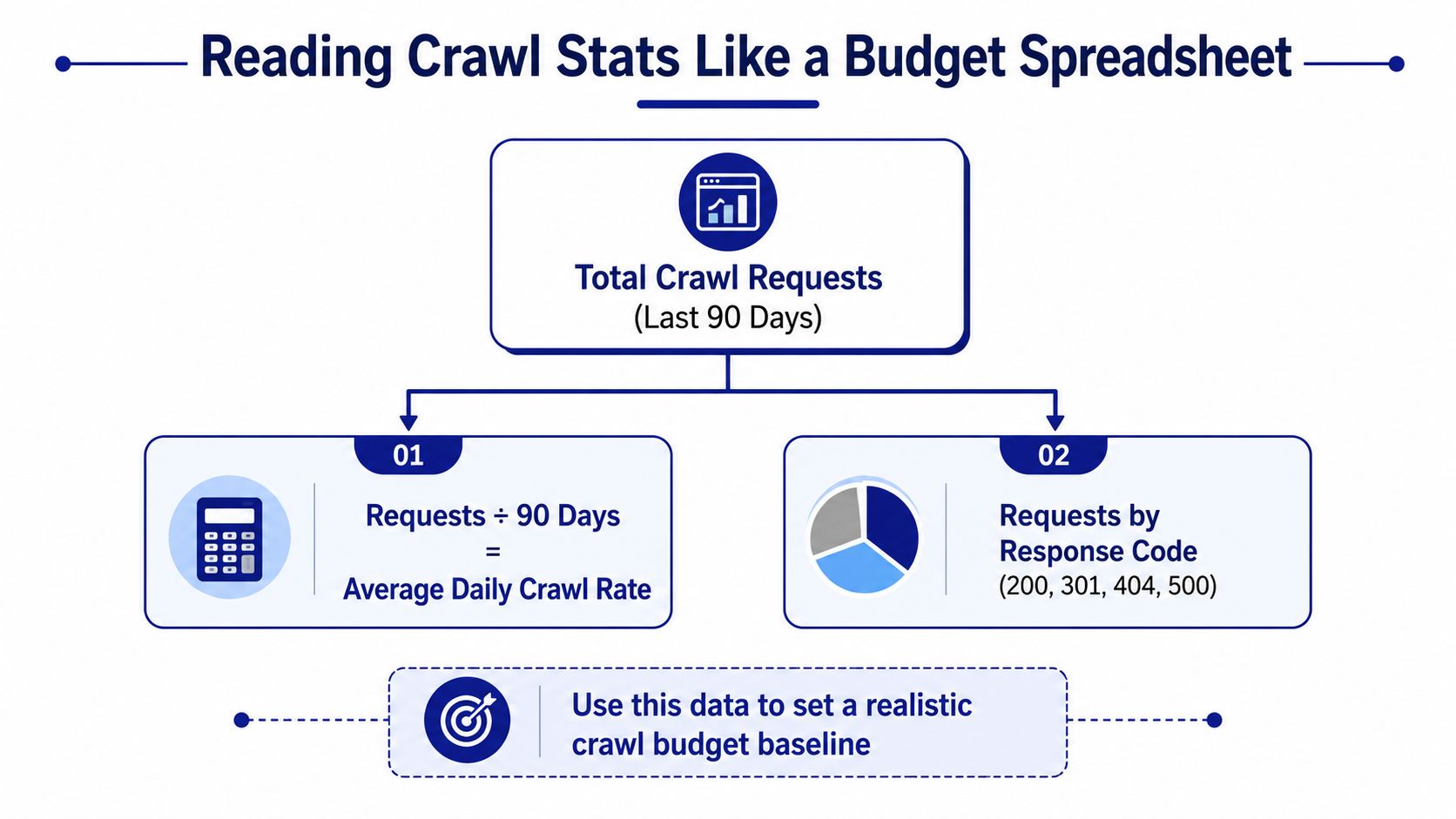
Crawl budget stops being abstract once you open Search Console's Crawl Stats report. The point isn't to obsess over every bot hit. The point is to understand how much crawling Google is spending, where it's spending it, and whether that spend is changing in a way that hurts discovery.
Treat crawl volume as a baseline, not a guess
One practical way to estimate daily crawl volume is to take the last 90 days of crawl requests in Crawl Stats and divide by 90. That gives you a usable baseline for how often Googlebot is visiting. It's not perfect, but it's better than vague assumptions about “low crawl rate.”
The report also helps you see whether Googlebot is being slowed down by the site itself. If host load rises or response time trends worsen, the site may be making crawling more expensive. A crawl drop that lines up with an indexing delay or traffic decline is usually a meaningful signal, not noise.
Practical rule: when crawl volume changes and server response worsens at the same time, look at infrastructure before you touch content.
Know which chart answers which question
| Crawl Stats chart | What it measures | Use it to spot |
|---|---|---|
| Total crawl requests | Overall crawl activity | Whether Googlebot is visiting more or less often |
| Requests by response code | Crawl outcomes like successful or failed requests | Error spikes, redirect waste, or blocked patterns |
| Host load | How hard Googlebot has to work to fetch pages | Server strain and crawl friction |
| Response time | Time taken to receive responses | Slow endpoints and infrastructure drag |
The report doesn't tell you everything, but it tells you enough to stop guessing. If crawl requests are stable and indexing is still poor, the bottleneck is probably not crawl volume. If the volume drops sharply, your next move is to find the reason the site became harder or less valuable to crawl.
Requesting a Crawl With the URL Inspection Tool
If you need one page queued quickly, URL Inspection is the official path that makes sense. It's the fastest documented way to ask Google to crawl a specific URL after you've confirmed the page is healthy. The key is to use it after inspection, not as a blind button press.
Use the live test before you click request
Open Search Console, paste the full URL into the inspection bar, and run the live test. That live check matters because it can reveal blocking issues before you spend the request on a broken page. If the page fails the live test, fix the problem first, then submit again.
When the live URL looks healthy, click Request indexing. That doesn't guarantee immediate crawling or indexing, it queues the page for the next step. Google's own guidance is clear that the page is queued rather than instantly indexed, which is why this is a request, not a promise.
Don't misuse it for large batches
This tool is designed for individual pages. If you have a large set of URLs, Google's guidance is to submit a sitemap instead of firing off one inspection after another. That's not a limitation, it's a workflow choice. URL Inspection is for urgent, page-level nudges, not bulk discovery.
The older Fetch as Google workflow used to show the same basic idea, fetch a URL, then submit it to index, sometimes with direct links. That workflow is historical context now. Modern Search Console centers on URL Inspection, so old tutorials that still obsess over Fetch as Google are behind the current process.
If you're only dealing with one updated page, use the inspection flow. If you're dealing with a section launch, a content migration, or a large batch of new URLs, move to sitemap control instead.
Sitemaps and the Indexing API for Scale
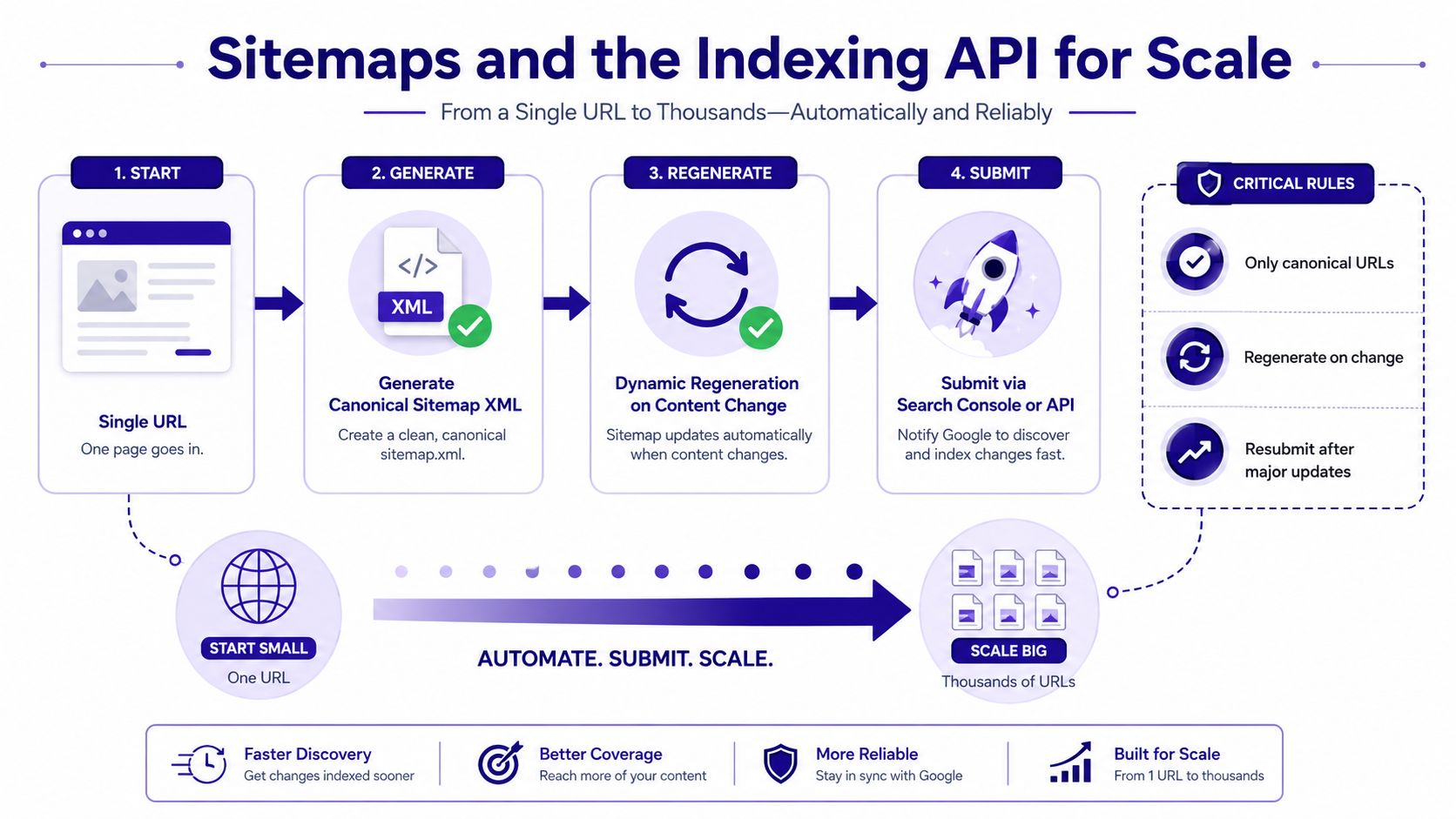
A sitemap isn't a magic ranking lever. It's a crawl-control signal that helps Google understand what matters and what has changed. The quality of the sitemap matters more than the fact that it exists, especially when the site has a lot of near-duplicate URLs or frequent updates.
Keep the sitemap clean and canonical
Your XML sitemap should list only canonical URLs. If it includes parameter variants, duplicate versions, or pages you wouldn't want indexed, it sends a weak signal and wastes crawl attention. Update it dynamically when content changes so Google sees the current version of the site, not a stale snapshot.
After major structural changes, resubmit the sitemap in Search Console. That matters after migrations, template updates, and broad taxonomy shifts, because the crawler needs an updated map of what changed. If your sitemap is accurate, Google gets a cleaner path into the site.
Use the Indexing API only where it fits
For eligible content types, the Indexing API can automate crawl pings for verified URLs. The technical flow involves creating a service account, adding it as an owner on the Search Console property, and connecting that account inside the plugin or application that handles publishing. When the system is wired correctly, Google can be notified when a post is published, updated, or deleted.
The catch is URL discipline. The API must point at the same verified URL version you manage in Search Console. If it pings the wrong version, the signal goes nowhere useful. That's the most common failure mode on teams that move quickly but don't standardize canonical URLs first.
Practical rule: scale comes from consistency, not from using every possible submission method at once.
A setup like Nuwtonic can sit in the execution layer here, but the underlying rule stays the same, one canonical URL per page, one verified version, and one publishing path that doesn't drift.
Diagnosing the Crawl Blockers That Drain Budget
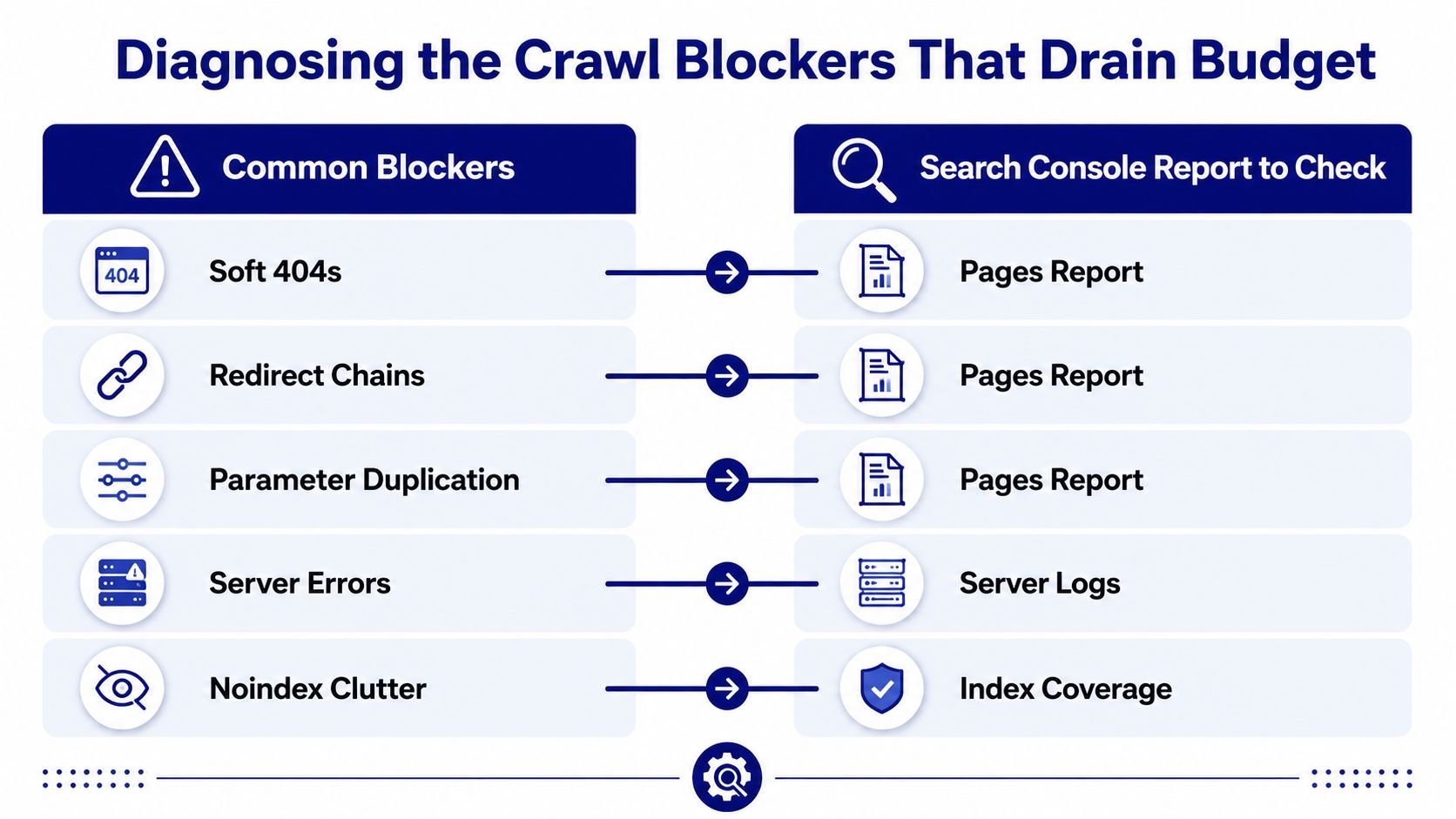
The problems that waste crawl budget usually don't announce themselves. They live in redirects, duplicates, orphaned pages, and soft errors that look harmless until you compare them against Search Console reports. The fix is not to “do SEO hygiene.” The fix is to match each symptom to the report that exposes it.
Use the report before you change the site
Soft 404s, redirect chains, and parameter duplication usually surface in the Pages report. That's where you should start if a URL is being crawled but still not making progress toward indexing. If the issue is exclusion behavior, the coverage exclusions view tells you whether the page was crawled and then filtered out.
Server errors need a different lens. If the site is returning unstable responses, check your server logs and line that up with what Search Console shows. A crawl request that fails repeatedly is expensive, because Googlebot has to spend effort on a page that doesn't reward the visit.
Fix the structure, not just the symptom
- Soft 404s: consolidate thin or empty pages into a stronger canonical destination and use 301s where appropriate.
- Redirect chains: shorten the path so Googlebot doesn't burn crawl steps across multiple hops.
- Parameter duplication: tighten canonical tag handling so the same page isn't presented in multiple URL forms.
- Orphaned URLs: rebuild internal links from relevant, topically related pages so the page is discoverable without relying on the sitemap alone.
- Blocked submissions: if Search Console says a submitted URL is blocked by robots rules, the walkthrough at fix submitted URL blocked by robotstxt error in GSC is a useful reference for cleaning that up.
The reason sitemap submissions sometimes don't move the needle is simple, the page has no internal path and too many competing URL versions. Crawlers follow structure, not hope. Fixing the structure usually does more than adding another submission ever will.
Connecting Crawl Health to AI Search Visibility
Crawl health is upstream of AI visibility. If Google can't reliably crawl and understand a URL, that page is already at a disadvantage for inclusion in answer surfaces and assistant-style results. Technical accessibility is not the whole story, but it's the part that has to work before anything else matters.
Structural quality affects more than classic rankings
Pages that are blocked, duplicated, or structurally weak don't just struggle in traditional search. They're also less dependable as source material for systems that summarize and cite content. That makes crawl diagnostics relevant to Generative Engine Optimization, not just old-school SEO maintenance.
Search Console signals are still the most practical first pass. Index coverage tells you whether the page made it into Google's view of the site. Mobile usability exposes layout and rendering problems that can undermine how content is processed. Core Web Vitals helps identify structural performance issues that shape whether a page is pleasant and efficient to fetch and render.
Use a crawl audit as the input layer for GEO
The technical work ends where the content work begins. Once crawl access is clean, the next step is to prioritize which pages deserve structural improvement, citation support, and refresh work. That's where an execution layer can help, because raw Search Console data still needs sorting, prioritizing, and handing off.
If you want a broader framework for that translation layer, the what is generative engine optimization GEO explainer gives useful context on how crawlability connects to answer visibility. It pairs well with the technical audit mindset in simple SEO audit walkthrough, especially when the team needs to move from diagnosis to action without losing the trail.
The core idea is straightforward. Crawl health is the input, content quality is the signal, and AI visibility is the outcome.
Your Crawl Readiness Checklist
If the site still feels stuck, work through the property in a single sitting and remove the obvious blockers first. A clean crawl path won't fix weak content, but it will stop technical friction from hiding the pages that deserve attention. The sequence below is the one I'd use on a live property when speed matters.
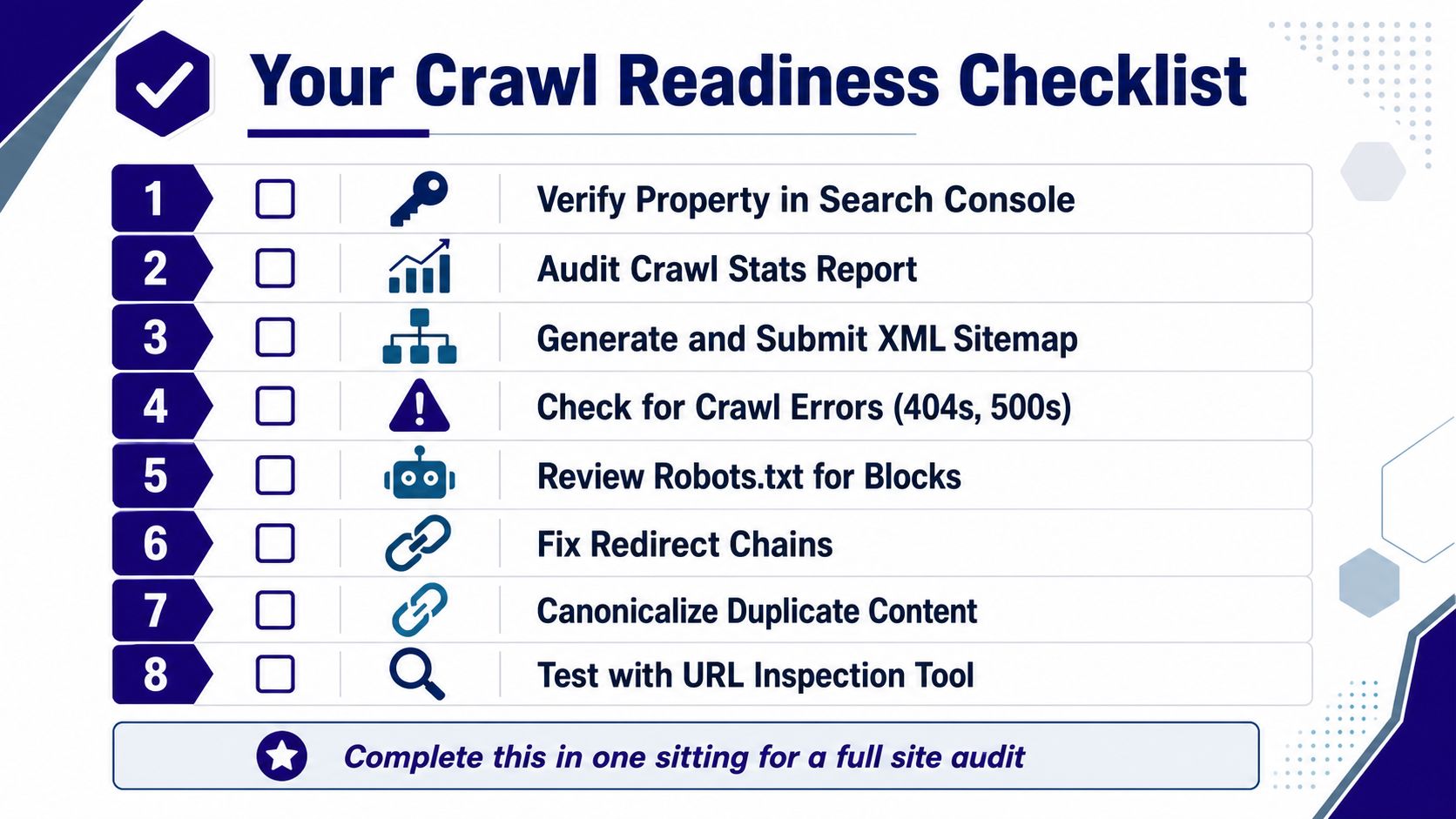
- Verify the property in Search Console, confirm the correct domain or URL prefix view, and make sure the right people can access it.
- Audit Crawl Stats, look for unusual drops, spikes, or slow response trends, and use the report as your crawl baseline.
- Generate and submit a clean XML sitemap, list only canonical URLs, and make sure it reflects the current site.
- Check for crawl errors, especially 404s and server errors, in the Pages and coverage views.
- Review robots.txt for blocks, then confirm you're not blocking URLs that should be accessible.
- Fix redirect chains, because every extra hop makes crawling less efficient.
- Canonicalize duplicate content, so Google sees one primary version of each page.
- Test priority URLs with URL Inspection, then request indexing only after the live test looks healthy.
The fastest way to keep this work from being one-and-done is to export Search Console data into your analytics stack or GEO platform and review the same URLs over time. That turns crawl cleanup into an ongoing operating system instead of a one-off fire drill.
If you want to turn crawl diagnostics into a repeatable workflow, start with verified Search Console access, clean up the sitemap, and inspect the URLs that matter most today. Then keep the Crawl Stats report open and use it as your baseline while you work through the backlog with Nuwtonic, so the fixes don't stop at reporting and make it into production.


