You know what’s frustrating? Spending half your day configuring a complex enterprise SEO tool, only to realize that the simple, high-converting long-tail keyword you needed was staring you in the face the entire time.
I remember a project a few years back—I spent nearly six hours building a massive competitor analysis report in Ahrefs for a niche e-commerce client. I presented a spreadsheet of 10,000 keywords, complete with search volume, keyword difficulty, and Parent Topics. The client was overwhelmed, and frankly, so was I. Later that evening, I plugged their core topic into KWFinder, found three highly specific long-tail keywords with low difficulty, wrote three targeted blog posts, and saw organic traffic jump by 40% in thirty days. I've found that many users overthink their keyword strategy; sometimes, simpler is better.
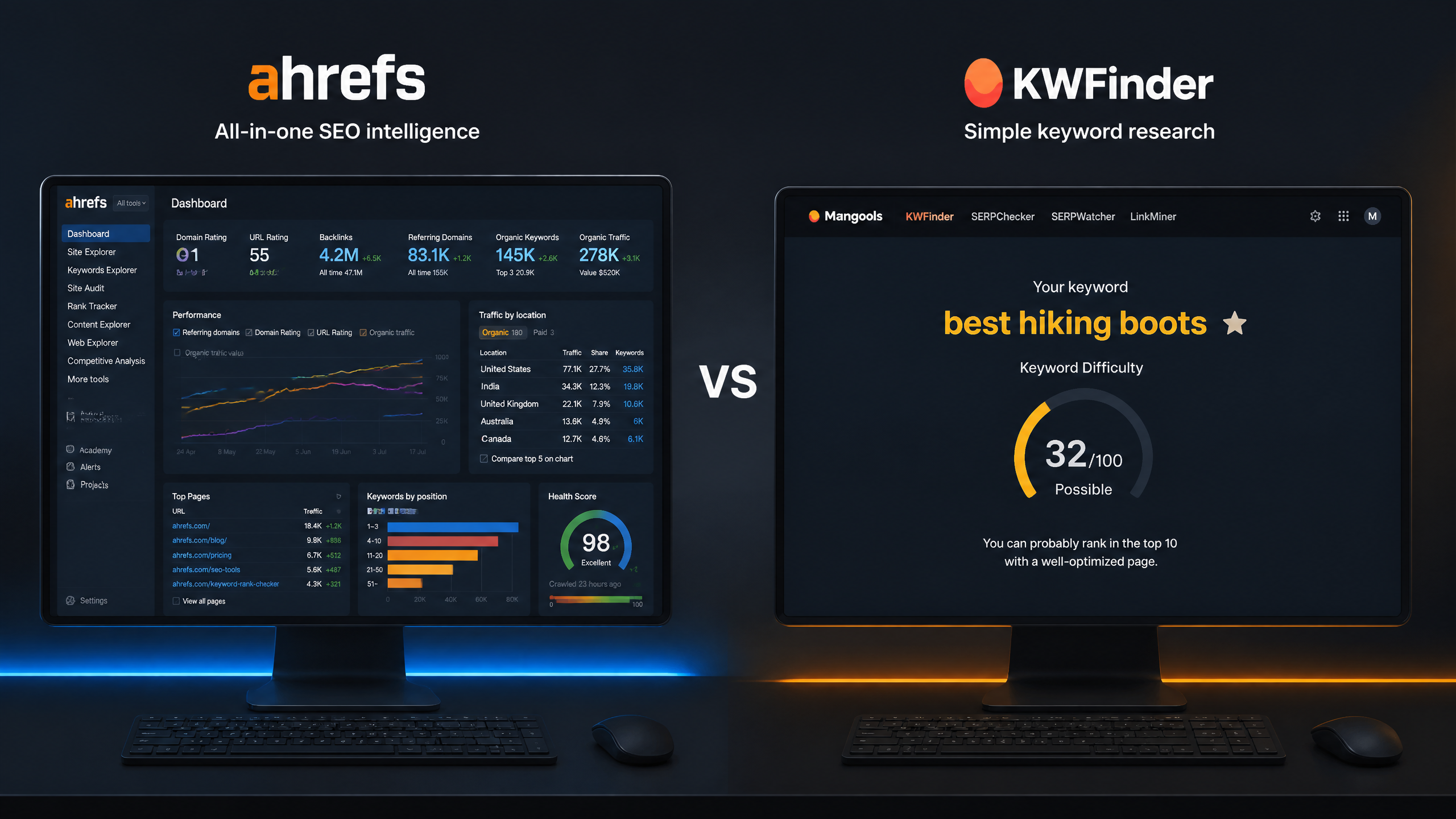
But that doesn't mean one tool is universally superior. In the debate of ahrefs vs kwfinder, the right choice depends entirely on your scale, your technical expertise, and your budget. Let's break down how these two platforms stack up in 2026.

TL;DR Summary & Key Takeaways
As search engines increasingly rely on AI-driven retrieval, the choice between Ahrefs and KWFinder hinges on whether you need a comprehensive, multi-channel SEO suite or a highly focused, budget-friendly long-tail keyword tool. For most content creators, KWFinder provides the highest ROI, while agencies require Ahrefs' deep backlink and competitor intelligence.
Feature / Metric | Ahrefs | KWFinder (Mangools) |
|---|---|---|
Primary Focus | All-in-one SEO suite (backlinks, audits, rank tracking) | Dedicated keyword research & SERP analysis |
Keyword Database | Over 19.8 billion keywords across 10 search engines | Focused database optimized for long-tail keywords |
Competitor Analysis | Enterprise-grade; deep organic traffic & content gap tools | Basic; search by domain to see top ranking keywords |
Backlink Indexing | Industry-leading backlink profile analysis | Basic backlink tracking via LinkMiner |
Learning Curve | Steep; requires training for advanced features | Extremely low; intuitive interface for beginners |
Starting Price | $129/month (Lite plan) | $29/month (Entry plan) |
Key Takeaways
• Ahrefs is a comprehensive SEO powerhouse designed for agencies, enterprise teams, and advanced practitioners who require deep competitor intelligence and backlink data.
• KWFinder is a highly specialized, budget-friendly tool designed for content creators, bloggers, and small businesses focusing primarily on finding low-difficulty long-tail keywords.
• In my experience, KWFinder is more user-friendly for beginners, but Ahrefs offers deeper insights for advanced users.
• When deciding on the best tools for keyword research, you have to evaluate your specific workflow. If you do not need backlink analysis or technical site audits, paying for Ahrefs is likely overkill.
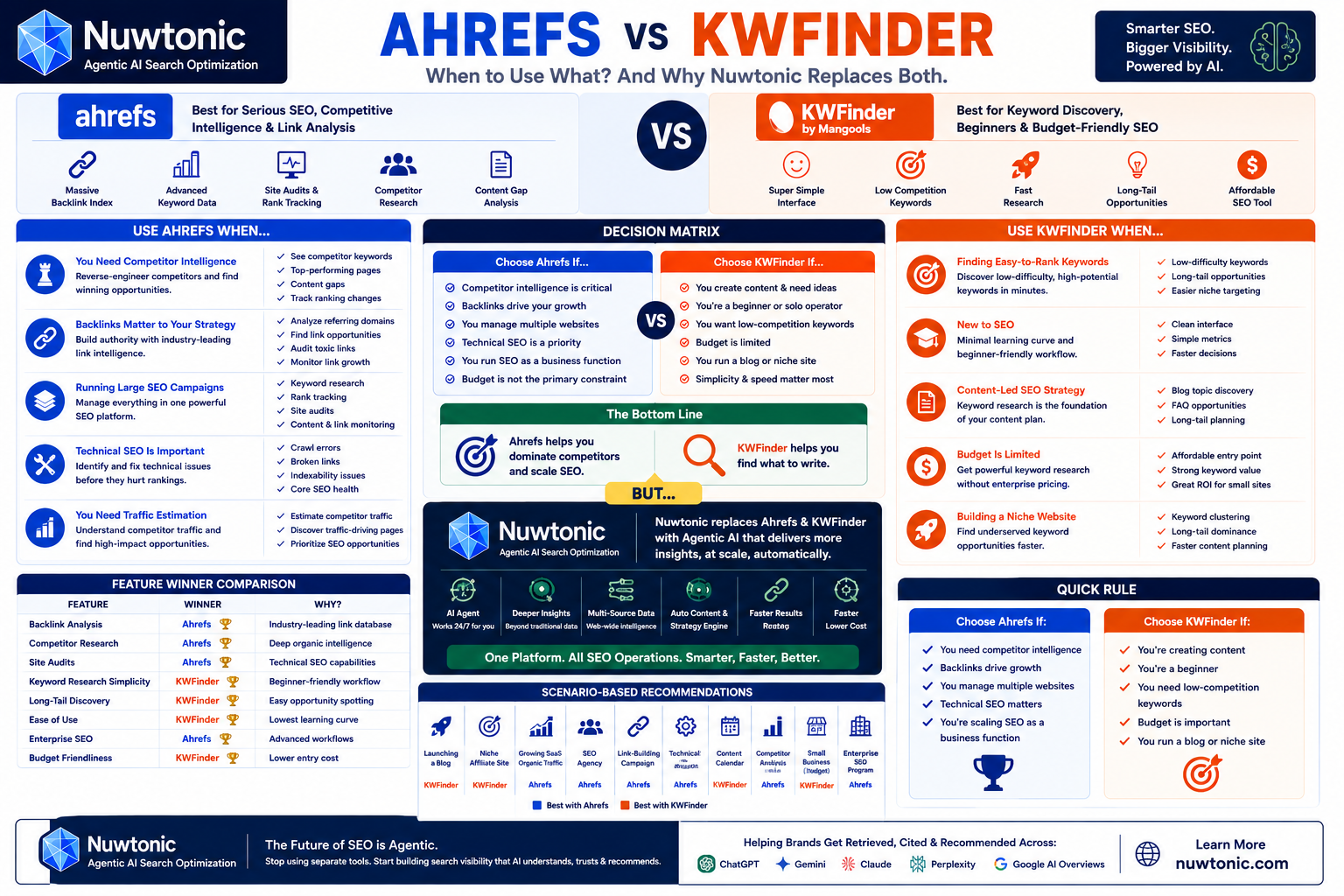
Table of Contents
Core Architecture: How Ahrefs and KWFinder Differ Under the Hood
Keyword Research Capabilities: Finding Your Next Traffic Drivers
Competitor Analysis: Deconstructing the Organic Traffic of Rivals
Pricing, User Experience, and Practical Decision Criteria
FAQ: Common Questions About Ahrefs and KWFinder
Final Verdict: Choosing the Right Tool for Your Strategy
**How We Tested and Compared These Tools**
To provide an objective comparison, we evaluated Ahrefs and KWFinder across five core pillars: database size, keyword difficulty accuracy, competitor analysis depth, user experience, and pricing. Our testing involved running identical seed keywords through both platforms, verifying backlink metrics against live search results, and assessing the real-time utility of their proprietary difficulty scores in June 2026.
Core Architecture: How Ahrefs and KWFinder Differ Under the Hood
To understand the practical differences in the ahrefs vs kwfinder debate, we must first look at what happens under the hood. These tools were built with fundamentally different philosophies.
Ahrefs: The All-in-One SEO Powerhouse
Ahrefs started as a backlink analysis tool in 2010 and evolved into a massive, multi-functional SEO suite. It crawls the web continuously with its own proprietary bot (AhrefsBot), which is consistently ranked as one of the most active private web crawlers. Because of this infrastructure, Ahrefs does not just fetch keyword data—it maps the entire web. If you're looking for a broader industry comparison, check out our comparison of Ahrefs, SEMrush, and Moz to see how the giants stack up.
KWFinder: The Dedicated Long-Tail Specialist
KWFinder, developed by Mangools, was built from day one to do one thing exceptionally well: find easy-to-rank keywords. It does not run a massive, independent web crawler to index the entire internet. Instead, it pulls data efficiently from API integrations, local databases, and Google's own keyword planner, then refines that data through its own proprietary metrics. It is lightweight, fast, and designed to minimize cognitive overload.
Database Size and Crawl Frequency
The difference in architecture directly impacts the scale of data available to you. Ahrefs boasts a database of over 19.8 billion keywords across 229 countries. KWFinder's database is smaller but highly curated to prioritize active search queries. While Ahrefs updates its keyword search volumes and SERP metrics daily or weekly for high-volume terms, KWFinder allows you to trigger real-time SERP updates on demand, ensuring you are never looking at stale data when assessing keyword difficulty.

Keyword Research Capabilities: Finding Your Next Traffic Drivers
Keyword research is the core battleground for these two platforms. Let's analyze how they calculate difficulty, identify long-tail opportunities, and evaluate search intent.
Keyword Difficulty (KD) Calculations Compared
Both tools use a 0-100 scale for Keyword Difficulty (KD), but they calculate this number using different methodologies:
Ahrefs KD: This metric is calculated almost exclusively based on the number of referring domains pointing to the top 10 ranking pages. It does not factor in on-page SEO, domain authority, or search intent. This means a page with 100 low-quality links might skew the KD higher than it actually is.
KWFinder KD (Keyword Difficulty): KWFinder uses a more holistic calculation. It evaluates the Link Profile Strength (LPS) of the top-ranking URLs, which takes into account both Moz's Domain Authority (DA) and Page Authority (PA), alongside the total number of quality backlinks.
Because of these differing calculations, you will often find that a keyword rated as "Medium" (KD 35) in Ahrefs might be flagged as "Hard" (KD 52) in KWFinder, or vice versa.
Uncovering Long-Tail Keywords and LSI Keywords
For finding highly specific long-tail keywords, KWFinder’s interface is exceptionally streamlined. It groups keyword suggestions into three clean tabs:
• Suggestions: Standard related keywords based on search volume and relevance.
• Autocomplete: Phrases pulled directly from Google’s autocomplete API.
• Questions: Informational queries containing "how," "why," "what," or "where."
This layout makes it incredibly fast to build out a content hub. Ahrefs, on the other hand, provides a massive list of ideas via its Keyword Generator and Keywords Explorer. It offers advanced filtering options (such as matching terms, related terms, and search suggestions), but the sheer volume of data can feel like drinking from a firehose.
Search Intent and SERP Analysis
Understanding search intent is critical to ranking. Ahrefs excels here by showing you a detailed SERP history chart. This chart allows you to see if the top 5 ranking positions have been stable over the last year or if Google is constantly swapping out different types of content (suggesting a volatile or split search intent).
KWFinder provides a clean, side-by-side SERP view that shows the Domain Authority, Page Authority, Trust Flow, and Citation Flow of the top 10 results. It is highly visual and easy to read at a glance, though it lacks the historical volatility charts that advanced SEOs rely on to predict SERP stability.
Competitor Analysis: Deconstructing the Organic Traffic of Rivals
Analyzing what your competitors are already ranking for is often more valuable than brainstorming keywords from scratch. A lot of guides miss the mark on how to effectively analyze competitor keywords—it's not just about the numbers.
What to Avoid Doing in Competitor Analysis
Before diving into the tools, let's look at what you should absolutely avoid doing when analyzing competitors:
• Avoid targeting keywords solely based on high search volume: High volume often correlates with broad search intent, which rarely converts.
• Avoid ignoring the domain authority gap: If your site has a Domain Rating (DR) of 15, do not target keywords where the top 5 SERP positions are held by sites with a DR of 85+.
• Avoid copying competitor content blindly: Just because a competitor ranks for a keyword does not mean their content is optimized or satisfying user intent.
Mapping Content Gaps and Backlink Profiles
If competitor analysis is your primary strategy, Ahrefs is the clear winner. Its Site Explorer and Content Gap tools are unmatched. You can plug in up to three competitor domains and find exactly which keywords they rank for that your site does not.
Additionally, Ahrefs allows you to dissect your competitor's backlink profile down to the individual anchor text and referring IP addresses. This level of granularity is essential for executing a skyscraper link-building campaign.
KWFinder offers a "Search by Domain" feature that allows you to see the top keywords a competitor ranks for, but it lacks the advanced filtering, historical traffic comparison, and deep backlink analysis tools found in Ahrefs.
The Right Way to Steal Competitor Keywords
Instead of pulling thousands of keywords, use this structured process to find high-yield opportunities:
Identify 3 direct competitors who are slightly more established than you (e.g., if you are DR 20, look for competitors at DR 35-45).
Filter their ranking keywords to show only those with a Keyword Difficulty under 30.
Identify keywords where they are ranking in positions 1-5 with low-quality or outdated content.
Create a comprehensive, updated resource that addresses the search intent more thoroughly.
With the rise of automation, the importance of AI in keyword research cannot be overstated, especially when generating content at scale to fill these identified gaps.
Pricing, User Experience, and Practical Decision Criteria
Let's talk about the practical realities: how much these tools cost and how they feel to use daily.
User Interface and the Learning Curve
KWFinder’s user interface is widely regarded as one of the best in the SEO industry. It is clean, interactive, and uses color-coded metrics to help you quickly identify low-hanging fruit. You can master the tool in under 15 minutes.
Ahrefs has a much steeper learning curve. The interface is packed with complex charts, technical SEO jargon, and multi-layered filtering options. While it is incredibly powerful, it can be intimidating for business owners or content writers who just want to find a few quick topics to write about.
Cost-Effectiveness: Which Tool Fits Your Budget?
Price is often the deciding factor for many users. Ahrefs has shifted toward a consumption-based pricing model that charges for additional credits, making it a significant financial investment.
Plan Level | Ahrefs Pricing (Annual Billing) | Mangools / KWFinder Pricing (Annual Billing) |
|---|---|---|
Entry / Lite | $129 / month | $29 / month |
Standard / Basic | $249 / month | $44 / month |
Advanced / Premium | $449 / month | $89 / month |
Enterprise / Professional | Custom Pricing | $149 / month |
Note: Pricing and plans are accurate as of 2026.
When to Choose Ahrefs vs KWFinder
**Ahrefs vs KWFinder: Pros and Cons**
To help you make a rapid decision, here is a direct comparison of the advantages and drawbacks of each platform based on our hands-on testing.
**Ahrefs Pros & Cons**
Pro: Industry-leading backlink database and crawler.
Pro: Advanced competitor content gap analysis.
Con: Expensive consumption-based pricing model.
Con: Steep learning curve for beginners.
**KWFinder Pros & Cons**
Pro: Highly intuitive, beginner-friendly interface.
Pro: Excellent value for money and budget-friendly plans.
Con: Limited backlink and technical site audit capabilities.
Con: Smaller overall keyword database compared to Ahrefs.
Now , to simplify your decision, use these guidelines:
Choose Ahrefs if:
• You are running an agency or managing SEO for multiple clients.
• You need deep backlink analysis, site auditing, and competitor monitoring tools.
• You have the budget to support a premium tool and the time to learn its advanced features.
Choose KWFinder if:
• You are a blogger, freelancer, or small business owner managing your own website.
• Your primary focus is finding low-competition long-tail keywords quickly.
• You want an intuitive, visually clear tool that does not require extensive training.
• You are working with a limited marketing budget.
FAQ: Common Questions About Ahrefs and KWFinder
Is KWFinder as accurate as Ahrefs for keyword research and SEO data?
KWFinder and Ahrefs are both widely used SEO tools for keyword research, but neither tool is perfectly “accurate” because search volume and keyword difficulty are estimated using third-party models rather than exact Google data. Google Keyword Planner is typically used as a baseline data source, but each platform applies its own algorithm to refine and interpret that data differently.
Ahrefs is generally considered more robust for large-scale keyword databases, keyword clustering, and traffic estimation because it integrates additional clickstream and behavioral modeling data. KWFinder focuses more on simplified keyword difficulty scoring and long-tail keyword discovery, making it easier to interpret but less complex in underlying modeling.
In practice, both KWFinder and Ahrefs provide directionally reliable SEO metrics rather than exact numbers. This means they are best used for relative comparison (which keyword is harder, which has higher volume, which topic has more traffic potential) rather than absolute precision. The most accurate SEO validation still comes from analyzing real SERP results and actual ranking performance in Google Search Console.
Can KWFinder be used for free in Mangools SEO tools suite?
KWFinder can be used for free through the Mangools 10-day free trial, which provides temporary access to KWFinder along with other Mangools SEO tools such as SERPChecker, SERPWatcher, LinkMiner, and SiteProfiler. After the trial ends, continued access requires a paid subscription. Unlike Mangools, Ahrefs does not offer a free trial but provides limited free webmaster tools for verified website owners.
Does KWFinder in Mangools SEO tools suite analyze backlinks like Ahrefs?
KWFinder does not directly analyze backlinks because it is focused on keyword research. However, the Mangools SEO tools suite includes LinkMiner, which is designed for backlink analysis and link tracking. LinkMiner provides basic backlink data, but its index size, update frequency, and backlink depth are significantly smaller compared to Ahrefs, which is widely considered one of the most comprehensive backlink analysis platforms.
Can Ahrefs and KWFinder track search engine rankings for keywords?
Yes, both Ahrefs and KWFinder (through Mangools SERPWatcher) include search engine rank tracking capabilities. Ahrefs provides a Rank Tracker tool that allows users to monitor keyword positions, visibility changes, and competitor performance across search engines. KWFinder’s ecosystem includes SERPWatcher, which provides simplified daily rank tracking, performance indexing, and visual reporting for keyword position changes over time.
Which is better for free SEO testing: KWFinder trial or Ahrefs free tools?
KWFinder (via Mangools) is generally better for short-term SEO testing because it offers a 10-day free trial with access to multiple SEO tools, including keyword research, rank tracking, and SERP analysis. Ahrefs does not provide a traditional free trial but offers limited free tools such as backlink checkers and webmaster tools for verified sites. This makes KWFinder more accessible for beginners testing SEO workflows.
Is Mangools LinkMiner enough instead of Ahrefs for backlink analysis?
Mangools LinkMiner is sufficient for basic backlink analysis, such as checking referring domains, anchor text, and simple link profiles. However, it is not a full replacement for Ahrefs because it lacks the scale, historical depth, and advanced filtering capabilities of Ahrefs’ backlink database. Ahrefs is more suitable for professional link-building campaigns and competitive backlink research.
Can KWFinder SERPWatcher replace Ahrefs Rank Tracker for SEO monitoring?
KWFinder SERPWatcher can replace Ahrefs Rank Tracker for basic keyword position monitoring and small-scale SEO tracking. It provides clean reporting, daily updates, and easy-to-understand keyword movement data. However, Ahrefs Rank Tracker is more advanced and better suited for large websites, agencies, and SEO teams that require deeper segmentation, historical comparisons, and competitive tracking.
What is the difference between KWFinder (Mangools) and Ahrefs for SEO tracking and analysis?
KWFinder (part of Mangools SEO tools suite) focuses on keyword research and simple rank tracking through SERPWatcher, making it ideal for beginners and niche websites. Ahrefs is a full SEO platform that includes keyword research, backlink analysis, competitor intelligence, site auditing, and advanced rank tracking. Ahrefs is more powerful for large-scale SEO operations, while Mangools is more streamlined for simplicity and ease of use.
Is Ahrefs or KWFinder better for keyword research?
Ahrefs is generally better for comprehensive keyword research because it provides larger keyword databases, traffic potential metrics, competitor analysis, parent topic identification, and content gap research. KWFinder is better for quickly discovering low-competition and long-tail keywords, especially for bloggers, niche site owners, and SEO beginners.
Is Ahrefs or KWFinder better for finding low-competition keywords?
KWFinder is often preferred for finding low-competition keywords because its workflow is designed around discovering easy-to-rank opportunities and long-tail search terms. Ahrefs can also identify low-difficulty keywords, but its broader feature set makes the process more advanced and data-intensive.
Is Ahrefs or KWFinder better for beginners who are new to SEO?
KWFinder is generally better for beginners because it offers a simpler interface, easier keyword difficulty metrics, and a lower learning curve. Ahrefs provides significantly more data and SEO functionality but may be overwhelming for users who are just starting with keyword research and search engine optimization.
Is Ahrefs worth the higher price compared to KWFinder?
Ahrefs is usually worth the higher price for businesses, agencies, SaaS companies, and advanced SEO teams that require competitor analysis, backlink intelligence, site audits, rank tracking, and content gap analysis. For small websites focused primarily on keyword research, KWFinder often provides a better cost-to-value ratio.
Can KWFinder replace Ahrefs for SEO research?
KWFinder can replace Ahrefs for basic keyword research and content planning, but it cannot fully replace Ahrefs for advanced SEO activities such as backlink analysis, competitor traffic estimation, technical SEO auditing, link-building campaigns, and enterprise-scale SEO management.
Is Ahrefs or KWFinder more accurate for keyword difficulty analysis?
Neither Ahrefs nor KWFinder should be considered perfectly accurate for keyword difficulty analysis because both use proprietary scoring systems and different datasets. SEO professionals typically use keyword difficulty scores as directional indicators and then manually evaluate the search results before targeting a keyword.
Why does Ahrefs show a different keyword difficulty score than KWFinder?
Ahrefs and KWFinder calculate keyword difficulty using different ranking factors, backlink databases, weighting methodologies, and machine-learning models. As a result, the same keyword may receive significantly different difficulty scores across the two platforms.
Is Ahrefs or KWFinder better for competitor keyword research?
Ahrefs is significantly better for competitor keyword research because it allows users to analyze competitor rankings, traffic estimates, top-performing pages, content gaps, and backlink profiles. KWFinder offers basic competitor insights but is not designed as a comprehensive competitive intelligence platform.
Is Ahrefs or KWFinder better for backlink analysis?
Ahrefs is widely regarded as the stronger backlink analysis platform because it maintains one of the largest backlink databases in the SEO industry. It provides detailed insights into referring domains, anchor text distribution, link growth trends, and competitor backlink profiles.
Can KWFinder perform backlink analysis like Ahrefs?
KWFinder itself focuses primarily on keyword research, but the Mangools suite includes LinkMiner for backlink analysis. While LinkMiner provides useful backlink data, it generally lacks the scale, depth, and advanced filtering capabilities available in Ahrefs.
Is Ahrefs or KWFinder better for blogging SEO?
KWFinder is often the better choice for blogging SEO because it simplifies the process of finding low-competition keywords, question-based topics, and long-tail search opportunities. Ahrefs becomes more valuable when a blog reaches a stage where competitor research, authority building, and advanced content strategy are required.
Is Ahrefs or KWFinder better for affiliate marketing websites?
KWFinder is typically better for new affiliate websites because it helps uncover underserved keyword opportunities. Ahrefs is often the preferred choice for larger affiliate sites that compete in competitive niches and require backlink analysis, content gap research, and competitor intelligence.
Is Ahrefs or KWFinder better for SaaS SEO?
Ahrefs is generally better for SaaS SEO because SaaS companies often depend on competitor research, content marketing, backlink acquisition, technical SEO, and traffic opportunity analysis. These capabilities are significantly more developed within Ahrefs than within KWFinder.
Is Ahrefs or KWFinder better for local SEO campaigns?
Both tools can support local SEO campaigns, but they serve different purposes. KWFinder is effective for identifying local keyword opportunities, while Ahrefs provides stronger competitive research, backlink analysis, and broader SEO insights for local businesses.
Is Ahrefs or KWFinder better for ecommerce SEO?
Ahrefs is generally better for ecommerce SEO because ecommerce websites require category page optimization, product keyword research, competitor analysis, technical SEO monitoring, and backlink acquisition. These capabilities are more comprehensive within Ahrefs.
Is Ahrefs or KWFinder better for content planning and content strategy?
KWFinder is highly effective for generating content ideas and identifying keyword opportunities. Ahrefs is better for developing comprehensive content strategies because it provides topic clustering, content gap analysis, traffic potential metrics, and competitor content intelligence.
Is Ahrefs or KWFinder better for building topical authority?
Ahrefs is generally better for building topical authority because it enables marketers to discover related topics, identify content gaps, analyze competitor topic coverage, and develop comprehensive content clusters around a subject.
Is Ahrefs or KWFinder better for SEO agencies?
Ahrefs is typically the preferred platform for SEO agencies because it offers advanced reporting, large-scale keyword tracking, backlink monitoring, technical SEO auditing, and multi-client workflow capabilities.
Is Ahrefs or KWFinder better for small businesses?
KWFinder is often the better choice for small businesses with limited SEO budgets because it provides straightforward keyword research capabilities at a lower cost. Ahrefs becomes more valuable when SEO grows into a major customer acquisition channel.
When should a website upgrade from KWFinder to Ahrefs?
A website should consider upgrading from KWFinder to Ahrefs when organic search becomes a significant source of traffic and revenue, when competitor analysis becomes important, when backlink acquisition is a priority, or when technical SEO and content gap analysis are needed.
When is Ahrefs overkill compared to KWFinder?
Ahrefs may be excessive for users who only need keyword research, publish a small amount of content each month, operate a new website, or have a limited SEO budget. In these situations, KWFinder often provides the necessary functionality at a lower cost.
Can Ahrefs and KWFinder be used together in the same SEO workflow?
Yes. Many SEO professionals use KWFinder for rapid keyword discovery and Ahrefs for competitor analysis, backlink research, technical SEO audits, and content strategy development. Using both tools together can provide a balanced SEO workflow that combines simplicity with advanced analysis.
Which should you choose: Ahrefs or KWFinder?
Choose Ahrefs if you need competitor intelligence, backlink analysis, technical SEO capabilities, content gap research, and enterprise-level SEO functionality. Choose KWFinder if your primary goal is keyword discovery, content ideation, long-tail keyword research, and affordable SEO growth.
Final Verdict: Choosing the Right Tool for Your 2026 Strategy
Summary of Recommendations
Ultimately, comparing Ahrefs and KWFinder is like comparing a Swiss Army knife to a high-quality chef's knife. Ahrefs is the Swiss Army knife—it has a tool for every possible SEO task, from technical audits to backlink prospecting. KWFinder is the chef's knife—it does one job (keyword research) with incredible precision, speed, and comfort.
If your marketing strategy relies heavily on technical SEO and aggressive link building, Ahrefs is an essential investment. However, if your strategy is focused primarily on content creation, organic traffic generation through blogging, and finding easy-to-rank terms, KWFinder will give you 90% of what you actually use on a daily basis at a fraction of the cost.
References and Sources
Learn more about how Ahrefs calculates keyword difficulty in the Ahrefs Help Center.
Explore KWFinder's proprietary metrics and SERP analysis in the Mangools KWFinder Guide.
Understand search intent and content quality guidelines via the Google Search Central SEO Starter Guide.
Review Google's standards for helpful, reliable content on Google Search Central.
Study foundational keyword research and SERP evaluation concepts in the Moz Beginner’s Guide to SEO.