
Most advice on automated internal linking is wrong at the starting point. It treats automation like a plugin setting you enable once, then forget.
That approach is exactly why sites end up with stale anchors, weak contextual relevance, and link graphs that don't reflect what the site is trying to rank. Internal links aren't a cosmetic layer. They are how you distribute attention, authority, crawl paths, and topic relationships across the pages you already own.
The gap is larger than widely believed. A study of over 5,000 websites found that 95% fail to implement effective internal linking strategies, which points to a widespread structural SEO problem, not a minor optimization miss (InLinks internal linking guide). If you're already working on optimizing Prompts with AI tools, internal linking is one of the first places where automation can create significant advantage, provided the system stays governed instead of running unchecked. If you need a refresher on why this matters at the structural level, this guide on why internal links are important for SEO is a useful baseline.
Table of Contents
Beyond Set and Forget The Case for Smart Automation
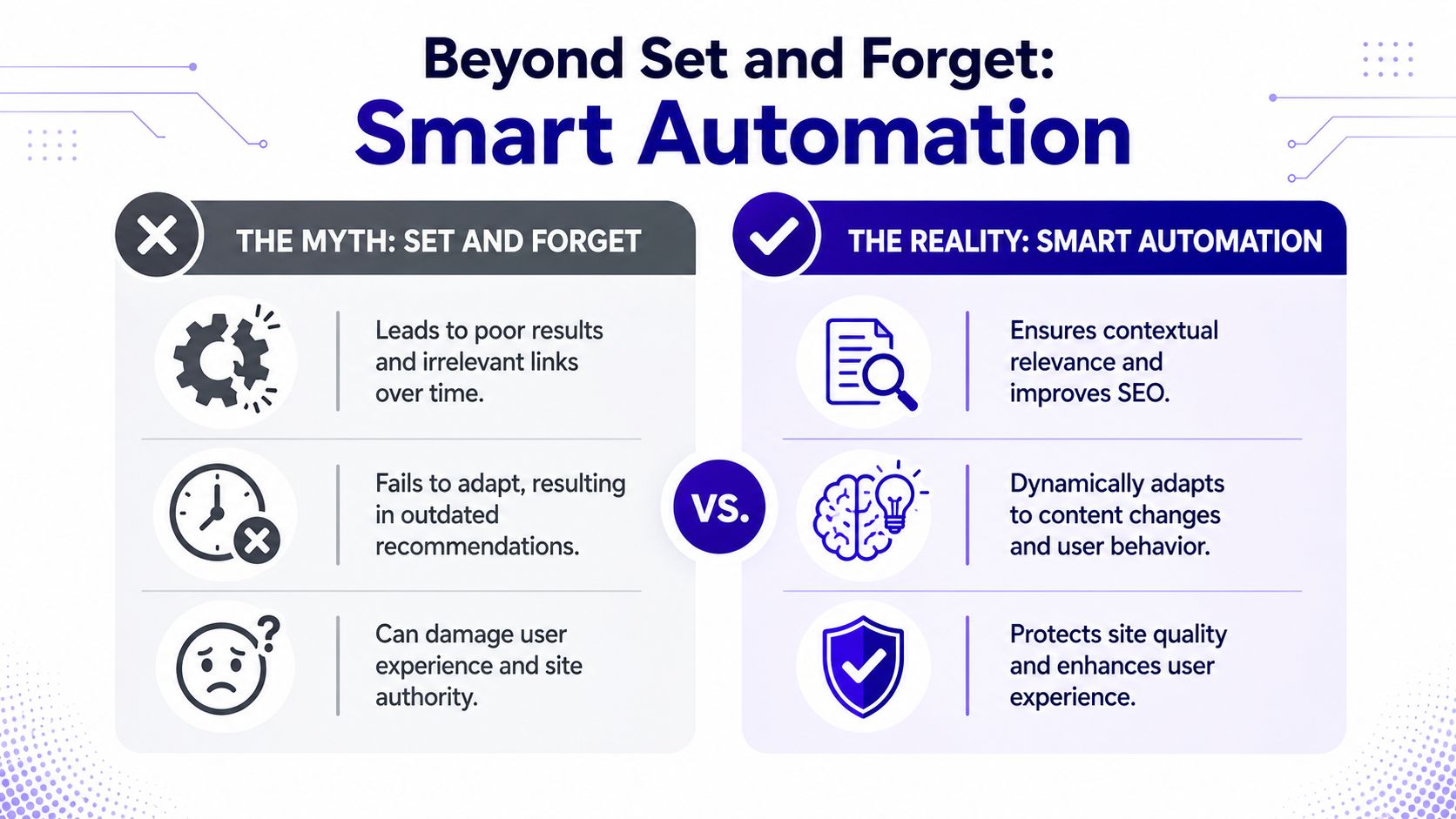
The myth is simple. Add an automated internal linking tool, let it scan the site, approve a batch of links, and move on.
That works briefly on a static site with a small content library. It breaks on any site that publishes regularly, rewrites pages, shifts topic priorities, or relies on search data to decide which URLs deserve more support. Automation that doesn't adapt becomes a source of drift.
Why the common advice fails
Most bad implementations make the same mistakes:
They optimize for coverage, not context. The tool finds matching phrases and inserts links, but the destination page isn't the best next step for the reader.
They keep feeding authority to pages that are already strong. Teams love linking to pillar content, but they often ignore pages that are close to ranking and need a push.
They assume relevance is permanent. Once a source article changes, the original anchor and target can become less useful or misleading.
They skip editorial controls. The links are technically valid, but they don't match brand language, page intent, or conversion flow.
Practical rule: Automated internal linking should behave like a living routing system, not a one-time sitewide patch.
What smart automation actually does
A smarter system treats internal links as a way to route authority from pages that are already performing to pages that are relevant and commercially or strategically important.
That changes the operating model. Instead of asking, "Where can we add more links?" the better question is, "Which pages should transfer support right now, and which targets are most likely to benefit?"
A useful internal linking system should make decisions around:
| Decision area | Weak automation | Smart automation |
|---|---|---|
| Target selection | Broad keyword match | Topic and page-intent match |
| Anchor choice | Repetitive or forced phrasing | Controlled variation aligned to content |
| Timing | One-time batch run | Repeated rescans and adjustments |
| Authority flow | Static distribution | Directed redistribution based on performance |
| Oversight | Minimal review | Human approval on sensitive changes |
The practical takeaway is that automated internal linking works best when you treat it as an operating system for authority redistribution. It should guide users, reinforce topic clusters, and react to how your pages are performing now, not how they were performing when you first set the rules.
Laying the Foundation Your Link Strategy and Rules
Tools don't fix weak structure. They scale it.
If your site architecture is muddy, your topical clusters are unclear, or your priority pages haven't been defined, automation will multiply those problems. The first job is to decide what the site is trying to teach search engines and users about your business.
Build the map before you touch the tool
Start with a topical map that reflects business priorities, not just editorial categories. Typically, the cleanest working model has four layers:
Core commercial pages
These are service, product, solution, or category pages that matter to the business.Pillar pages
These explain broad topics and should accumulate contextual support from related content.Cluster articles
These answer narrower intents, comparisons, use cases, and supporting questions.Support pages
Glossaries, FAQs, documentation, and edge-case content that can strengthen depth if linked deliberately.
A lot of navigation mistakes start here. If your menus, URL logic, and content hierarchy don't reinforce the same structure, internal linking gets harder to automate cleanly. This piece on website navigation SEO best practices is helpful because it forces you to align architecture and discoverability before you automate anything.
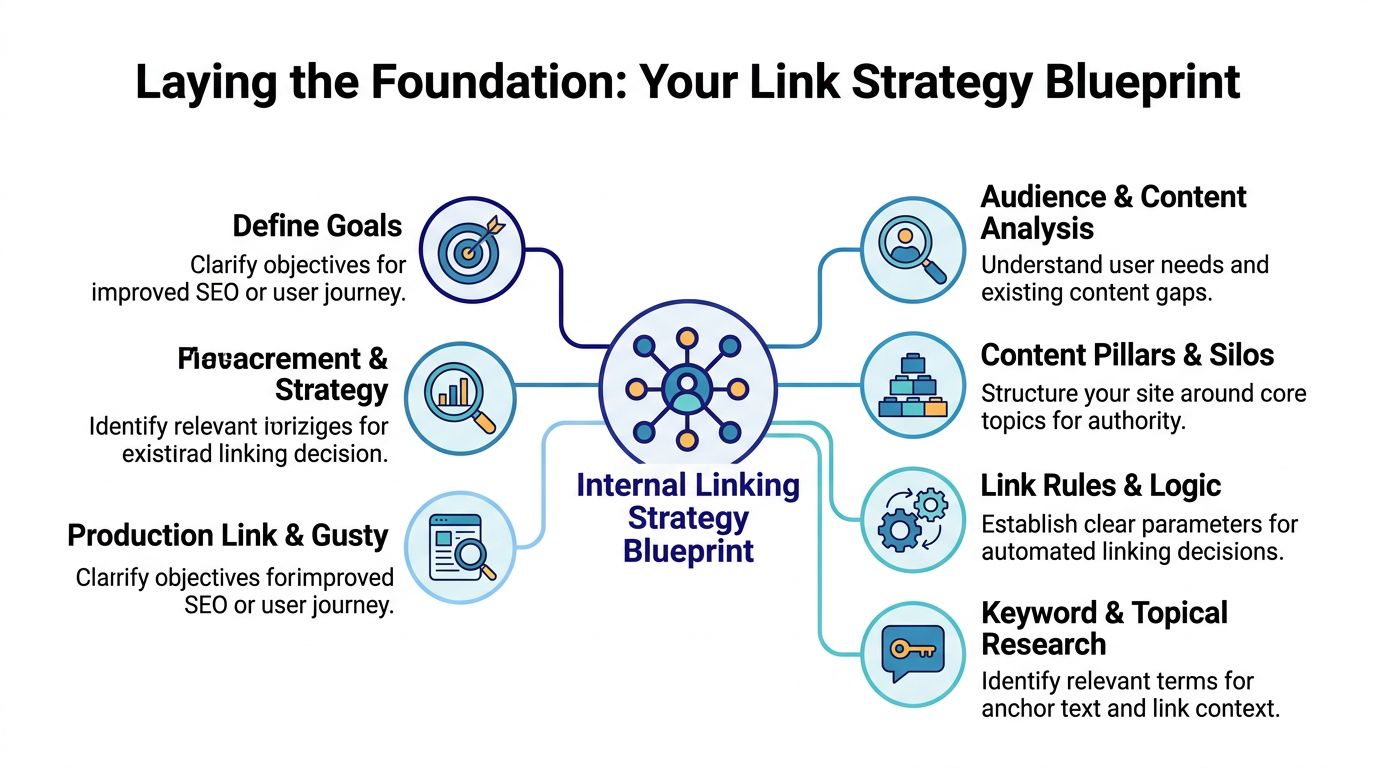
Once the map exists, mark pages by role. I usually use labels such as:
Money page
Pillar
Cluster
Supporting reference
Low-priority archive
That labeling matters because automation needs to know which pages deserve inbound emphasis and which pages should mostly act as sources.
Set anchor rules that the system can follow
Anchor text is where many automated setups become visibly spammy. The fix isn't to avoid optimization. It's to define a distribution before the tool starts generating suggestions.
For priority pages, the optimal anchor text mix is 60% phrase-match anchors, 30% exact-match anchors, and 10% partial-match keywords or variations (Verbolia internal linking automation guide). That's useful because it gives you a repeatable rule set instead of vague advice like "keep it natural."
Here is the practical version of that rule:
Phrase-match anchors should carry most of the load. They fit naturally into prose and preserve context.
Exact-match anchors should be reserved for strong fit cases where the sentence reads naturally without distortion.
Partial-match and variation anchors help prevent repetition and support semantic breadth.
If the anchor would look awkward in a sentence written by a human editor, it shouldn't go live just because the tool found a keyword overlap.
Build a lightweight rulesheet your tool or prompt can follow. It should include:
| Rule | What the team decides upfront |
|---|---|
| Priority targets | Which URLs should accumulate support |
| Excluded targets | Pages that shouldn't receive automated contextual links |
| Anchor vocabulary | Approved exact, phrase, and variation terms |
| Forbidden phrases | Terms that create compliance, tone, or intent issues |
| Source exclusions | Pages where links shouldn't be inserted automatically |
| Context rules | Minimum relevance standard for source-target pairing |
When teams skip this stage, they usually end up arguing with the software after deployment. The better approach is to encode editorial judgment before the first run.
Selecting and Configuring Your Automation Engine
A lot of internal linking software looks similar in demos. In practice, the differences show up in configuration depth, review controls, and whether the system can learn from real search data instead of simple text matching.
The implementation bottleneck is real. seoClarity reports that 60% of SEO professionals say internal links are a top priority, yet 62% of those same professionals struggle to implement them without direct help from development teams (seoClarity Link Optimizer overview). That gap is why tool selection matters. You don't just need recommendations. You need a workflow the team can run.

What to evaluate in a tool
Don't start with feature lists. Start with operating constraints.
A workable platform for automated internal linking should answer these questions clearly:
Can it ingest performance signals from Google Search Console? If not, it will struggle to prioritize pages based on actual search opportunity.
Can it analyze semantic similarity beyond exact keyword overlap? Basic string matching produces weak suggestions.
Can editors review suggestions before deployment? This isn't optional on high-value pages.
Can it push approved changes without creating a dev queue every time? Otherwise you haven't solved the process problem.
Can it exclude sections, templates, or page types? You need precision, not blanket insertion.
If you're also designing broader ops around repetitive SEO work, this roundup of high-value automations for founders is useful because it frames automation as workflow design, not just software adoption.
How to configure the first working model
It's advisable to begin with a narrow scope. Pick one content cluster and one class of priority pages. Then configure rules in this order:
Import target page groups
Tag priority URLs by topic and business role.Set source eligibility
Limit source pages to those with enough topical overlap and editorial flexibility.Load anchor rules
Apply the approved phrase, exact, and variation patterns from your rulesheet.Define exclusions
Skip pages with legal language, transactional friction, or thin content where inserted links can feel forced.Turn on review queues
Every suggested link should show source context, anchor candidate, and destination page before publishing.
One example of this model is Nuwtonic SEO automation, which connects GSC-driven signals with reviewable workflows so teams can generate suggested fixes and approve changes without treating every internal link update as a developer task. That's the right pattern whether you use that platform or another one: performance-informed suggestions, clear permissions, and no blind auto-publishing.
A setup walkthrough is easier to follow when you can see the workflow in motion:
The teams that get value fastest don't automate the whole site on day one. They start with constrained logic, watch what the engine recommends, and tighten rules before they scale.
Integrating Workflows and Running Quality Assurance
At this stage, most automated internal linking projects either become dependable or become a cleanup job.
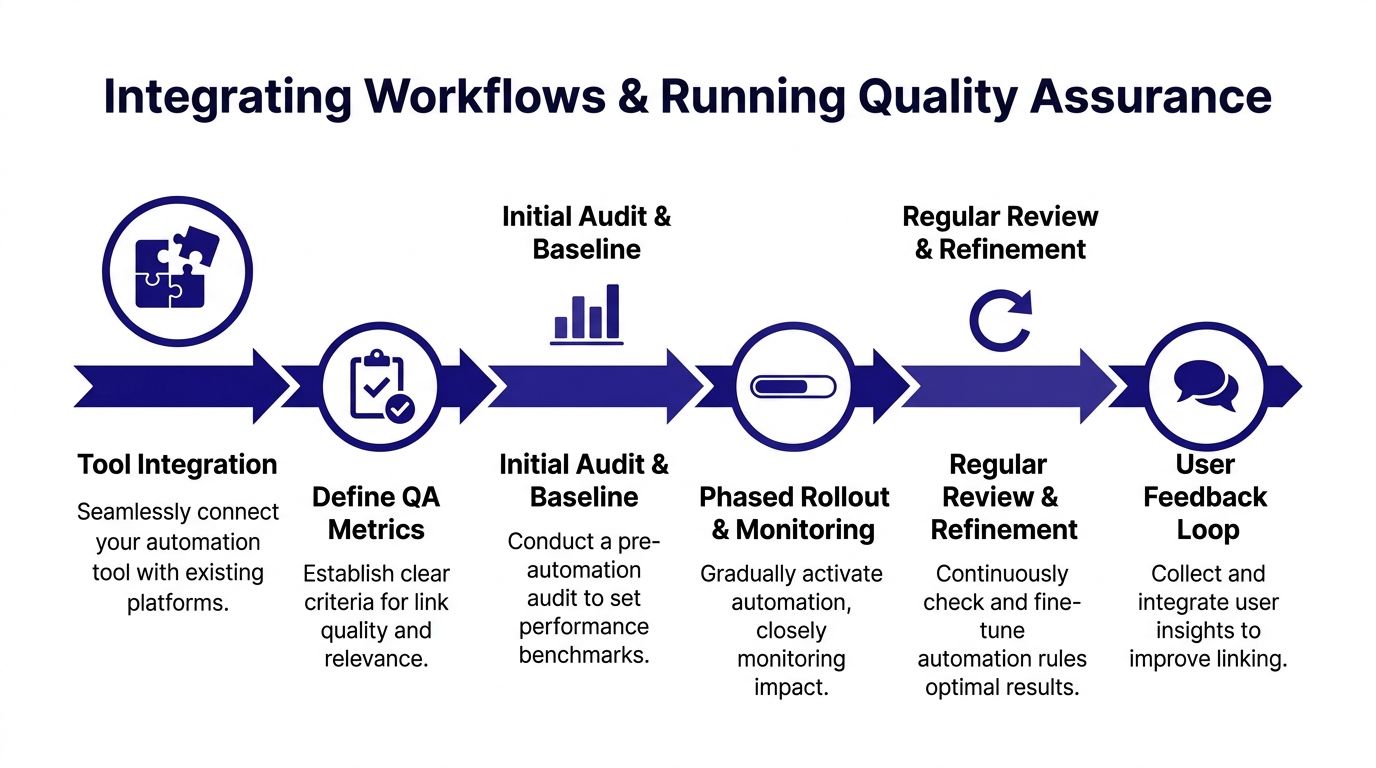
The common failure pattern isn't bad intent. It's missing workflow design. A tool generates suggestions, someone bulk-approves them, and nobody checks whether the links fit the paragraph, match the page's current positioning, or conflict with conversion paths. That's why human approval layers matter. Content leaders need veto power over AI-drafted links to prevent over-linking or irrelevant anchors (BlogSEO internal linking automation best practices).
Review before deploy is the safety layer
A reliable workflow has three actors:
| Actor | Responsibility |
|---|---|
| SEO lead | Sets targeting rules, exclusions, and priority pages |
| Editor or content owner | Reviews contextual fit, tone, and user usefulness |
| Publisher or CMS operator | Pushes only approved changes and documents what changed |
That middle layer matters most. Editors catch the issues tools routinely miss: awkward sentence flow, links inserted into weak mentions, and anchors that are technically relevant but wrong for the page's role.
Operational advice: Treat every automated suggestion as a draft, not a finished SEO decision.
You also want your QA process connected to maintenance work outside linking. If a suggested destination redirects, breaks, or lands on a page you no longer want to support, the whole system degrades. A simple companion check with a broken link checker keeps the review queue from sending editors into avoidable rework.
A practical QA checklist
Don't review links with vague criteria. Use a checklist the team can run quickly.
Check contextual fit
The sentence should still read naturally if the link is removed. If the sentence only works because of the anchor, it's probably forced.Check destination intent
The target page should satisfy the expectation created by the anchor. If the anchor implies a tutorial and the destination is a service page, reject it.Check anchor variety
Repetition across the cluster is a warning sign. If several pages are feeding the same target with identical phrasing, diversify or trim.Check source-page purpose
Don't insert links that interrupt conversion-heavy pages, critical onboarding flows, or tightly scripted commercial copy.Check final URL health
Use direct canonical destinations. Avoid links that hit redirects or outdated pages.
A strong process also uses phased rollout. Publish a controlled batch, recrawl the updated pages, and spot-check the live output in the CMS rather than trusting preview logic alone.
Measuring Impact and Practicing Adaptive Maintenance
Internal linking is often measured too narrowly. The analysis typically involves looking for ranking movement on target pages, then stops.
That misses what internal links do. They change how authority flows, how users discover related pages, how search engines interpret topical relationships, and which URLs receive reinforcement over time. If you only watch a rank tracker, you won't know whether the system is supporting the right pages or merely creating more internal references.
Measure the pages that send and receive authority
The cleanest way to evaluate automated internal linking is to monitor both ends of the relationship.
For source pages, check whether the added outbound links still make sense after updates and whether those pages continue to hold the authority you expected them to pass. For target pages, review query mix, click-through patterns, and whether they are becoming more central within the cluster.
A practical scorecard should include:
Target-page query movement in GSC
CTR changes on target pages after link additions
CTR stability on source pages after edits
Cluster-level coverage for related intents
Presence in AI search workflows and generated answers
Editorial acceptance rate of suggested links
Good internal linking systems don't just add links. They help teams decide which pages deserve more support this month than they did last month.
Use GSC data to reallocate support
The most important operating principle in advanced automated internal linking is adaptive maintenance. Successful automation requires ongoing rescans based on Google Search Console data to identify pages near position 7 that may need a small authority boost (YouTube discussion on adaptive maintenance).
That single idea changes how you run the program.
Instead of treating internal links as static infrastructure, you treat them as a responsive layer:
A page starts surfacing for valuable queries but isn't breaking through.
You look for relevant source pages already earning visibility or authority within the same topical area.
You update the internal link graph to route more contextual support to that page.
You rescan after performance shifts and decide whether the page still needs reinforcement.
This is also where teams often uncover wasted effort. Some pages keep receiving internal links because they are obvious targets, not because they need more support. Adaptive maintenance corrects that by moving attention toward URLs that are close to working.
A mature workflow uses recurring rescans, not one-time audits. When rankings, query intent, or content positioning changes, the internal link structure should respond.
Troubleshooting Pitfalls and Establishing Governance
Most automated internal linking problems are predictable. The issue isn't that teams can't spot them. The issue is that they don't assign ownership until after the tool starts producing messy output.
The fastest way to keep the system useful is to define what counts as a failure, who can stop a rollout, and how often the rules get reviewed.
The most common failure patterns
One of the easiest traps is link density. Data-driven internal linking strategies should aim for exactly 2 to 5 contextual internal links per 1,000 words to balance authority transfer with readability and avoid over-optimization (Linkify Plugin guide on data-driven internal linking).
Use that threshold as a constraint, not a target you must hit on every page.
Other recurring issues show up fast:
Anchor dilution
Too many variations can blur page relevance. Too many exact repeats can look mechanical. Both problems usually come from missing anchor governance.Unintended silos
Tools often over-link within obvious clusters and ignore adjacent supporting topics. That narrows discovery and can isolate useful pages.Authority hoarding
A handful of already-strong pages keep absorbing links because they are semantically central. The system needs explicit rules to route support elsewhere when appropriate.Template contamination
Sitewide modules, repeated blocks, or reusable snippets can create low-value internal links at scale if your automation scope is too broad.
Governance that keeps automation useful
Governance doesn't need to be bureaucratic. It needs to be clear.
A durable model usually includes:
| Governance area | Practical rule |
|---|---|
| Ownership | One SEO owner defines logic, one editorial owner approves context |
| Review cadence | Revisit rules on a recurring schedule tied to publishing and performance reviews |
| Kill switch | Any editor or SEO lead can halt a batch that introduces bad anchors or wrong destinations |
| Documentation | Keep a changelog of approved rules, exclusions, and page-priority changes |
| Escalation | Pages with conversion or compliance sensitivity require manual-only approval |
The point of governance isn't to slow the system down. It's to stop the team from confusing scale with quality. Automated internal linking works when the machine handles discovery and draft suggestions, while humans control authority strategy, language, and deployment risk.
If you want a system that connects GSC data, reviewable fixes, and agent-driven SEO workflows in one place, take a look at Nuwtonic. It fits teams that need automated internal linking with approvals, broader technical SEO workflows, and ongoing maintenance instead of one-time recommendations.


