
Key Takeaways
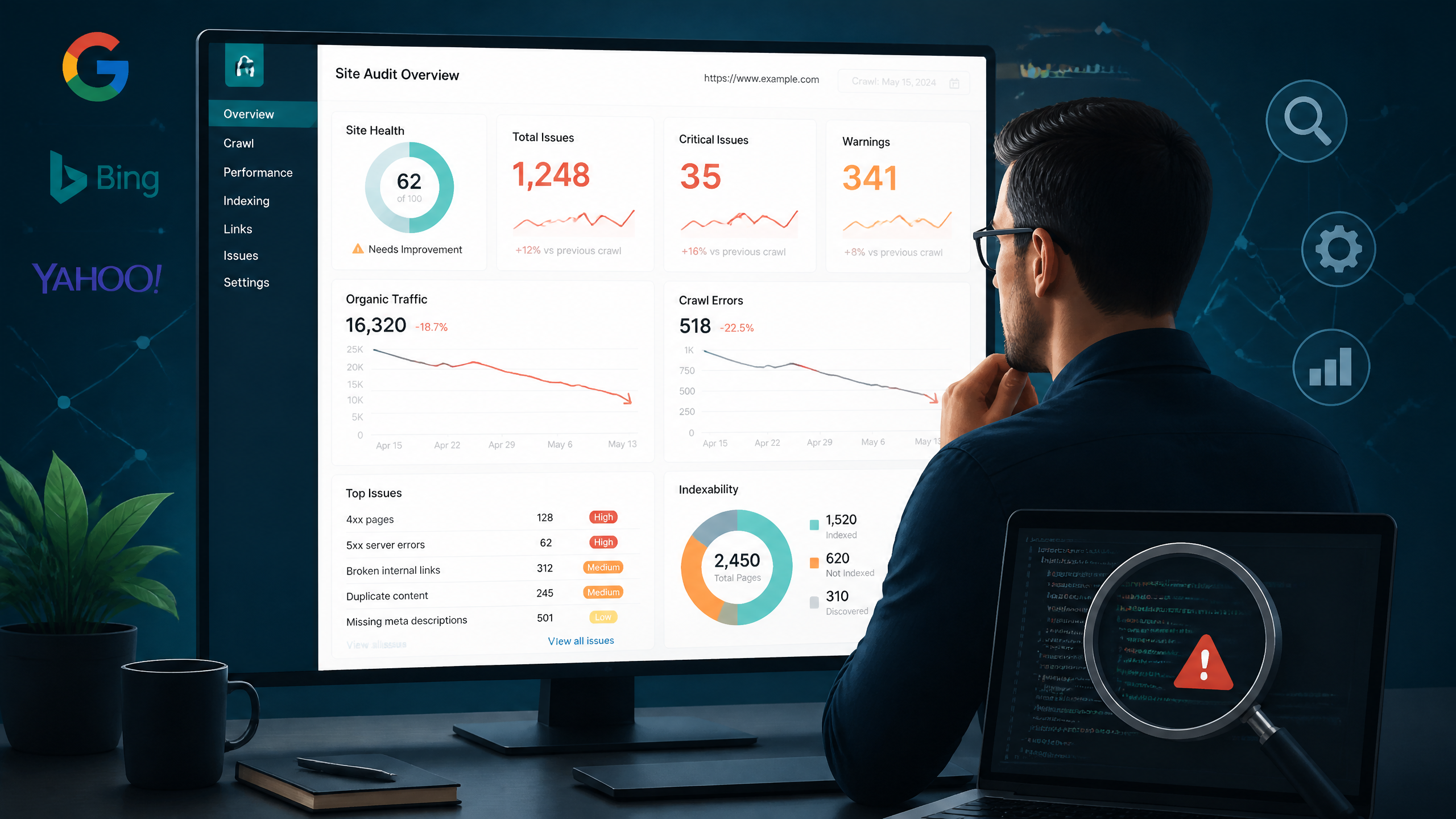
• No Single "Magic Button" Exists: While many tools claim to tell you exactly why your page isn't ranking, a true diagnosis requires a multi-step investigation across indexation, technical health, content intent, and authority.
• Indexation is Step Zero: If Google hasn't indexed your page, it cannot rank. Always verify indexation using Google Search Console's URL Inspection tool before analyzing on-page SEO.
• The Power of Automation: Next-generation platforms like Nuwtonic are replacing manual, spreadsheet-heavy workflows by automatically auditing and fixing content for both traditional SERPs and modern AI search engines.
• The 3 Core Checks: To find the root cause, you must systematically evaluate if your page is indexable, crawlable, and search-intent-aligned.
Table of Contents
TL;DR Summary
If you are asking, "Is there a tool that tells me why my page isn't ranking?", the short answer is no single tool does it all out of the box. True diagnosis requires analyzing indexation (via Google Search Console), technical speed (via PageSpeed Insights), and competitor gaps. However, modern agentic platforms like Nuwtonic are revolutionizing this process by combining these steps, automatically detecting crawl errors, keyword cannibalization, and content gaps, and then generating the exact fixes you need.
The Brutal Truth About Diagnostic SEO Tools
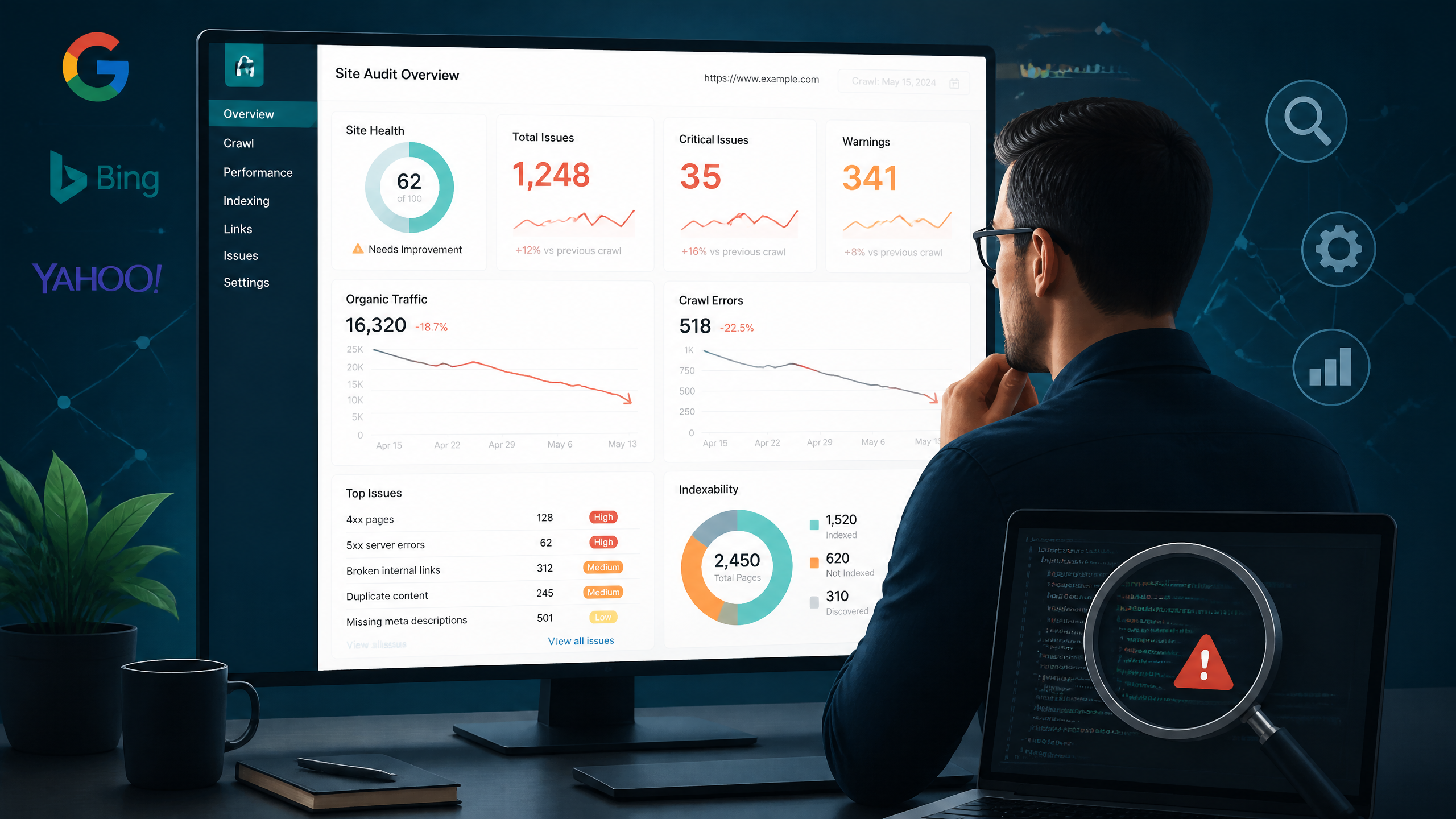
Honestly, after eight years of auditing websites and pulling my hair out over pages stuck on page four of Google, I have to give it to you straight: there is no single "magic button" tool that will instantly tell you why your page isn't ranking.
I see site owners fall into this trap constantly. They buy a subscription to a generic SEO checker, run a basic audit, get a "95/100" score, and then wonder why their traffic is still flatlining. The truth is, search algorithms are incredibly complex, and most automated tools only scratch the surface.
The Myth of the "Magic Ranking Button"
You know what’s funny? Many marketers believe that if they just fix their meta tags or sprinkle in a few more keywords, Google will suddenly reward them with the top spot. But ranking failures are rarely that simple. According to Nuwtonic's deep dive into diagnostic tools, diagnosing a non-ranking page requires a multi-step workflow. You cannot rely on a single software suite to give you an absolute, objective "why" without human context or deeply integrated data.
Why Single-Point Tools Fail the Reality Test
Single-point tools usually focus on one isolated variable. A speed tool tells you your site is slow, but doesn't realize your content completely misses search intent. An on-page SEO checker tells you your keyword density is perfect, but fails to see that a single line in your robots.txt file is blocking Googlebot entirely.
To illustrate the landscape, let's look at how different tool categories stack up against each other:
Tool Category | What It Measures | What It Misses | Best Used For |
|---|---|---|---|
GSC (Google Search Console) | Indexation, crawl errors, search impressions | Competitor data, content quality, on-page gaps | Verifying if Google can actually see your page |
Single-Factor Auditing Tools | Specific metrics like site speed or on-page keyword usage | The holistic ranking picture, off-page authority | Quick, tactical optimizations (e.g., image compression) |
Competitive Gap Tools | Competitor entity coverage, backlink profiles | Real-time technical indexation barriers | Identifying what the top 10 results have that you don't |
Agentic SEO Platforms (Nuwtonic) | Automated, GSC-driven multi-step diagnostics, GEO, and auto-fixes | Complete manual control (though it offers approval workflows) | Streamlining diagnostics and execution in one workspace |
The Multi-Step Diagnostic Framework
Instead of chasing a single tool, you need a systematic diagnostic framework. In my experience, if a page isn't ranking, the issue always falls into one of three buckets:
Crawlability and Indexation: Can Google actually find, crawl, and index the page?
Content and Intent: Does the page actually solve the user's query better than the current top 10?
Authority and Trust: Does your site have enough domain trust and internal linking structure to support the page?
Step Zero: Technical and Indexation Diagnostics
Before you spend a single second rewriting your introduction or hunting for backlinks, you must verify if Google has even indexed your page. Indexation is step zero—if Google hasn't indexed your page, it cannot rank, regardless of how incredible your content is.
Verifying Indexation with GSC and Site Commands
To check if your page is in Google's index, your absolute baseline is the URL Inspection Tool inside Google Search Console (GSC). This tool tells you exactly how Google views your URL.
Another quick manual test is using the site: search operator in Google (e.g., site:yourdomain.com/your-page-url). According to Yoast's breakdown of ranking failures, entering your full URL with this operator should return exactly one result. If nothing shows up, your page is completely invisible to searchers.
The Hidden Killers: Robots.txt and Crawl Errors
I've seen too many people chase after the latest SEO trends instead of fixing basic technical errors. One common situation I keep seeing is a developer accidentally blocking an entire section of a site during a migration.
As highlighted in a popular indexing and technical troubleshooting video guide, a single line in your robots.txt file—like Disallow: /blog/—can completely prevent Google from crawling your content.
Here’s what NOT to do when launching new pages:
• Do not forget to verify that your meta robots tag is set to index, follow rather than noindex.
• Do not leave orphan pages on your site; a page needs at least 3–5 internal links from high-traffic pages to show Google it is important.
• Do not ignore duplicate content; duplicate or low-quality content may be excluded from Google's index entirely.
Page Speed and Core Web Vitals as Tiebreakers
Let's be clear: site speed alone is rarely the sole reason you are stuck on page five. However, if you and your competitor have equally great content and similar backlink profiles, page speed becomes the ultimate tiebreaker.
If your page takes longer than 3 seconds to load, you are likely bleeding users and sending negative signals to Google. Running your URL through PageSpeed Insights will highlight the exact scripts, images, or server response issues holding you back.
Content Alignment and Competitive Gap Analysis
Let’s say your page is fully indexed and technically flawless, but it's still stuck in the search engine results page (SERP) wasteland. What now? This is where content alignment and competitive gap analysis come in.
Deciphering Search Intent Mismatch
Google's primary goal is to satisfy user intent. If you write a beautiful, 5,000-word promotional product page for a keyword where users are looking for an informational, unbiased comparison guide, you will never rank.
Honestly, you have to look at the top 10 results. What format are they using? Are they lists, calculators, product pages, or deep-dive guides? If your page format doesn't match what users are actively engaging with, you have an intent mismatch.
Google's Natural Language API, Entities, and Salience
Google doesn't just read keywords anymore; it understands concepts, known as entities. Using Google's Natural Language API, the search engine analyzes three main metrics on your page:
• Entities: The specific subjects, brands, and concepts detected in your text.
• Salience: How central those entities are to the overall topic (a salience score below 0.3 often indicates a weak topic focus).
• Category: The broad classification of your page (e.g., /Computers & Electronics vs. /Reference).
If your competitors cover 15 key entities that you completely missed, Google's algorithm will view your page as thin or incomplete.
Mapping Authority Gaps and Backlink Profiles
Sometimes, the reason you aren't ranking has nothing to do with your content—it's an authority gap. Tools like SEO First Web's Ranking Diagnostic tool audit your page against the live top 10 across 27 ranking factors, helping you see where your backlink profile or domain authority falls short. If the top-ranking pages all have hundreds of high-quality, contextually relevant backlinks and your page has zero, you have an uphill battle that content optimization alone cannot win.
Automated Diagnostic Workflows with Next-Gen Platforms
If you're tired of stitching together data from five different tools, copying numbers into spreadsheets, and trying to guess the next step, there is a smarter way. Next-generation platforms are automating the tedious, multi-step diagnostic workflow entirely.
How Nuwtonic Automates the Diagnostics-to-Fix Workflow
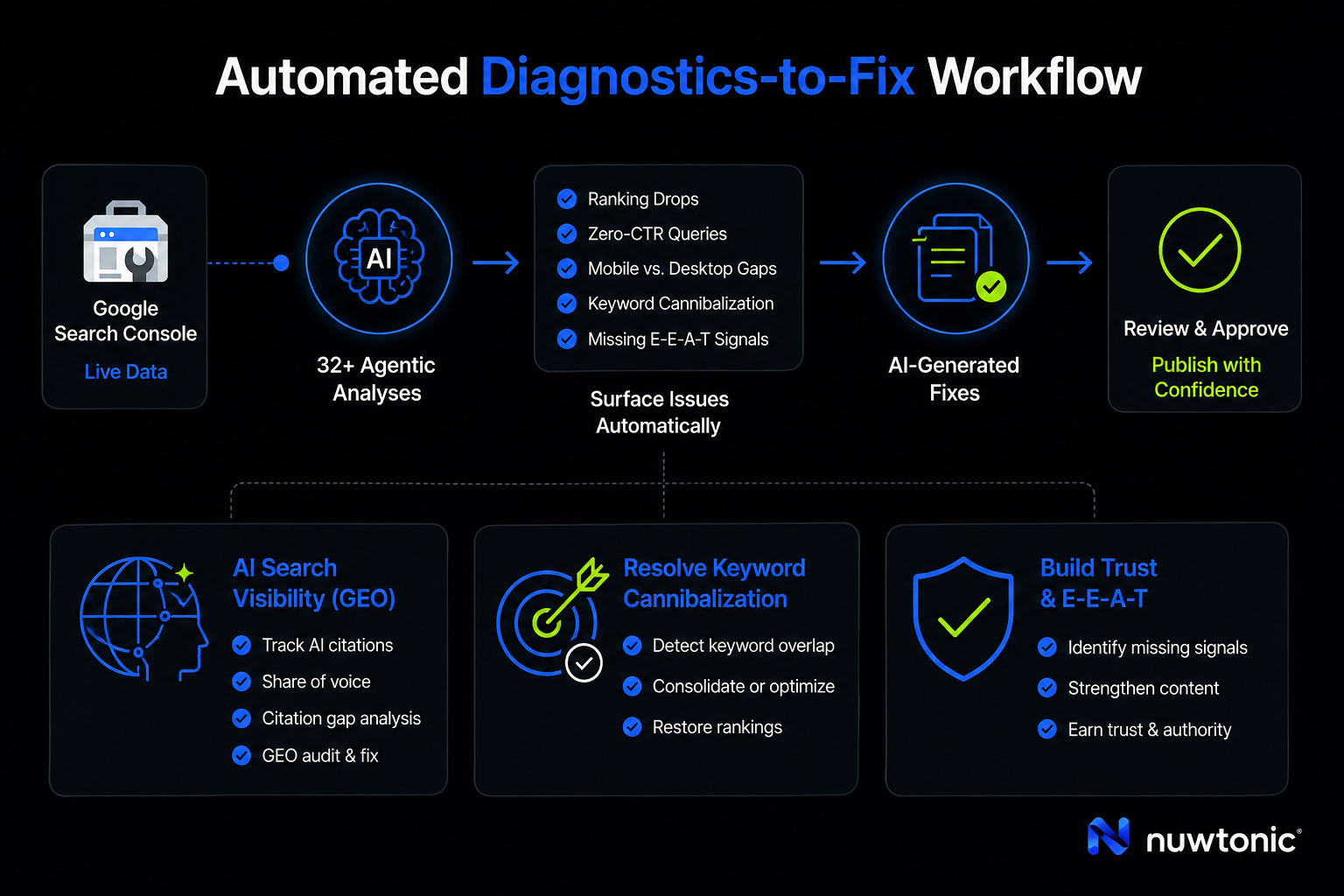
Nuwtonic completely changes the game by building a workspace directly around your live Google Search Console data. Instead of manually running audits, Nuwtonic’s performance dashboard automatically runs 32+ agentic analyses to surface:
• Top-moving keywords and sudden ranking drops.
• Zero-CTR queries (where you have impressions but no clicks).
• Mobile vs. desktop ranking gaps.
• Keyword cannibalization issues (where two of your pages are fighting for the same keyword).
• Missing Google trust and E-E-A-T signals.
But identifying the issue is only half the battle. Nuwtonic goes beyond traditional tools by generating optimized, before-and-after content for each technical and on-page fix, allowing you to review and approve changes in one seamless workflow.
Tracking and Auditing for AI Search Visibility (GEO)
In 2026, SEO is no longer just about traditional blue links. We now have to optimize for AI search engines, Search Generative Experience (SGE), and LLM-driven answers. This is called Generative Engine Optimization (GEO).
Nuwtonic allows you to track whether your site is being cited in AI search results, maps your share of voice, and runs a full citation gap analysis to identify E-E-A-T gaps or structural issues. The platform's GEO Audit & Fix feature tells you exactly what to add to your URLs to ensure AI engines recommend your brand.
Resolving Keyword Cannibalization and Trust Issues
Often, the tools available provide the data you need; it’s just a matter of knowing how to interpret it. Keyword cannibalization is a silent killer—it happens when Google gets confused about which of your pages is the most relevant for a query, resulting in neither page ranking well. Nuwtonic automatically flags these overlaps and guides you through consolidating or re-optimizing your pages to restore your rankings.
Real-World Diagnostic Case Studies
To show you how this works in the wild, let's look at three classic scenarios where a systematic diagnostic process saved the day.
Case Study 1: The Invisible Robots.txt Block
• The Problem: A marketing agency launched a comprehensive guide. After three weeks, the page was not ranking at all, despite having great content and several high-quality internal links.
• The Diagnosis: Using GSC's URL Inspection tool, the team discovered the page status was "Crawl-allowed? No: blocked by robots.txt". Upon opening the robots.txt file, they found a developer had left a Disallow: /resources/ rule active from the staging environment.
• The Fix: The disallow rule was removed, and an indexing request was submitted via GSC.
• The Outcome: The page was indexed within 48 hours and entered the top 10 within 5 days.
Case Study 2: The Category Misclassification Fix
• The Problem: An e-commerce brand created a product page targeting "best lightweight running shoes." Despite heavy optimization, the page hovered on page four of the SERPs.
• The Diagnosis: Running the page through Google's Natural Language API revealed a category mismatch. Google classified the page as a "Commercial Store," whereas the top 10 ranking results were all classified as "Blogs & Guides." Google wanted informational comparison guides, not a direct product page.
• The Fix: The page was restructured from a pure product page into a comprehensive comparison guide with product schema.
• The Outcome: The page's salience score improved from 0.21 to 0.45, and it successfully ranked in the top 5 within 3 weeks.
Case Study 3: Overcoming the Page Speed Tiebreaker
• The Problem: A local service page had identical content depth and a similar backlink profile to its main competitor but remained stuck at position 12, while the competitor held position 3.
• The Diagnosis: A performance audit revealed the page load speed was 4.2 seconds on mobile, while the competitor's page loaded in 1.8 seconds.
• The Fix: The team compressed heavy images, eliminated render-blocking resources, and implemented advanced caching.
• The Outcome: Mobile load speed dropped to 1.5 seconds, and the page jumped to position 7 in just 2 weeks.
Frequently Asked Questions
Is there a single tool that tells me exactly why my page isn't ranking?
No. While tools like SEO First Web, ClickRank.ai, and Nuwtonic offer incredible diagnostic data, there is no single tool that gives a definitive "why" without combining Google Search Console data, technical performance metrics, and competitive gap analyses. Modern platforms like Nuwtonic come closest by automating this multi-step diagnostic workflow in one place.
How do I check if my robots.txt file is blocking Google?
You can access your robots.txt file by typing yourdomain.com/robots.txt into your browser. Look for any Disallow rules that match the URL path of your non-ranking page. You can also use the GSC URL Inspection tool, which will explicitly state if crawling is blocked by your robots.txt file.
Do I need backlinks to rank, or can content alone work?
While high-quality, intent-aligned content can rank for low-competition keywords, high-competition keywords almost always require backlinks. Backlinks build your domain trust and signal to Google that your site is an authority in its niche. If you are targeting a competitive query, a weak backlink profile will act as a major ranking barrier.
Why does my optimized content still not show up in SERPs?
If your content is technically sound and indexed, but still not ranking, the most common causes are:
• Search Intent Mismatch: Your content format does not match what users are looking for.
• Entity Gaps: You missed key concepts and topics that your competitors covered.
• Keyword Cannibalization: You have multiple pages competing for the same search term, confusing Google's crawlers.
• Low Authority: Your site lacks the topical authority or backlink strength to compete with established players in the top 10.
Sources and References
SEO First Web Ranking Diagnostic: SEO First Web's Ranking Diagnostic tool
Nuwtonic Diagnostic Framework: Nuwtonic's deep dive into diagnostic tools
Yoast Ranking Barriers: Yoast's breakdown of ranking failures
Technical SEO and Indexation Video Guide: indexing and technical troubleshooting video guide


