
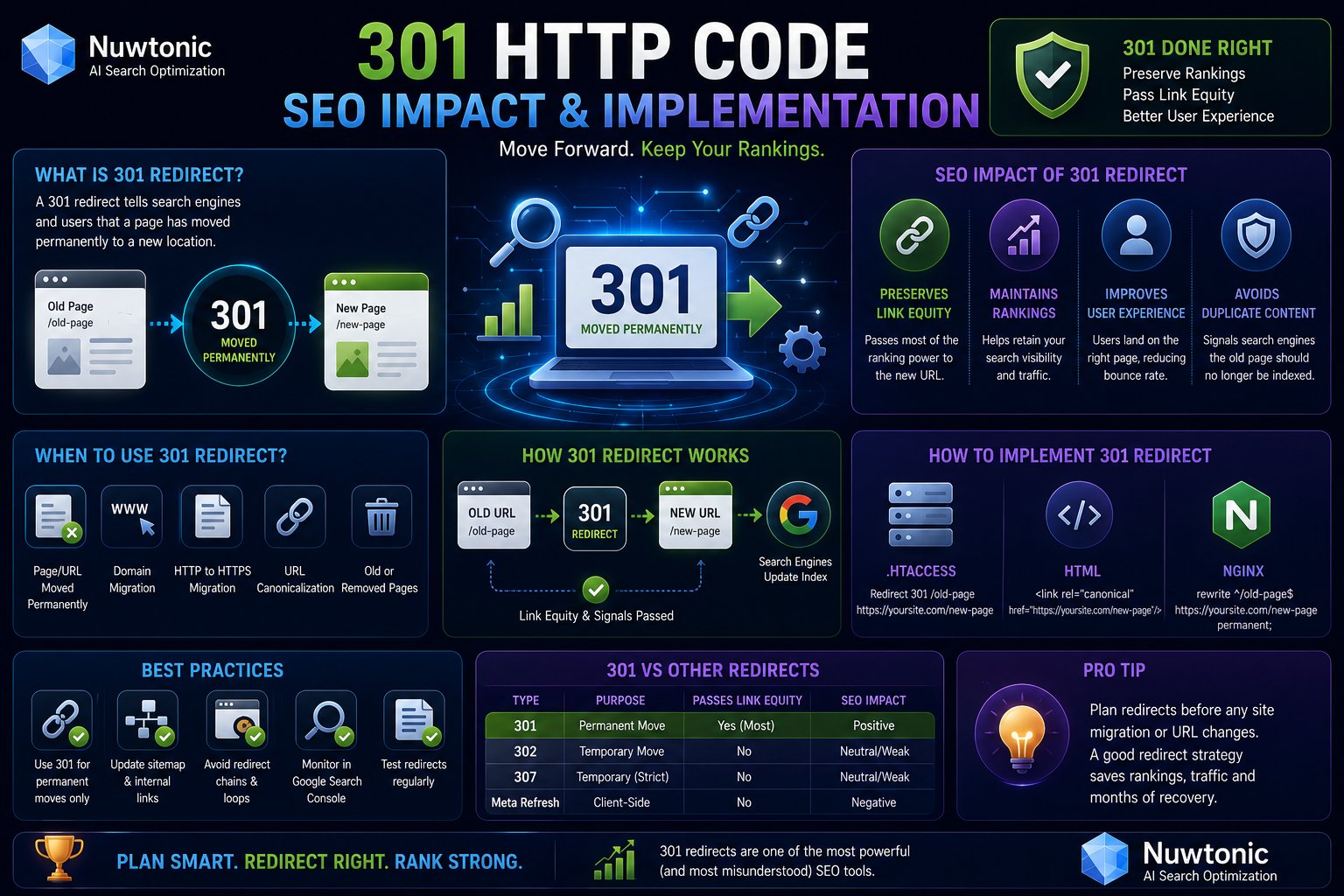
You launch the redesigned site on Friday. By Monday, branded traffic is fine, but category pages are gone, old backlinks land on errors, and Google still shows outdated URLs. In most migrations, that drop isn't caused by the new design. It's caused by redirect decisions that were rushed, inconsistent, or technically wrong.
The 301 HTTP code is the status code that tells browsers, crawlers, and every bookmarked old URL that the move is permanent. Used correctly, it preserves the value attached to old addresses. Used carelessly, it can create chains, cache problems, form failures, and citation gaps that many SEO guides never mention.
Modern teams also need a wider lens than classic organic search. A redirect that works for Google may still be a poor choice for a checkout flow, an API endpoint, or an AI citation path. That's why permanent redirects need to be treated as both an SEO tool and an application behavior decision. If you're also cleaning up migration fallout such as missing URLs, this companion piece on 404 errors and SEO recovery helps frame what happens when redirect coverage is incomplete.
Table of Contents
- What Is a 301 HTTP Code and Why It Matters
- The Mechanics of a Permanent Redirect
- Choosing the Right Redirect Code 301 vs 302 307 and 308
- SEO Best Practices and Common 301 Use Cases
- Hands-On Guide to Implementing 301 Redirects
- Testing Redirects and Avoiding Common Mistakes
- Your 301 Redirect Migration Checklist
What Is a 301 HTTP Code and Why It Matters
A site relaunch goes live. The templates look fine, the new URLs resolve, and then traffic starts slipping because the old addresses were left to die or were redirected with the wrong status code.
A 301 HTTP code means Moved Permanently. It tells browsers, crawlers, and other clients that the requested URL has been replaced for good and that future requests should use the new location. For SEO, that makes it the standard redirect for domain migrations, URL structure changes, and permanent HTTP to HTTPS moves.
The key point is permanence. A 301 tells search engines to shift their indexing signals from the old URL to the replacement instead of treating the destination as a separate page with no history. If that old URL has backlinks, internal links, bookmarks, or long-standing crawl patterns, the redirect preserves continuity. If it does not, the old page usually falls into 404 territory, and the recovery work gets harder. If that is already happening on your site, this guide on 404 errors and SEO impact covers the fallout.
This matters beyond classic link equity.
A 301 is also a product and infrastructure decision. Browsers may cache it aggressively. Search engines may eventually swap the canonical URL they show in results. AI search systems and answer engines that cite pages also need a stable destination to attribute and revisit. If your content moves but the redirect setup is inconsistent, those systems can keep referencing retired URLs, split citation signals across duplicates, or miss the updated page entirely.
That is why redirect choice cannot stop at "permanent versus temporary." A 301 works well for many web page moves, but it does not preserve the original HTTP method in the same way a 307 or 308 does. For content pages, that difference often does not matter. For APIs, checkout flows, login endpoints, and form submissions, it can matter a lot. Sending a POST request through the wrong redirect can change how the client retries the request, which creates bugs that look like SEO problems during a migration.
Use a 301 when the old URL is retired for good and the replacement is the new canonical location. If the move is temporary, choose a temporary status code instead. If the request method must stay intact, especially in modern apps, review 307 and 308 before you ship.
The Mechanics of a Permanent Redirect
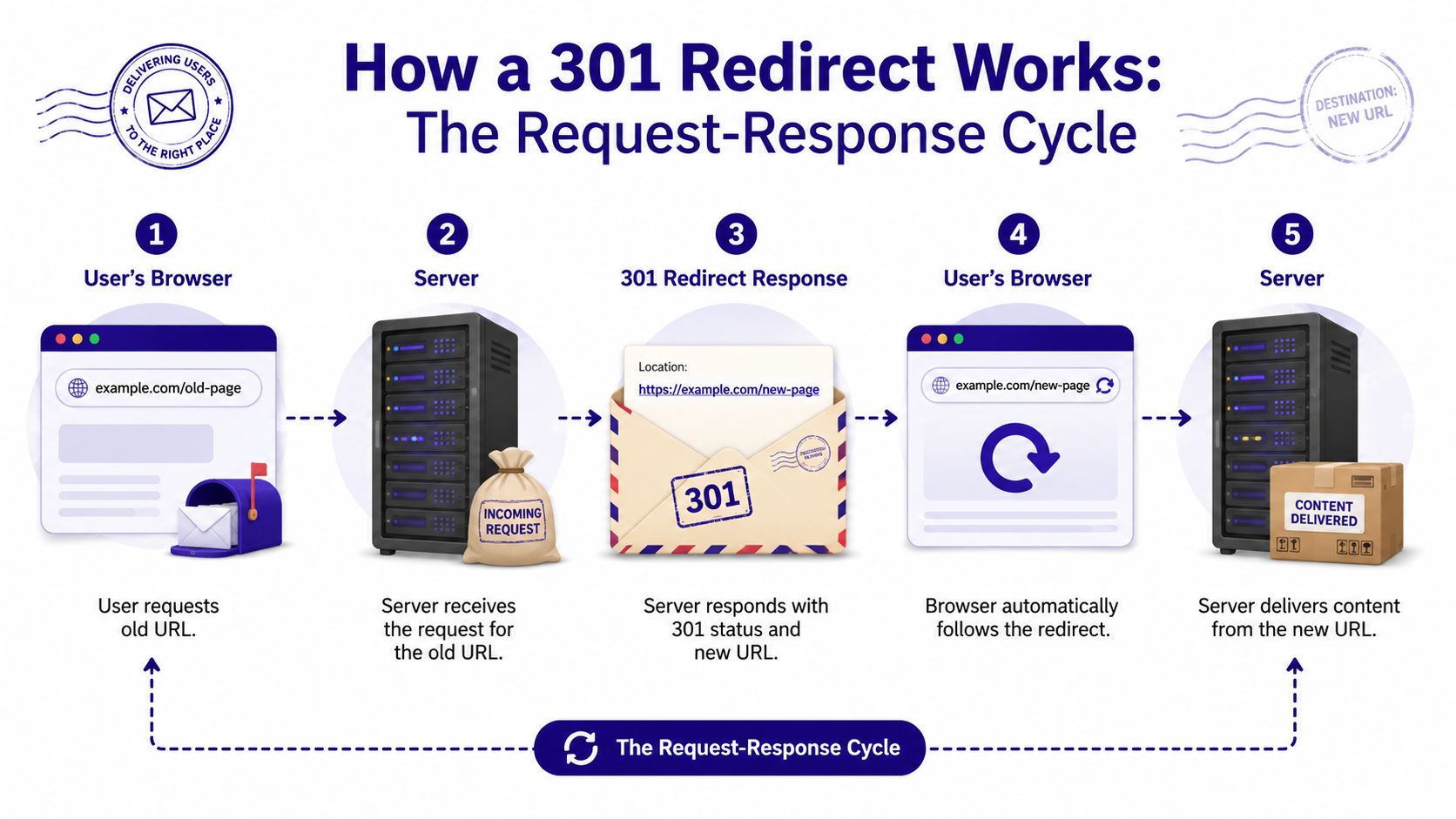
A 301 works like mail forwarding. Someone sends a request to the old address. The server replies that the address has changed permanently and provides the new destination. The client then requests the new location.
What the server actually returns
At the protocol level, the original URL does not return page content. It returns a response header with the 301 Moved Permanently status and a Location header that points to the new URL.
The flow looks like this:
Browser requests old URL
A user clicks an old blog post, category page, or bookmarked product URL.Server returns 301 plus Location
The server doesn't render the old page. It responds with the redirect instruction.Browser follows the new destination
The client automatically requests the URL listed in the Location header.New URL returns content
The destination page loads, ideally with a 200 status code and no further redirect hop.
How crawlers and browsers react
Search engines and browsers don't treat that response the same way, and this distinction determines migration success or failure.
For search, the redirect is a canonical preference signal. As described in http.dev's 301 reference, the HTTP 301 status code serves as a strong signal to Google that the redirect target is the preferred URL, resulting in the transfer of ranking signals from the old URL to the new one. When a search engine spider encounters a 301 header, it identifies the original page as non-existent and immediately extracts the new URL from the Location header, replacing the old index entry and diverting the old page's traffic to the new location.
For browsers, caching is the operational detail people underestimate. A 301 is cacheable by default. That improves repeat visits because the browser can go directly to the new address without re-checking the old one every time. It also means mistakes can linger on your machine after you've “fixed” the rule on the server.
When a redirect behaves differently in production than it does in your browser, suspect browser caching before you assume the server config is still wrong.
That default cache behavior is excellent for stable permanent moves. It is terrible for redirects that depend on session state, environment, or temporary business logic.
Choosing the Right Redirect Code 301 vs 302 307 and 308
Most migration guides stop at one distinction: 301 is permanent, 302 is temporary. That's useful, but incomplete. Modern sites run forms, APIs, checkout flows, and serverless functions. In those environments, the decision isn't just about permanence. It's also about whether the original HTTP method must survive the redirect.
The practical difference between permanent and temporary
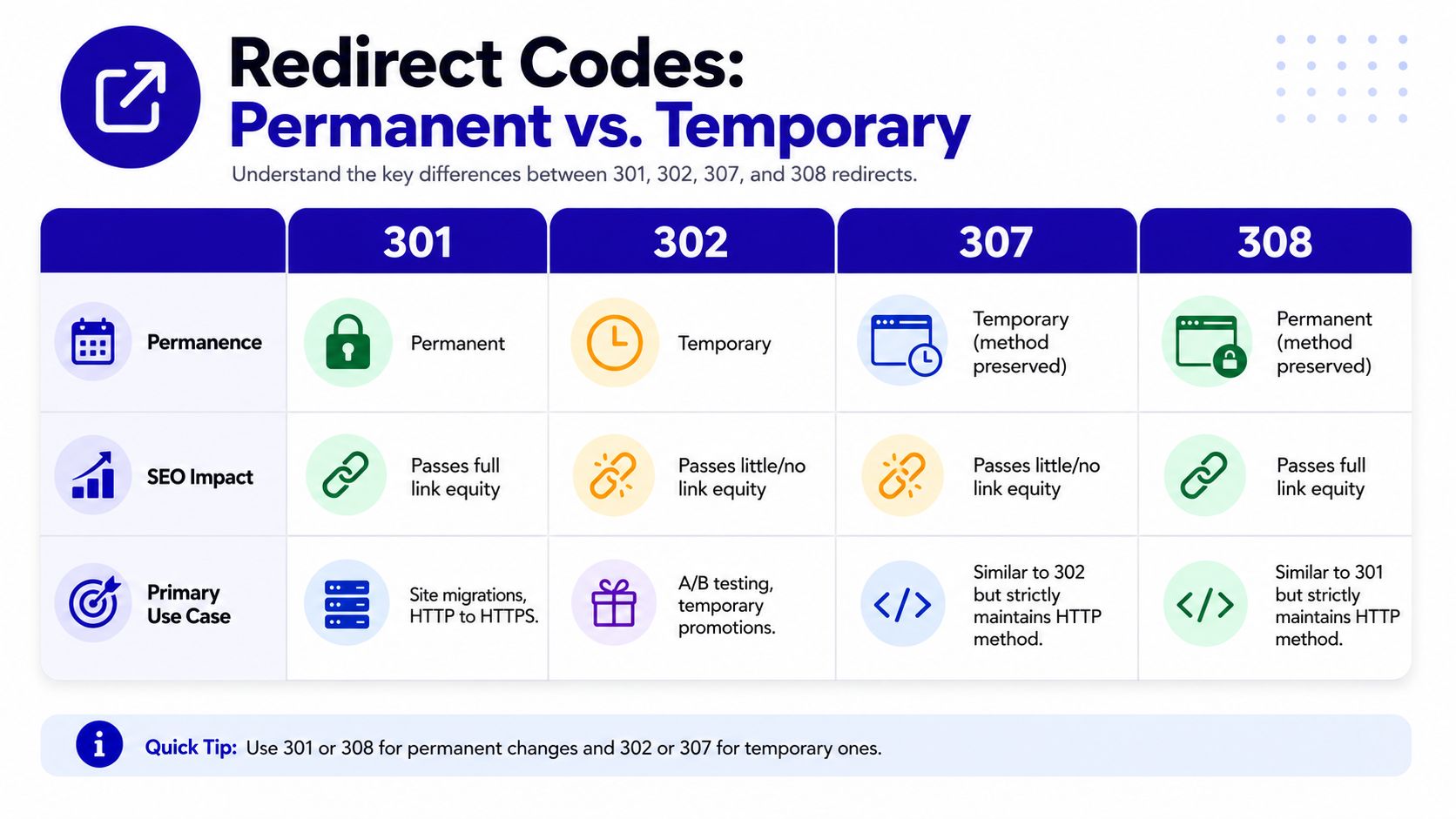
Use 301 when the move is final. Use 302 or 307 when you expect the original URL to return. That applies to maintenance pages, short-lived experiments, and temporary rerouting.
Here's the comparison that matters during implementation:
| Code | Meaning | Use Case | SEO Impact | Method Preservation |
|---|---|---|---|---|
| 301 | Moved Permanently | Domain moves, URL restructuring, HTTP to HTTPS | Signals permanent replacement of old URL | May change method |
| 302 | Found | Temporary reroutes, short-term tests | Signals temporary move | May change method |
| 307 | Temporary Redirect | Temporary routing for forms or APIs | Temporary signal | Preserves method |
| 308 | Permanent Redirect | Permanent move for forms, APIs, app routes | Permanent signal | Preserves method |
For a broader SEO-oriented breakdown, 301 vs 302 redirects explained is a useful reference when you're mapping redirect intent before launch.
Later in the section, the application angle matters more than the SEO shorthand:
Why method preservation changes the decision
This is the part many SEO teams miss when they work closely with engineering. According to Redirect Pizza's redirect status code guide, while 301 and 302 may convert a POST request into a GET during redirection, 307 and 308 strictly preserve the original HTTP method, making 301 unsuitable for stateful form submissions where method integrity is required.
That one distinction changes real implementation choices:
- Checkout and payment flows need preserved methods. If a POST becomes a GET, you can break submission logic.
- Lead forms can fail without indication if the redirect changes request behavior after submit.
- API migrations often need 308, not 301, because clients depend on the original method staying intact.
- Temporary app routing should use 307 instead of 302 when method preservation matters.
Don't let “permanent” automatically mean “301.” For stateful requests, 308 is often the cleaner technical choice.
A simple rule helps. If you're redirecting a page request from one stable public URL to another, 301 is usually right. If you're redirecting a non-GET request and the move is permanent, 308 is often the better fit. If the move is temporary and the method matters, 307 is the safer option.
SEO Best Practices and Common 301 Use Cases
A migration usually looks fine right up until launch day. Traffic is still flowing, pages resolve, and then rankings dip because old URLs were redirected in bulk to the homepage, internal links still point through old paths, and a few high-value pages now sit behind chains. The fix is rarely dramatic. It comes from redirecting each retired URL to the closest live equivalent and treating redirects as part of the information architecture, not as cleanup.
Where 301 redirects are required
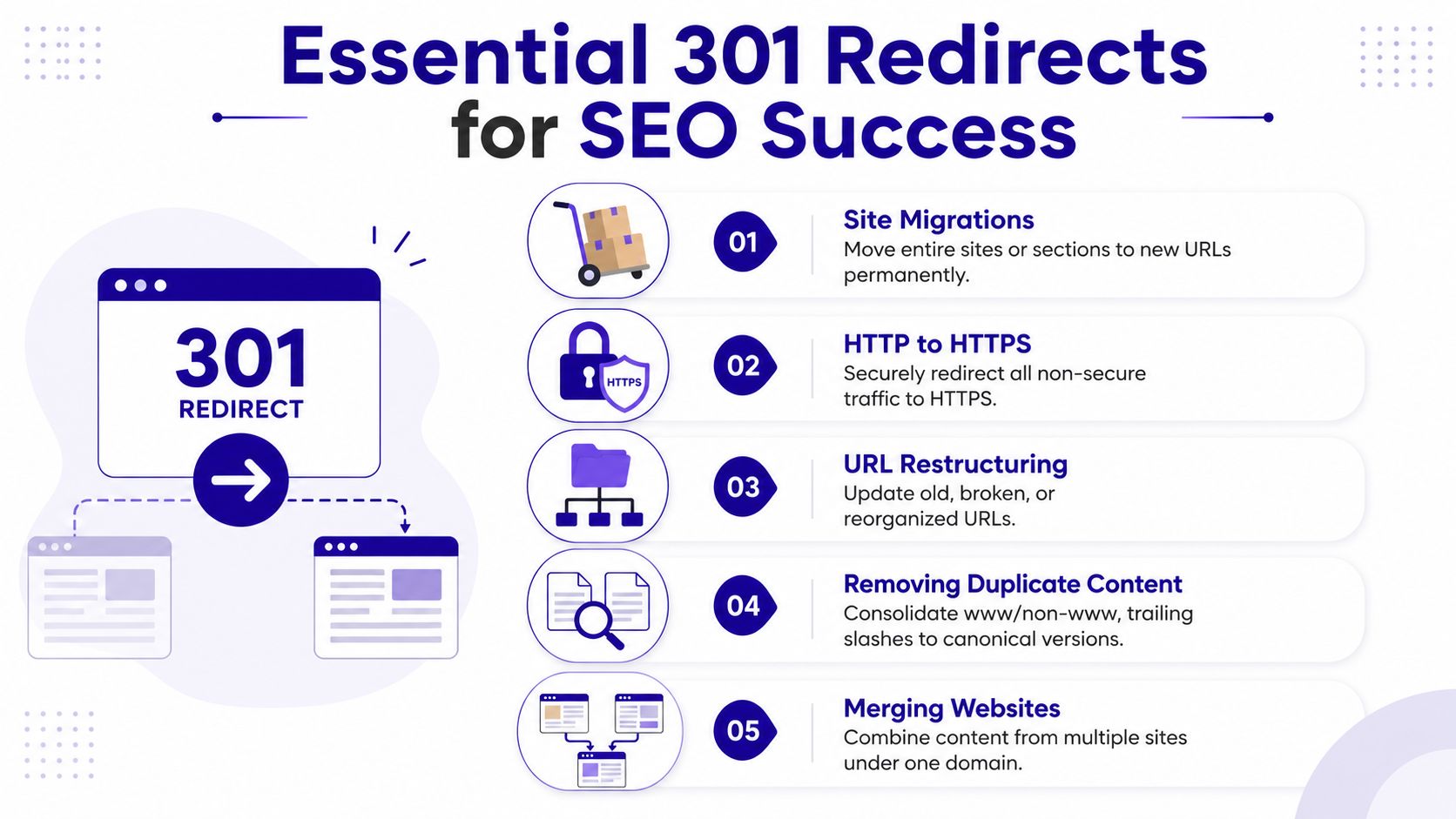
These are the highest-stakes scenarios for 301 redirects:
Domain migrations
If a site moves to a new domain, map every indexable, link-worthy URL to its new counterpart. One-to-one mapping preserves relevance far better than sending whole sections to a category page or the homepage.HTTP to HTTPS enforcement
Permanent protocol consolidation should use 301s for normal page requests. This helps search engines and browsers settle on the secure version and reduces duplicate URL variants.URL restructuring
If/category/widget-abecomes/products/widget-a, redirect the old URL straight to the new one. Do not route it through an intermediate folder, faceted URL, or generic hub page.Canonical consolidation
WWW and non-WWW, trailing slash variants, uppercase paths, and duplicate parameterized versions should resolve to one preferred format. That keeps crawl paths cleaner and avoids splitting signals across multiple versions of the same page.Content consolidation after mergers or pruning
If two resource libraries overlap, redirect retired pages to the closest surviving page by topic and intent. If no equivalent exists, a 410 or a true 404 can be the better choice than forcing an irrelevant 301.
The trade-off is relevance versus convenience. Bulk rules are faster to deploy, but they often weaken the topical match between old and new URLs. Search engines handle direct, relevant mappings better. Users do too.
Clean up matters after launch. If your audit shows unnecessary hops, use this guide on broken links versus redirect chains to decide whether a URL should be updated, redirected once, or retired.
What good SEO teams check before shipping 301s
A 301 is only as good as the destination behind it. Redirect old URLs to pages that satisfy the same query intent, keep destination pages crawlable, and update internal links so the site does not keep sending bots and users through retired paths. Redirects should catch old demand. Internal navigation should point to current URLs.
This is also where redirect code choice affects SEO operations more than many guides admit. For standard page moves, 301 is still the default. But if a modern site mixes content pages with forms, app routes, or API endpoints, the wrong permanent code can create behavior problems that look like SEO issues. A lead form that fails after a POST redirect, or an app endpoint that changes request handling, can reduce conversions, break attribution, and complicate crawling diagnostics. In those cases, 308 may be the better permanent choice because it preserves the request method.
301 use cases now extend beyond classic link equity
Traditional SEO guidance treats 301s as a way to pass signals from an old URL to a new one. That remains true, but it is no longer the whole job.
AI search and answer engines introduce a second concern: citation stability. If a brand, product page, or reference asset is likely to be cited by AI systems, do not assume a redirect alone will carry the same weight as a stable, consistently linked destination URL. Those systems may discover content through crawls, cached fetches, third-party references, or prior snapshots. A correct 301 helps, but stable destination URLs, clear internal linking, and durable page-level relevance give those systems fewer chances to lose the trail.
The practical rule is simple. Use 301s to preserve value during permanent page moves. Use 308 when the move is permanent and request methods must stay intact. Then support both with direct internal links, updated sitemaps, and destination pages that deserve to rank and be cited on their own.
Hands-On Guide to Implementing 301 Redirects
Implementation quality matters more than theory. A redirect map in a spreadsheet doesn't protect traffic until the server returns the correct status code and destination.
The underlying rule is straightforward. The 301 response is defined as Moved Permanently, and clients are expected to update stored links to the new URI. It is also cacheable by default unless cache controls override it, as outlined in the Wikipedia list of HTTP status codes. That's why permanent redirects belong at the server or edge whenever possible.
Apache examples
For Apache, the simplest place is usually .htaccess if your setup allows overrides.
Single old URL to new URL
Redirect 301 /old-page/ https://www.example.com/new-page/
Whole directory move
RedirectMatch 301 ^/blog/(.*)$ https://www.example.com/resources/$1
Force HTTPS
RewriteEngine On
RewriteCond %{HTTPS} off
RewriteRule ^(.*)$ https://www.example.com/$1 [R=301,L]
Use this approach when you need quick rule management on an Apache stack. Keep the logic minimal. The more layered conditions you add, the easier it is to create loops or obscure edge cases.
Nginx examples
Nginx handles redirects in server blocks and is often cleaner for sitewide rules.
Single page redirect
location = /old-page/ {
    return 301 https://www.example.com/new-page/;
}
Domain migration
server {
    listen 80;
    server_name oldsite.com www.oldsite.com;
    return 301 https://www.newsite.com$request_uri;
}
HTTP to HTTPS
server {
    listen 80;
    server_name example.com www.example.com;
    return 301 https://example.com$request_uri;
}
Nginx is excellent for high-volume migrations because it keeps redirect handling fast and explicit. The key is still mapping old URLs to the most relevant new destination, not collapsing everything to the homepage.
CDN and edge rule setups
Platforms such as Cloudflare make redirects easy to deploy through rule interfaces. That convenience is useful for marketing teams, but it can hide complexity.
Use edge redirects when:
- You need fast rollout across many URLs without touching origin config.
- You're consolidating protocol or host variants such as HTTP to HTTPS or non-WWW to WWW.
- You need deployment control separated from application releases.
Avoid relying on CDN rules for everything if the app itself also issues redirects. Split ownership across origin, framework, and edge often creates chains.
Why client-side redirects are a bad fallback
JavaScript redirects and meta refresh tags still show up in rushed launches. They are usually the wrong answer for SEO migrations.
JavaScript redirect
<script>
window.location.href = "https://www.example.com/new-page/";
</script>
Meta refresh
<meta http-equiv="refresh" content="0; url=https://www.example.com/new-page/">
These methods happen after the page loads in the browser. That makes them weaker than a server-side redirect for clear migration signaling, slower for users, and harder to govern consistently. Use them only when you cannot control the server or edge, and treat them as temporary debt to remove.
Server-side redirects tell the client what happened before content rendering. Client-side redirects make the browser figure it out afterward. For migrations, that difference matters.
Testing Redirects and Avoiding Common Mistakes
A redirect isn't finished when the rule is written. It's finished when the old URL returns the right status, the Location header points to the right destination, and the destination resolves cleanly.
How to verify a 301 correctly
Use multiple checks because each one catches different failure modes.
- Browser DevTools shows the network request, status code, and redirect path.
curl -Ilets you confirm the response headers directly from the command line.- Crawling tools reveal patterns across thousands of URLs, especially chains and inconsistent rules.
- A dedicated redirect validator helps spot destination mismatches. Nuwtonic's redirect checker tool is useful for quick verification when you're testing mapped URLs at scale.
A correct result looks like this in practice: old URL returns 301, destination URL returns 200, and there are no extra hops in between unless one unavoidable canonical rule remains.
Mistakes that break migrations
The most common failures are operational, not conceptual.
- Redirect chains slow crawling and create avoidable latency.
- Redirect loops trap both users and bots.
- Wrong code choice sends the wrong permanence signal.
- Homepage dumping wastes relevance by redirecting many unrelated old URLs to one generic page.
Another issue gets overlooked in technical SEO teams. The Stack Overflow discussion on 301 versus 302 temporary behavior highlights a critical problem: browsers can cache 301 redirects permanently enough to break dynamic or state-dependent control flows. That's why 301 is a poor fit for temporary maintenance logic, geo-routing experiments, login-state routing, or any setup that depends on changing the redirect decision later.
If a redirect rule might need to change based on context, don't default to 301.
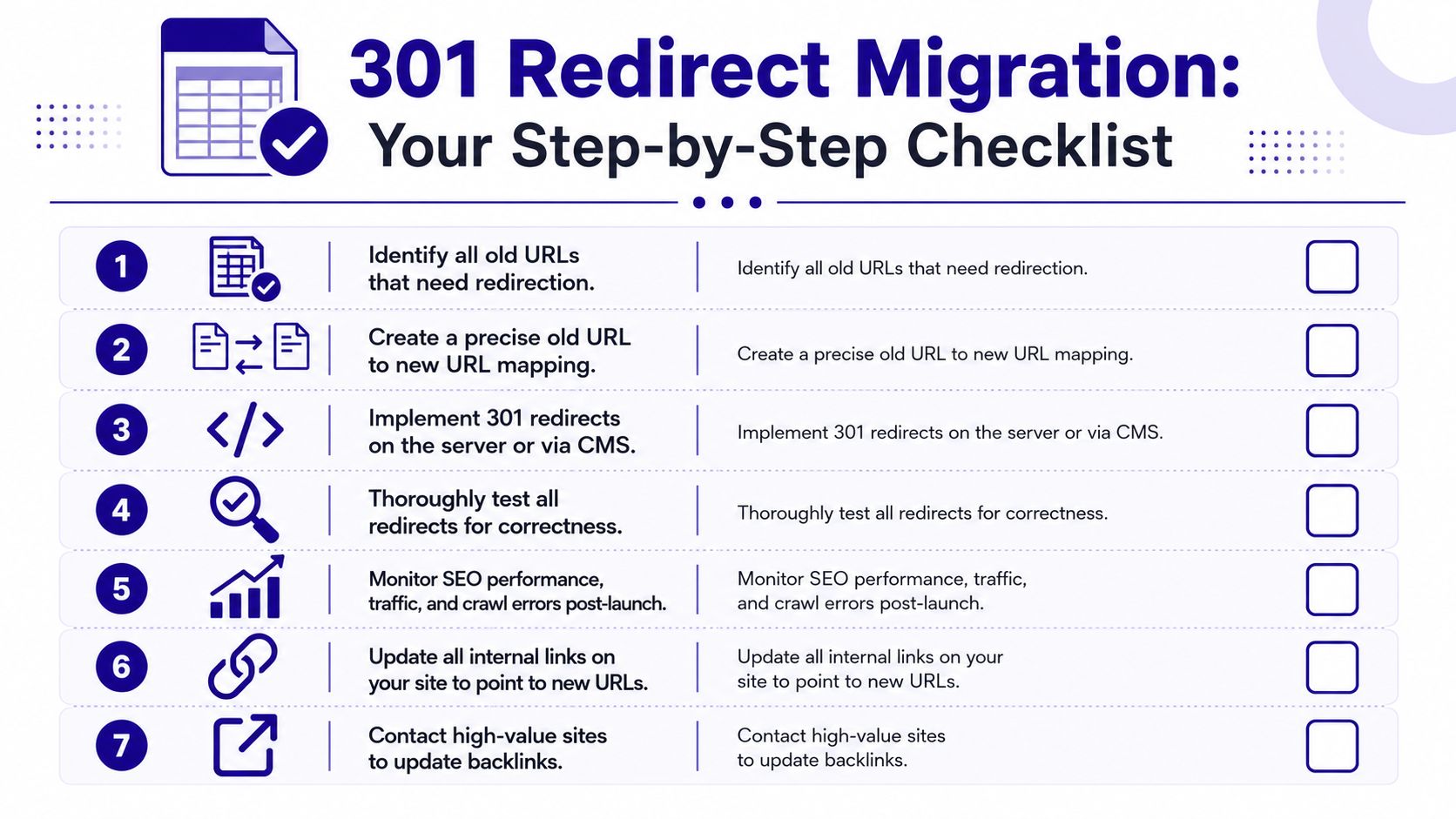
Your 301 Redirect Migration Checklist
A strong migration is mostly process discipline. Teams lose traffic when they skip mapping, testing, or post-launch monitoring, not because the 301 HTTP code is complicated.
Use this checklist before every URL change:
- Crawl the old site fully and export every live URL that matters.
- Build a redirect map from each old URL to the closest new equivalent.
- Implement redirects in staging first so QA can test real behavior before launch.
- Update internal links so the site points directly at final URLs, not redirected ones.
- Test at the URL level and pattern level using browser tools,
curl, and crawler reports. - Check method-sensitive routes separately and use 307 or 308 where app behavior requires preservation.
- Monitor after launch in Search Console, logs, and crawl reports for 404s, loops, and missed legacy paths.
If you're migrating an ecommerce store, platform-specific behavior matters too. This guide to mastering Shopify redirects is a good companion when the CMS layer adds its own redirect rules and constraints.
If you're managing migrations, technical SEO cleanup, and AI visibility in the same workflow, Nuwtonic helps teams audit redirect issues, prioritize fixes with Search Console data, track citation visibility across AI search platforms, and push reviewed optimizations without turning every launch into a manual fire drill.


