
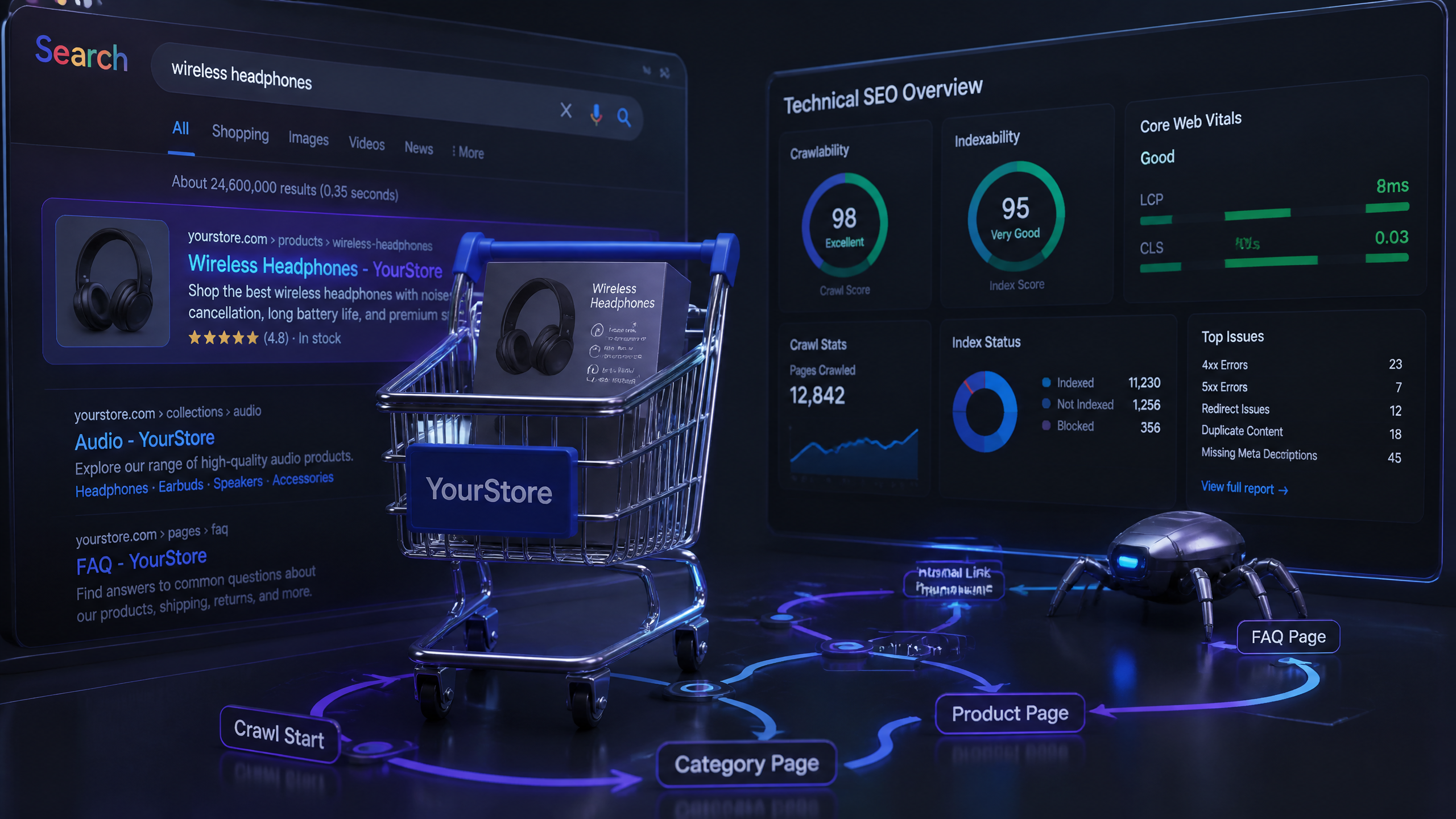
Let’s be honest — most ecommerce sites are a technical mess. When you are dealing with tens of thousands of product pages, dynamic inventory, and complex filtering systems, things break. They break silently, they break often, and they directly drain your organic revenue.
Many e-commerce sites overlook the importance of site speed — it's often the simplest fix that yields the biggest results. Yet, instead of fixing their underlying architecture, I find that too many people focus on keyword stuffing instead of optimizing for user experience; good content naturally attracts traffic.
If you want search engines to crawl, index, and rank your product pages, you have to make it easy for them. This guide will walk you through the exact technical blueprint needed to turn your online store into a highly efficient search engine magnet.
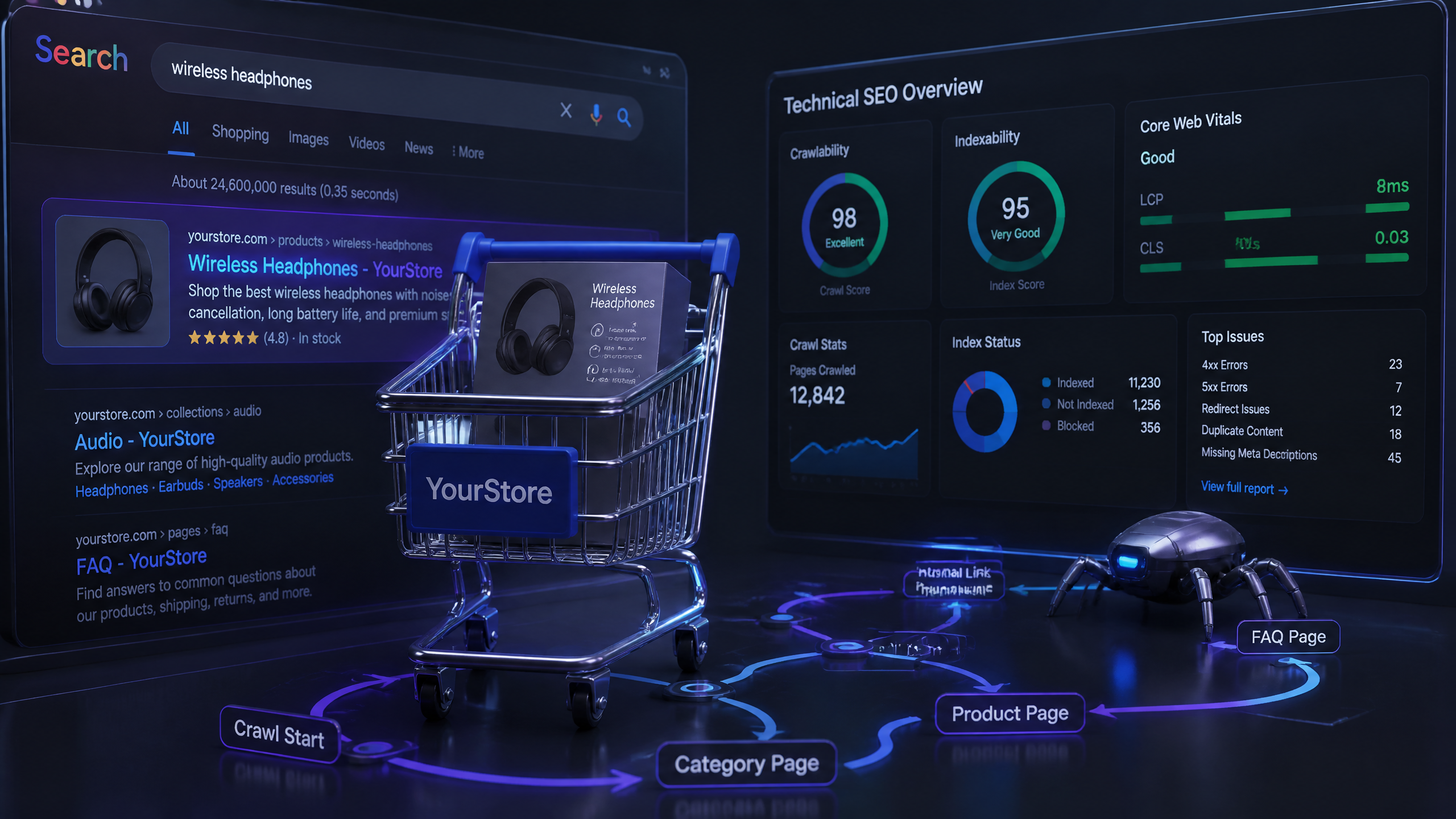
Key Takeaways
Before we jump into the technical weeds, here is a quick summary of the non-negotiables for scaling an online store in 2026:
• Crawl Efficiency is King: If search engines waste time crawling low-value filter pages, your actual product pages won't get indexed.
• Faceted Navigation Rules: Use canonical tags pointing to the main category page to prevent massive duplicate content issues.
• Core Web Vitals Drive Sales: Fast loading times and stable pages directly correlate with higher conversion rates and better search rankings.
• Automation is Essential: Most checks for technical issues can be automated — don't waste time doing things manually that a tool can handle in seconds.
Technical Focus Area | Primary Action | Expected Outcome |
|---|---|---|
Crawlability | Optimize robots.txt and sitemaps | Faster indexation of new products |
Faceted Navigation | Apply canonicals and | Elimination of duplicate content bloat |
Site Speed | Compress images and minify CSS/JS | Lower bounce rates and better Core Web Vitals |
Structured Data | Implement JSON-LD Product schema | Rich snippets with prices and ratings in SERPs |
Auditing Crawlability and Indexation at Scale
Managing Your Store's Crawl Budget
Here’s the deal: search engines do not have infinite resources. Google allocates a specific amount of attention — known as a crawl budget — to your site. If your store has 50,000 products, but Google is wasting half its budget crawling empty search result pages or login screens, your top-selling products will suffer.
I remember a past client — a mid-sized fashion retailer — who accidentally blocked their entire checkout and product category pages by messing up their robots.txt wildcards. They lost 40% of their organic traffic overnight because they didn't monitor their crawl efficiency. We resolved this by auditing their server logs to identify where search bots were wasting time, allowing us to redirect that crawl budget back to high-value pages.
Optimizing Robots.txt and XML Sitemaps
To keep search bots focused on what matters, your robots.txt and XML sitemaps must work in perfect harmony. HubSpot's ecommerce guide highlights that a clean crawl path is vital for search engine discovery.
According to recommendations from SEOTesting.com, you must exclude filtered views and promo pages from your XML sitemaps to preserve crawl budget. Furthermore, SEOTesting.com confirms that robots.txt should block internal search pages to prevent crawler waste.
To implement this effectively, follow these rules:
Block Internal Search: Add
Disallow: /search/to your robots.txt file.Isolate Utility Pages: Use
noindextags on utility pages like cart, login, and thank-you pages to keep them out of search results.Monitor Performance: SEOTesting.com advises monitoring robots.txt performance via server logs to avoid blocking important pages.
Handling JavaScript-Rendered Product Data
Many modern ecommerce platforms rely heavily on JavaScript to load product descriptions, customer reviews, and pricing. If search engine crawlers cannot execute your JavaScript efficiently, they will see an empty page.
SEOTesting.com confirms that JavaScript-rendered product data must be accessible to both users and search engines. If you must use heavy client-side rendering, consider implementing server-side rendering (SSR) or dynamic rendering. This ensures that when a bot requests your product page, it receives fully rendered HTML, leaving zero room for indexation errors.
Taming Faceted Navigation and Duplicate Content
The Canonical vs. Noindex Decision Matrix
Faceted navigation is a UX dream and an SEO nightmare. It allows users to filter by size, color, brand, and price, but it also generates thousands of unique URLs containing virtually identical content. How do you handle this without destroying your rankings?
According to Botify's analysis, canonical tags on faceted pages should point to the main category page without facets selected. This consolidates ranking signals and prevents duplicate content issues.
Use this decision matrix to determine whether to use a canonical tag or a noindex tag:
Page Type | Strategy | Primary Reason |
|---|---|---|
Standard Category Page | Self-referencing canonical | Establishes the primary indexing URL |
Faceted Filter (Low Search Volume) | Canonical to main category | Consolidates link equity to the parent page |
Faceted Filter (High Search Volume) | Self-referencing canonical | Allows the specific filter (e.g., "Red Shoes") to rank |
Admin / Cart / Checkout Pages |
| Prevents low-value utility pages from being indexed |
Fixing Parameter-Driven URL Bloat
When users click multiple filters, URLs can look like this: example.com/shoes?color=red&size=10&brand=nike. This parameter-driven bloat can quickly spiral out of control.
According to WebyKing, canonical tags must be applied to faceted navigation URLs to prevent duplicate content. By pointing these complex, parameter-rich URLs back to the clean, default category URL, you tell search engines exactly which page is the authority.
Resolving Duplicate Product Descriptions
Let’s be honest — writing unique descriptions for 10,000 product variants is exhausting. Many brands resort to using the manufacturer's default description, which results in duplicate content across hundreds of competing retail websites.
To solve this, prioritize your top-performing products first. Write unique, compelling, benefits-driven copy for your top 20% of products that drive 80% of your revenue. For the remaining long-tail products, use templated structures that dynamically pull attributes (like material, dimensions, and color) into the description to ensure uniqueness without manual overhead.
Optimizing Site Speed and Core Web Vitals
Meeting Core Web Vitals Thresholds
Speed isn't just a vanity metric; it directly impacts your bottom line. If your site takes too long to load, users will bounce, and search engines will demote you.
According to Search Engine Land, First Input Delay (FID) for ecommerce must be under 100 ms to meet Core Web Vitals standards. Additionally, Search Engine Land defines Cumulative Layout Shift (CLS) for ecommerce as under 0.1 to avoid ranking penalties.
To tie this together, a 2026 guide by Shopify's technical SEO guide states that Largest Contentful Paint (LCP) should occur within 2.5 seconds for ecommerce pages.
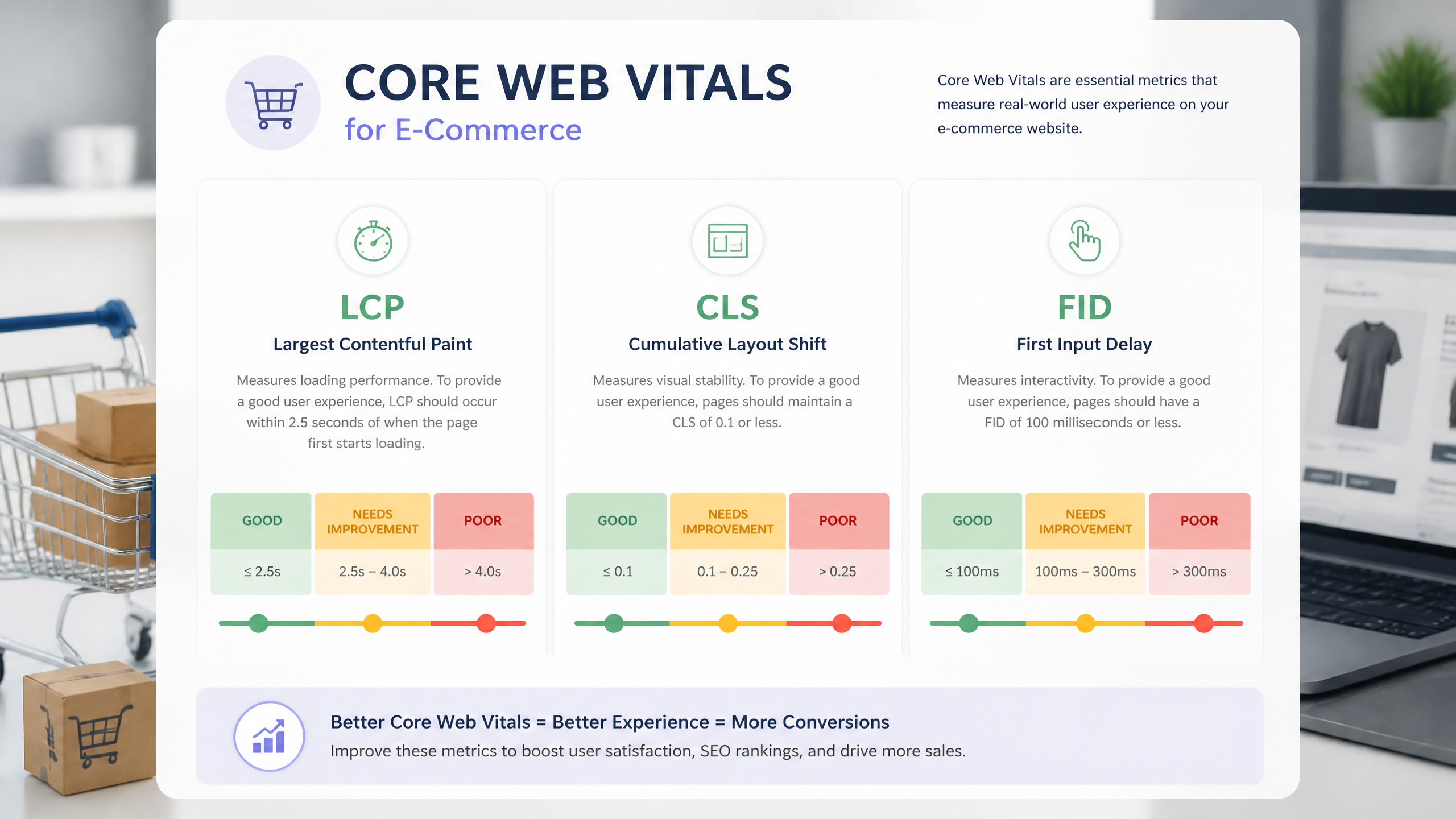
Image Optimization and Lazy Loading
Images are the lifeblood of an ecommerce store, but they are also the primary cause of slow load times. SEMrush advises that images are usually the biggest files on ecommerce pages and must be compressed for speed.
To optimize your images without sacrificing visual quality, implement the following steps:
Use Modern Formats: Convert all product images to WebP or AVIF formats.
Implement Lazy Loading: Use the native
loading="lazy"attribute for below-the-fold images so they only load when the user scrolls near them.Define Image Dimensions: Always specify
widthandheightattributes in your HTML to prevent layout shifts (CLS) as images load.Compress Aggressively: Keep product thumbnail file sizes under 100KB.
Leveraging CDNs and Browser Caching
To deliver your store's assets quickly to global shoppers, you must use a Content Delivery Network (CDN) like Cloudflare or Fastly. CDNs cache your static assets (images, CSS, JS) on edge servers closest to the user's physical location.
SEOTesting.com recommends minifying CSS/JavaScript and enabling browser caching for faster ecommerce loading. By setting aggressive cache headers for static resources, repeat visitors will experience near-instantaneous page loads because their browser won't need to re-download the same files.
Implementing Advanced Structured Data for Rich Snippets
Essential Schema Markup for E-commerce
Structured data, or schema markup, helps search engines understand the context of your content. For ecommerce, this is how you earn coveted product rich snippets — those eye-catching search results that display prices, stock availability, and review stars.
A 2026 guide by Infidigit specifies that product schema must include JSON-LD properties: "name," "price," "sku," and "offers." Implementing this correctly can significantly boost your organic click-through rates.
{
"@context": "https://schema.org/",
"@type": "Product",
"name": "Premium Leather Boots",
"image": "https://example.com/photos/1x1/photo.jpg",
"description": "Handcrafted premium leather boots built to last.",
"sku": "PLB-098",
"mpn": "925872",
"brand": {
"@type": "Brand",
"name": "Footwear Co."
},
"offers": {
"@type": "Offer",
"url": "https://example.com/product/leather-boots",
"priceCurrency": "USD",
"price": "149.99",
"itemCondition": "https://schema.org/NewCondition",
"availability": "https://schema.org/InStock"
}
}
Validating Schema and Avoiding Penalties
Simply adding schema markup is not enough; you must ensure it contains accurate, up-to-date data. If your structured data says a product is $49.99, but the actual price on the page is $79.99, Google may issue a structured data penalty and strip your rich snippets entirely.
Use Google's Rich Results Test tool to validate your JSON-LD code. Make sure your schema dynamically updates whenever your inventory, pricing, or review scores change.
Handling Out-of-Stock and Varied Inventory
What happens when a product goes out of stock? Many store owners make the mistake of leaving the availability schema as "InStock" to avoid losing rankings. This is a fast track to a poor user experience and potential search engine penalties.
Instead, dynamically update your schema to reflect https://schema.org/OutOfStock. This transparent communication helps search engines adjust your listing appropriately without penalizing your domain authority.
Managing Site Architecture and Security
Designing Clean URL Structures
Your URL structure should be logical, human-readable, and easy for search engines to crawl. Avoid long, confusing strings of numbers and dynamic parameters.
A Golden Rule for URL Design: Keep it as flat and descriptive as possible.
Use a hierarchy that mirrors your site's navigation, like this:
• Category: example.com/mens-shoes/
• Sub-category: example.com/mens-shoes/boots/
• Product: example.com/products/premium-leather-boots
Securing the Store with HTTPS and SSL
Security is paramount when users are sharing sensitive payment information on your site. SEOTesting.com requires HTTPS sitewide with a valid SSL certificate to avoid trust and crawl issues.
If you are migrating from HTTP to HTTPS, you must execute the transition flawlessly. SEOTesting.com states that 301 redirects from HTTP to HTTPS must update all internal links. Failing to update your internal links creates unnecessary redirect chains, which slow down your site and degrade crawl efficiency.
Handling Removed Products and 404 Errors
Ecommerce inventory is highly volatile. Products sell out, lines are discontinued, and pages are deleted. How you handle these removed pages determines whether your site maintains its authority or collapses under a mountain of broken links.
According to Outerbox Design, soft 404s must be eliminated and replaced with proper 404/410 codes for removed pages. If a product is permanently discontinued and has no direct equivalent, return a 410 (Gone) status code to tell search engines to remove it from their index immediately. If there is a highly relevant replacement product, use a 301 redirect to pass the existing link equity to the new page.
Frequently Asked Questions (FAQ)
Common Technical SEO Queries Answered
Q: Should I use noindex or canonical on filtered category pages?
A: In most cases, you should use a canonical tag pointing back to the main category page. This consolidates ranking power. Use noindex only when the filtered page has zero search value and is causing severe crawl budget waste.
Q: What is the optimal XML sitemap size for a store with 50K+ products?
A: Google supports sitemaps up to 50,000 URLs or 50MB in size. However, for large stores, it is best practice to split your sitemaps into smaller, logically organized files (e.g., sitemap-categories.xml, sitemap-products-1.xml) and index them via a sitemap index file.
Q: How often should I regenerate sitemaps during inventory updates?
A: Ideally, your sitemaps should regenerate dynamically in real-time or via a daily cron job. This ensures that new arrivals are discovered quickly and discontinued products are removed promptly.
Q: How do I test if my canonical tags are working correctly?
A: You can verify this using Google Search Console (GSC) under the URL Inspection tool. It will show you both the "User-declared canonical" and the "Google-selected canonical" to ensure they match.
Quick Troubleshooting Tips
• Check for mixed content: Ensure all assets (images, scripts, CSS) load over HTTPS.
• Audit mobile usability: Since HubSpot reports that 50% of shoppers aged 30–49 shop on smartphones weekly, mobile usability is non-negotiable.
• Run regular automated crawls: Use a technical SEO crawler weekly to catch broken redirect chains, 404 errors, and missing schema markup before they impact your traffic.
Sources and References
Verified Industry References
• WebyKing's 15-item technical SEO checklist — A comprehensive technical framework for online stores.
• HubSpot's ecommerce guide — Insights on mobile shopping demographics and user experience.
• Botify's analysis — Best practices for managing crawl budgets and faceted navigation.
• Shopify's technical SEO guide — Core Web Vitals thresholds and speed optimization standards.



