
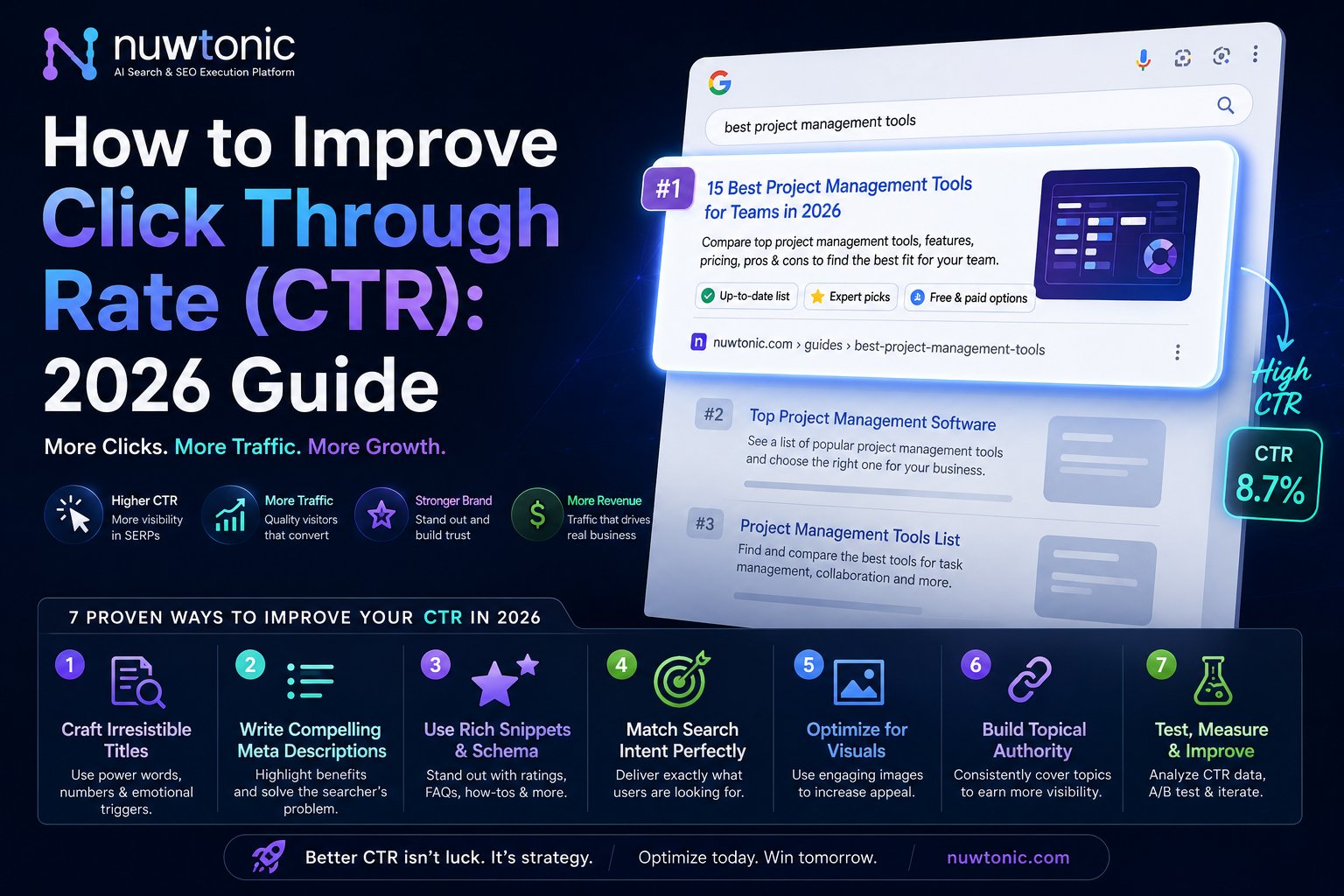
You're probably looking at a Search Console report where impressions are holding up, rankings look decent, and clicks still feel flat. That's the frustrating part of CTR work. The page is visible, but the listing isn't winning the click.
A common initial reaction involves rewriting a few title tags and hoping for movement. That's too shallow. How to improve click through rate comes down to a repeatable operating system: diagnose the right URLs, prioritize by opportunity and business value, improve the snippet and page experience, expand SERP real estate with schema, monitor competitive decay, and test changes with discipline.
Table of Contents
- Diagnose Your CTR Problem with GSC Data
- Prioritize Pages for Maximum CTR Impact
- The On-Page CTR Optimization Toolkit
- Win the SERP with Rich Snippets and Schema
- Advanced CTR Tactics for 2026 and Beyond
- A/B Testing and Measuring Your CTR Experiments
- Frequently Asked Questions about CTR
Diagnose Your CTR Problem with GSC Data
Start with pages, not ideas
If you want to improve CTR fast, start in Google Search Console, not in your CMS. A foundational approach is to focus on the pages with the lowest CTRs by reviewing Total Impressions and Average CTR in the Search Results report, because that's where the best opportunities usually sit according to Databox's breakdown of organic CTR improvement.
That sounds simple, but teams often skip the hard part. They don't segment. They look at sitewide averages, which hide the pages that are underperforming on valuable queries.
Use this workflow:
- Open Search results in GSC.
- Set a date range long enough to reduce noise.
- Turn on Clicks, Impressions, CTR, and Position.
- Go to the Pages tab.
- Sort by Impressions first.
- Scan for URLs with strong visibility and weak CTR.
- Open individual pages, then switch to the Queries tab to see which terms are dragging the listing down.
- Compare Device splits. Mobile CTR issues often show up before desktop issues.
Practical rule: If a page has impressions but the query-to-title match feels vague, the CTR problem usually isn't ranking. It's packaging.
A useful companion resource is this expert advice on optimizing CTR from MetricsWatch, especially if you want another perspective on how reporting workflows uncover underperforming listings.
Export a working CTR opportunity list
Don't optimize inside the GSC interface alone. Export the data and create a sheet your team can act on.
Include these fields:
- Page URL so you can assign ownership
- Impressions to understand opportunity size
- CTR to spot underperformance
- Average position to separate ranking problems from snippet problems
- Top query set to evaluate intent mismatch
- Device split to catch mobile-specific leakage
Once exported, sort into three buckets:
| Bucket | What it usually means | What to do first |
|---|---|---|
| High impressions, low CTR, decent position | Snippet or intent mismatch | Rewrite title and meta |
| Good CTR, low impressions | Visibility issue | Focus on rankings and indexing |
| Low CTR on mobile only | SERP presentation or truncation issue | Review mobile snippet and page layout |
If you need a cleaner operational view than native GSC, a GSC performance dashboard can make this easier by surfacing CTR patterns, query clusters, and trend shifts in one place.
The output from this step should be a ranked list of URLs, not a vague note that “CTR needs work.” If you don't leave diagnosis with a specific URL set, you're still guessing.
Prioritize Pages for Maximum CTR Impact
A raw export isn't a roadmap. It's inventory. The next move is deciding what deserves work this week and what can wait.
Many teams chase the loudest page. That's often the wrong page. A blog post with broad visibility might look attractive, but a lower-volume commercial URL can matter more if it supports product discovery, lead capture, or bottom-funnel comparisons.
Build a simple prioritization matrix
Use a decision model with two dimensions: impact and effort. That keeps the work grounded and prevents title-tag busywork on pages that won't move anything meaningful.
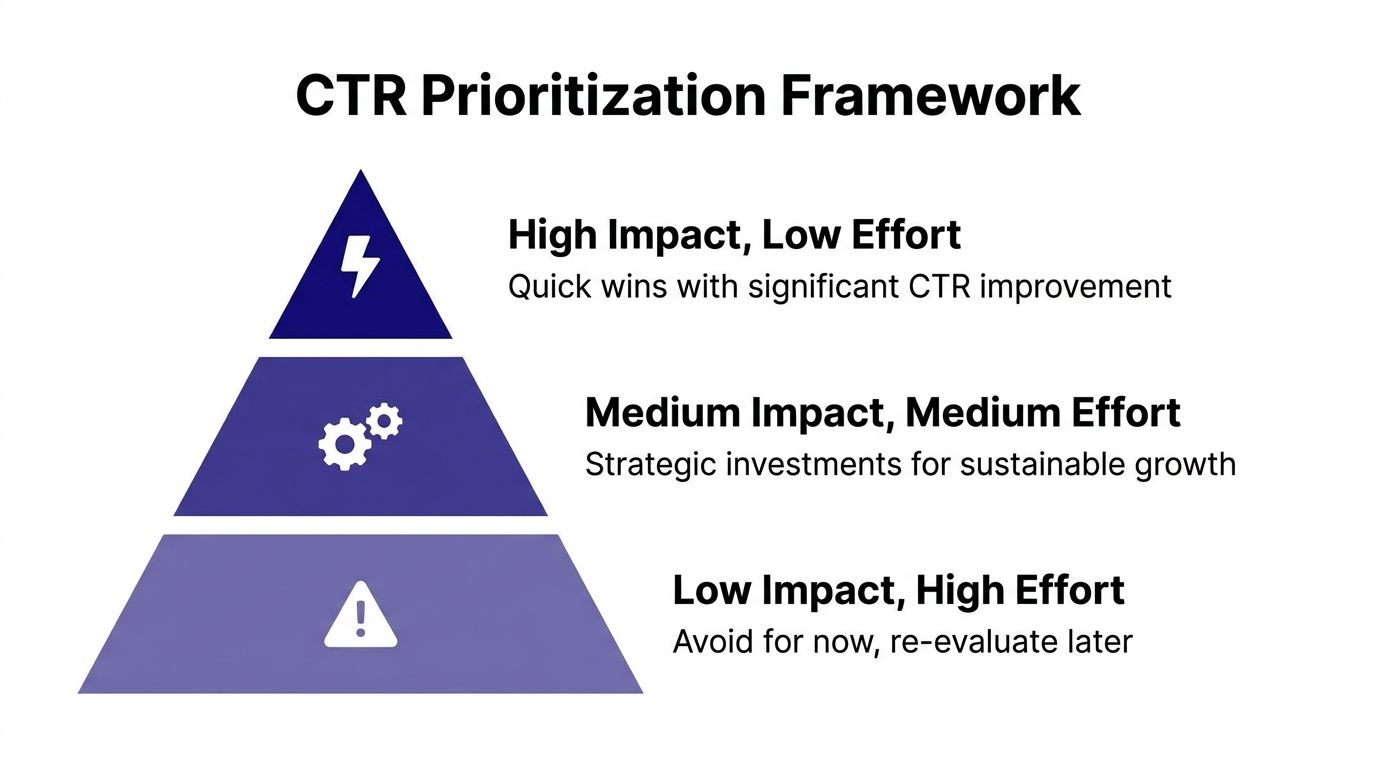
Score each page against these criteria:
Impression opportunity
A page with substantial search exposure gives you more room to gain from even modest CTR improvement.Ranking range
Pages already visible on page one usually respond better to snippet work than pages buried too low to earn attention.Intent clarity
If the query set is tightly clustered, writing a stronger title and description is straightforward. Mixed intent usually means the page itself needs repositioning.Business contribution
Treat pages differently based on what they do for the company. A comparison page, service page, or category page often deserves priority over a top-of-funnel article.
A CTR project becomes manageable when every URL gets an explicit score and an owner.
Separate visibility opportunity from business value
A practical way to prioritize is to classify pages into four groups.
| Page type | Visibility opportunity | Business value | Typical priority |
|---|---|---|---|
| Core service or product page | Medium to high | High | Very high |
| Comparison or alternative page | Medium | High | High |
| High-traffic blog post | High | Medium | High |
| Legacy article with weak intent fit | Low to medium | Low | Low |
Here's where teams often go wrong:
- They over-prioritize easy rewrites on pages with little commercial value.
- They ignore query intent drift and keep testing titles on pages that need content restructuring.
- They treat every low CTR page the same, even though some are ranking too low for metadata improvements to matter yet.
The best backlog has a clear top tier: pages with healthy visibility, commercial intent, and a realistic chance of winning more clicks with packaging and SERP enhancements. Everything else becomes secondary work.
The On-Page CTR Optimization Toolkit
A page can rank in position 3 and still underperform if the snippet is misaligned with the query, the angle is generic, or the page fails to deliver on the promise after the click. That is why CTR work cannot stop at writing a sharper title. The workflow needs to connect SERP packaging, on-page confirmation, and query-level feedback from GSC.
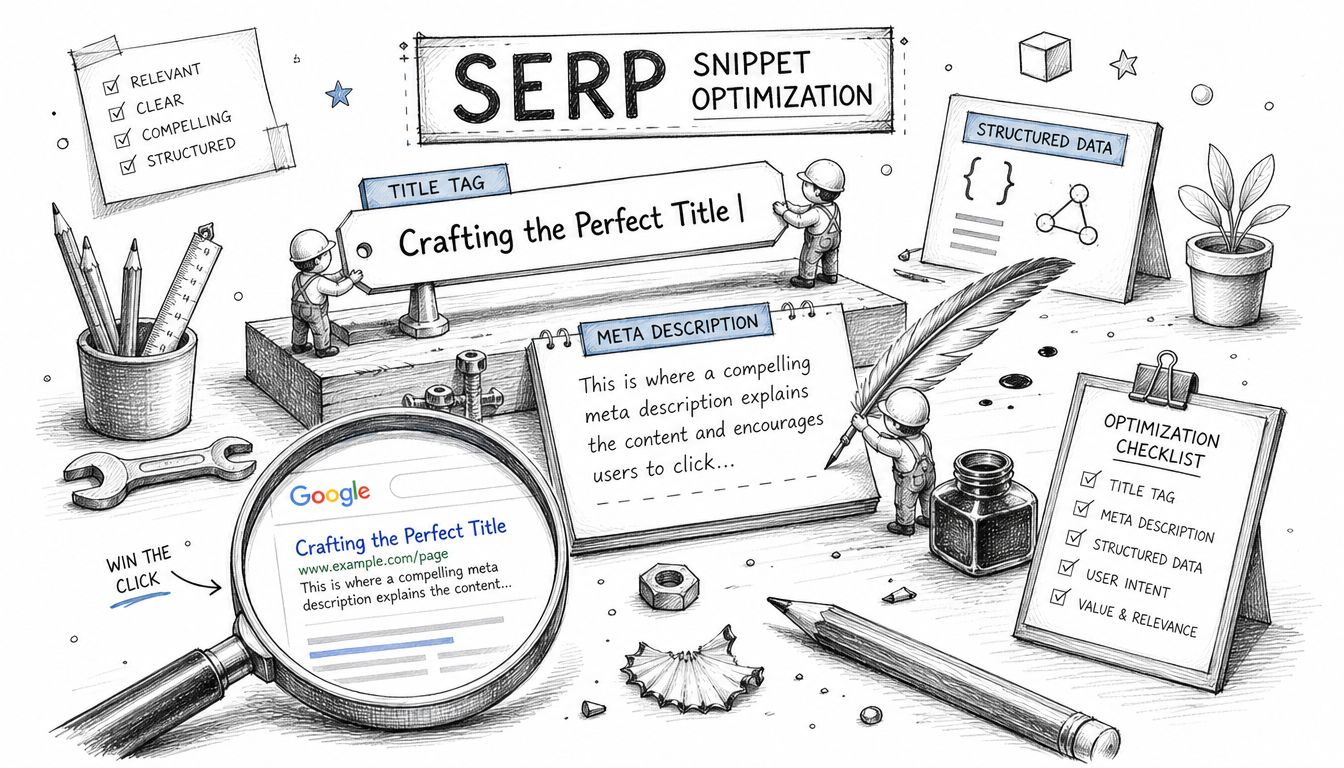
Rewrite titles for intent match, not cleverness
Start with the query cluster, not the page draft. If GSC shows a page earning impressions for comparison terms, the title should read like a comparison. If the query set is dominated by problem-solving terms, lead with the problem and the outcome. Teams lose clicks when they write titles to sound polished instead of writing titles that mirror the language searchers already use.
Use title structures that match the job the query is trying to get done:
Problem-solving query
“How to Fix [Problem] Without [Common Pain Point]”Comparison query
“[Option A] vs [Option B] for [Use Case]”List or framework query
“[Number] Ways to [Desired Outcome]”Decision-stage query
“Best [Category] for [Specific Audience or Need]”
Good example:
- “Best CRM for Small Sales Teams”
Weaker version:
- “Modern CRM Solutions for Ambitious Businesses”
The second title is broad and abstract. It gives the searcher no clear reason to click.
For faster iteration, a meta title generator for SEO testing can help produce directional variants, but keep the final version anchored to the exact modifiers, entities, and use cases showing up in GSC.
A practical title review checks four things:
- Intent match. Does the wording reflect what the query set is asking for?
- Specificity. Is there a concrete audience, outcome, timeframe, or use case?
- SERP differentiation. Does the angle avoid blending into five near-identical results?
- Promise accuracy. Can the page deliver what the title claims within the first screen?
Strengthen the snippet and the page together
Meta descriptions do not improve rankings, but they do shape the click decision when Google chooses to show them. Write them like paid search copy. Confirm relevance, state the benefit, and reduce uncertainty.
A strong description usually does three things:
- Repeats the search context in natural language
- Signals a practical takeaway
- Gives the user a reason to choose this result now
Then check whether the page validates that promise immediately after the click. If the title says “compare,” the page needs a real comparison near the top. If the description promises steps, the steps should appear before a long preamble. A mismatch here does more than hurt engagement. It trains searchers to skip your result the next time they see it.
This is where operational discipline matters. In Nuwtonic, teams can pair GSC query data with page-level recommendations, then push title, description, and intro changes through a repeatable workflow instead of treating CTR as one-off copy cleanup.
Improve above-the-fold confirmation
Searchers make a second judgment after the click. They scan the headline, the opening lines, and the first visible content block. If the page looks hard to use or slow to answer, the click was wasted.
Use a simple above-the-fold checklist:
- Match the H1 to the SERP promise without repeating the title word for word
- Front-load the answer or comparison before background context
- Use subheads that reflect real follow-up questions from the query set
- Break dense copy into bullets, tables, or short sections when the topic invites scanning
- Show proof early with examples, screenshots, pricing cues, or evaluation criteria where relevant
I usually treat the first screen as a confirmation layer. Its job is to reassure the searcher that they picked the right result.
Add click triggers with restraint
Some modifiers increase click appeal. “Best,” “vs,” “pricing,” “examples,” “template,” and audience qualifiers often help because they reduce ambiguity. The trade-off is that stronger packaging attracts harder scrutiny. If the content does not support the claim, CTR gains rarely last.
Use click triggers only when the page earns them:
- Add “best” if the page includes selection criteria and real comparisons
- Add “vs” if the page evaluates both options fairly
- Add “template” or “examples” if those assets are visible without digging
- Add freshness cues only when the page is maintained
This is also where competitor click-decay analysis becomes useful. If a competing result has kept ranking but softened its angle, lost freshness, or buried the answer deeper on the page, a tighter title and stronger opening can take clicks without needing a ranking jump.
Video walkthrough:
If the snippet promises speed, clarity, or comparison, the first screen of the page needs to prove it fast.
Win the SERP with Rich Snippets and Schema
CTR gains from schema usually come from one thing: a listing that is easier to evaluate before the click.
That matters when two pages rank in the same neighborhood and say roughly the same thing. The result that shows clearer context often wins more attention, even without a ranking change. In practice, schema is not a decoration layer. It is a way to make eligibility for richer SERP treatments operational, then measure whether those treatments improve clicks in GSC.
Choose schema based on SERP impact
Start with markup that can change how the result is interpreted or displayed, not markup added just for completeness.
Use these types selectively:
- FAQ schema for pages with visible, concise question-and-answer blocks
- Review schema for pages that contain legitimate review or rating data
- HowTo schema for instructional pages with clear, ordered steps
- Article schema for editorial pages where stronger entity and content classification helps search engines process the page correctly
A minimal FAQ example:
<script type="application/ld+json">
{
  "@context": "https://schema.org",
  "@type": "FAQPage",
  "mainEntity": [{
    "@type": "Question",
    "name": "How do you improve click through rate?",
    "acceptedAnswer": {
      "@type": "Answer",
      "text": "Improve title relevance, clarify the value proposition, add structured data where appropriate, and validate changes in Search Console."
    }
  }]
}
</script>
Schema only works if the page earns it. If the FAQ is hidden, the reviews are not first-party, or the steps are too vague to stand on their own, skip the markup. Chasing eligibility with thin or manufactured structured data creates rework and rarely holds up.
Validate implementation like a CTR test, not a dev task
Deployment is only the midpoint. The key question is whether the markup changes presentation and lifts clicks on the right query set.
Use a simple workflow:
- Confirm the schema matches visible on-page content.
- Test the markup for parsing and property errors.
- Request re-crawling after deployment if the page is important.
- Segment GSC performance by URL and query cluster.
- Compare CTR before and after the markup appears in search.
- Check again after template releases or CMS changes.
For a quick QA pass, run the page through a schema markup checker before publishing.
Teams that do this well treat schema as part of a repeatable CTR program. Nuwtonic helps operationalize that workflow by tying markup validation, page prioritization, and post-launch performance checks back to the same GSC-led process. That keeps schema work focused on outcomes, not checkbox implementation.
The trade-off is straightforward. Richer SERP treatments can improve click appeal, but only if the page content, markup, and search intent stay aligned.
Advanced CTR Tactics for 2026 and Beyond
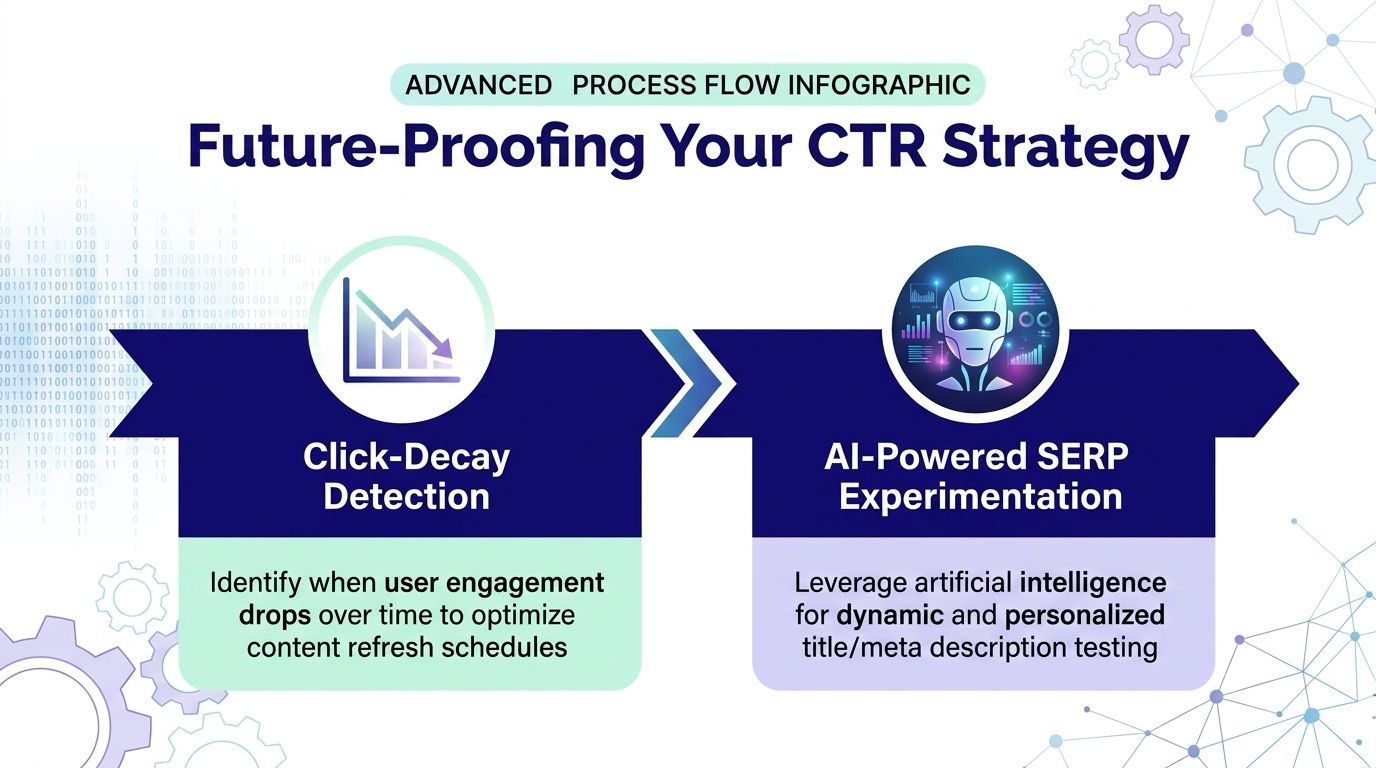
You open GSC and see the pattern that frustrates every in-house SEO team. Rankings look stable. Impressions are flat or rising. Clicks are down. That gap usually means the page did not lose relevance. It lost appeal on the SERP, or it became less visible inside newer search surfaces.
Detect click decay before traffic drops harder
CTR decay often shows up before ranking loss. I treat it as an early warning signal, not a reporting footnote.
Start in GSC with pages that meet three conditions: meaningful impressions, a CTR decline over a comparable period, and no major average position drop. From there, compare the affected query set against the live SERP. Look for what changed in the results page, not just on your page. A competitor may have refreshed their title, added stronger commercial framing, captured a richer result, or matched the query intent more tightly than they did a month ago.
Use a simple review sequence:
- Pull URL and query data from GSC for the last 28 days versus the prior 28 days.
- Filter for pages where impressions are steady but CTR is down.
- Check whether average position stayed within a tight range.
- Review the current SERP manually for the top queries behind that page.
- Document what changed in competitor packaging and result features.
- Update the page based on that evidence, then monitor the same query cluster.
The fix should match the cause. If the SERP now rewards comparison language, update the title and intro to reflect that. If competitors are winning clicks with clearer proof, add concrete specifics near the top of the page. If the page is still relevant but the summary is vague, rewrite the snippet inputs so the result communicates value faster.
Teams often waste time with full rewrites. Most of the time, the better move is a focused patch. Tighten the title angle. Strengthen the opening summary. Add visible proof that supports extraction into snippets and AI summaries. Then validate the change in GSC against the same query set. Nuwtonic is useful here because it turns that process into a repeatable workflow instead of a one-off review in spreadsheets and browser tabs.
Prepare pages for AI-driven search and answer engines
CTR work now extends beyond the classic blue link. Google, Perplexity, ChatGPT, Gemini, Claude, and other answer-driven interfaces can shape whether users ever reach the standard result page, and they can influence which sources earn the click when they do.
The practical implication is straightforward. Pages need to be easy to cite, easy to extract, and easy to trust.
That does not mean stuffing pages with schema or chasing speculative GEO tactics. It means giving machines and users the same thing. Clear entities, direct answers, visible evidence, and page structure that preserves context when a single block gets pulled into a summary.
What to change on live pages:
State entities and relationships plainly
Name the product, category, use case, audience, and constraints in direct language.Write answer-first sections
Put the concise answer before the supporting detail so search systems can extract a complete thought.Keep claims attributable
If the page includes data, methods, dates, or expert input, make those elements visible on-page.Use structured data where it matches visible content Schema still helps with machine readability, but only when the markup reflects what users can see.
Track visibility beyond ten blue links
Monitor whether your brand and page are appearing in AI summaries, source cards, and answer citations for high-value prompts.
Google has already outlined how AI Overviews use web content and link to supporting sources in Search, which is the right way to frame this shift. Treat AI visibility as an extension of search visibility, not a separate channel with different quality rules. For teams trying to connect marketing to revenue, that matters because a cited source can influence assisted conversions even before the user lands on the site.
The trade-off is real. A shorter answer block can improve extractability but reduce on-page persuasion if it strips out needed context. A page that tries to cover every prompt variation can become harder to scan and weaker for its primary query set. Strong CTR programs handle that tension by starting with GSC, protecting the main search intent, and then layering in AI-ready formatting where it supports the page instead of bloating it.
For 2026, the teams that win CTR will not be the ones writing the cleverest title tags. They will be the ones running a tighter operating system. Diagnose losses in GSC, identify click decay before rankings slip, compare competitor SERP packaging, and adapt pages so they earn clicks from both traditional listings and AI-mediated search experiences.
A/B Testing and Measuring Your CTR Experiments
Most CTR work fails because teams make several changes at once, wait a bit, and tell themselves the page “seems better.” That isn't testing. It's guesswork with a spreadsheet.
A/B testing is a hard requirement in paid search and email, and Semrush's CTR guidance recommends waiting for at least 100 interactions per variation before drawing conclusions so the result isn't distorted by random noise. The same discipline improves SEO experimentation, even though organic tests are usually messier.
Design experiments that can actually teach you something
Keep the test narrow. Change one primary variable.
Good test:
- Title rewrite only
Acceptable second-round test:
- Meta description rewrite after the title result is clear
Weak test:
- New title, new meta, new intro, added FAQ, changed internal links
Use this sequence:
- Record the original page title and meta description.
- Write one hypothesis tied to a query set.
- Deploy one controlled change.
- Give the page enough time and traffic.
- Compare performance in GSC using matched date ranges.
- Decide whether to roll out or revert.
If you want a stronger operational model for proving impact, this piece on how to connect marketing to revenue is useful because it pushes teams to tie experiment outcomes to business contribution, not just isolated channel metrics.
Use a tracking log instead of memory
CTR programs become durable when every test is logged. That prevents repeated mistakes and helps new team members learn what already failed.
CTR Experiment Tracking Template
| Date | Page URL | Hypothesis | Variable Tested (Title/Meta) | Control Version | Variant Version | Start CTR | End CTR | Result (% Change) | Decision (Rollout/Revert) |
|---|---|---|---|---|---|---|---|---|---|
A few essentials:
- Don't call tests early because the first few days look promising.
- Don't compare unlike periods when demand or ranking changed for unrelated reasons.
- Don't keep losers live just because the rewrite sounds better internally.
Teams that improve CTR consistently don't rely on creative instinct alone. They build a testing habit and let the searcher decide.
Frequently Asked Questions about CTR
What is CTR, exactly?
CTR is calculated by dividing total clicks by total impressions and multiplying by 100, as explained in this guide to calculating CTR. For SEO, impressions are the denominator that matters, not page views or sessions.
What's the fastest place to start?
Start with pages that have meaningful impressions and weak CTR in GSC. That gives you the clearest list of URLs where better packaging can produce a visible gain.
Should I fix titles or rankings first?
If the page already has visibility and the query intent is clear, start with the title and snippet. If the page barely appears, CTR work won't solve the main problem yet.
Does CTR improvement always mean better traffic quality?
Not necessarily. You can raise clicks with a more aggressive title and still hurt engagement if the page doesn't fulfill the promise. The best CTR gains come from tighter intent match, not bait.
How often should I review CTR?
Review core pages routinely, and check faster when traffic shifts or competitors refresh their pages. CTR problems often surface before a larger organic decline becomes obvious.
Does mobile deserve its own CTR workflow?
Yes. Mobile truncation, SERP layout, and user behavior can differ enough that a page may need a different diagnosis even when desktop looks stable.
If your team wants a faster way to turn GSC data, CTR issues, schema gaps, and AI visibility work into a single operating workflow, take a look at Nuwtonic. It's built for teams that need to diagnose, prioritize, patch, and measure search performance without juggling separate tools for SEO and GEO.


