TL;DR Summary
When a page is indexed but invisible in search results, Google knows it exists but deems it unworthy of top placement. To resolve a "Google has indexed page but not ranking : fix" situation, you must realign your content with user intent, elevate your E-E-A-T signals, and eliminate technical bottlenecks holding the page back. We outline the exact diagnostic process below.
Key Takeaways
• Indexing simply means inclusion in Google's database; ranking requires demonstrating superior relevance and authority.
• Search intent mismatches are the primary reason indexed pages fail to rank in 2026.
• Technical issues like poor canonicalization or orphaned pages can suppress otherwise high-quality content.
• Routine audits using specialized tools are mandatory to maintain search visibility.
Table of Contents
- Diagnosing the "Indexed But Not Ranking" Problem
- Resolving Intent and Content Quality Gaps
- Fixing Technical Bottlenecks and Architecture
- Enhancing On-Page Signals and User Experience
- FAQ Section
- Conclusion and Next Steps
Diagnosing the "Indexed But Not Ranking" Problem
It is incredibly frustrating to see the "Page is indexed" green checkmark in Search Console, only to find your URL buried on page ten. If you are searching for a "Google has indexed page but not ranking : fix", you are not alone. We see this daily. Google's systems have evolved; inclusion in the index is no longer a guarantee of visibility.
Understanding Google's Two-Step Process
Google operates on a multi-tiered system. First comes the crawling and parsing phase, where Googlebot renders the DOM and extracts your links and text. If the page is technically accessible and meets baseline quality, it enters the index.
However, the ranking phase uses an entirely different set of algorithms. The ranking engine applies semantic vector matching, user experience signals, and authority metrics to determine if your page deserves to be served for a specific query. Being indexed just means you have a ticket to the lottery; it does not mean you hold the winning numbers.
Verifying Index Status Accurately
Before making massive changes, we must verify the exact status of the URL. Do not rely on a simple site: search, as it does not reflect normal serving conditions.
- Open Google Search Console.
- Paste your specific URL into the top inspection bar.
- Review the "Page indexing" section.
- Ensure it says "URL is on Google" and check for any secondary warnings.
For a complete understanding of how to interpret these reports, refer to the official Google Search Console guidelines.
Setting Realistic Ranking Timelines in 2026
We often see site owners panic just days after publishing. In 2026, Google's evaluation period for new content can stretch significantly, especially for newer domains or YMYL (Your Money or Your Life) topics.
| Domain Age | Topic Sensitivity | Expected Ranking Timeline |
|---|---|---|
| Under 1 Year | High (YMYL) | 3 to 6 months |
| Under 1 Year | Low | 4 to 8 weeks |
| Established | High (YMYL) | 2 to 4 weeks |
| Established | Low | 1 to 2 weeks |
If your page has been indexed for longer than these expected timelines and still lacks impressions, intervention is required.
Resolving Intent and Content Quality Gaps
If your technical foundation is solid, the issue almost certainly lies in the content itself. Google's primary directive is to serve the most helpful, relevant answer to a user's query.
Aligning with Search Intent Shifts
Search intent is not static. A keyword that required a long-form guide two years ago might now demand a quick interactive tool or a video. If your indexed page is not ranking, compare your format to the current top three results.
For instance, if you target "best budget microphones," and the top results are all comparison tables with audio samples, your 2,000-word text-only essay will not rank, regardless of how well it is written. You must match the format and the depth the user expects.
Conducting a Deep Content Audit
We recommend a ruthless evaluation of your page. Does it offer "Information Gain"? Information gain refers to unique data, perspectives, or solutions that cannot be found on the pages already ranking.
• Identify the primary entity of your target keyword.
• Evaluate if you have covered related sub-entities naturally.
• Remove fluff and ensure a fact-first structure.
If you are unsure how your content measures up against Google's helpful content systems, you are likely falling behind the algorithmic thresholds.
Demonstrating Real-World Experience (E-E-A-T)
Google heavily weights "Experience" in its E-E-A-T paradigm. If your page reads like a generic AI summary, it will remain indexed but invisible.
To inject experience:
- Use first-person anecdotes related to the topic.
- Include original photographs or data you collected.
- Explicitly state the methodology behind your conclusions.
Fixing Technical Bottlenecks and Architecture
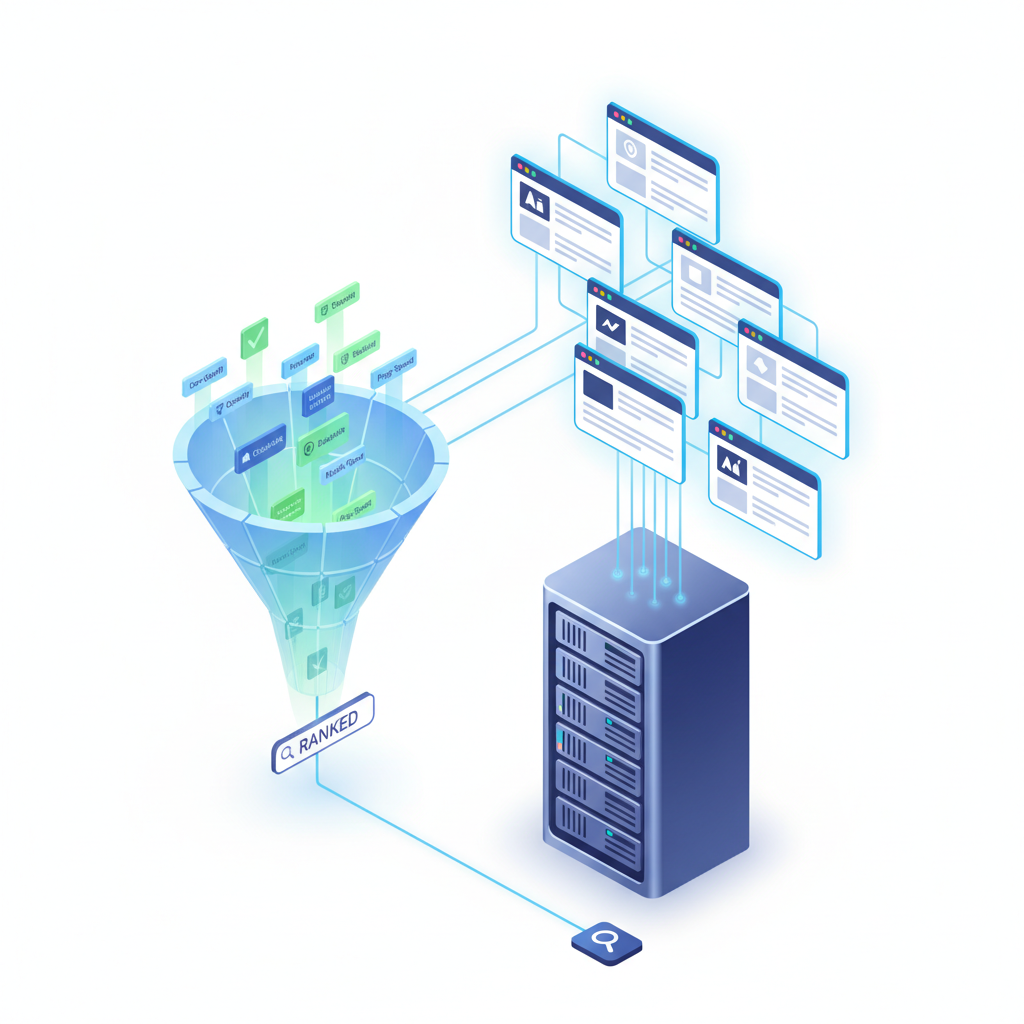
Sometimes, a page is perfectly written but technically handicapped. A page might be indexed but severely deprioritized due to architectural flaws.
Evaluating Crawl Budget and Site Structure
If your page is buried ten clicks deep from your homepage, Google's algorithms assume it is unimportant. This is a classic architectural failure. Pages need internal link equity to signal their value to the ranking engine.
We strongly advise running your site through dedicated Technical SEO Tools to map your site architecture and ensure your critical pages are no more than three clicks away from the root domain.
Identifying Canonicalization Conflicts
Canonicalization issues occur when Google gets confused about which version of a page to rank. You might have parameterized URLs or duplicate content competing with your main page.
| Issue | Symptom | Resolution |
|---|---|---|
| Missing Canonical Tag | Duplicate URLs in index | Implement self-referencing canonicals. |
| Wrong Canonical Target | Page points to an old URL | Update the tag to point to the current page. |
| HTTP/HTTPS Duplication | Both versions indexed | Enforce strict 301 redirects to HTTPS. |
Review the official canonicalization documentation to ensure your setup is flawless.
Addressing Broken Links and Orphan Pages
An orphan page has no internal links pointing to it. While Google might discover it via a sitemap and index it, the lack of internal equity will prevent it from ranking. Furthermore, if your page contains numerous broken outbound links, it degrades the user experience score.
To prevent this, deploy a Broken Link Checker to scan your site regularly. Fix any 404 errors within your content and ensure every indexed page receives contextual internal links from relevant, high-authority pages on your domain.
Enhancing On-Page Signals and User Experience
Once intent and technical architecture are secured, we must polish the on-page signals. These are the micro-factors that push a page from position 15 to position 3.
Optimizing Core Web Vitals
Google uses Core Web Vitals (LCP, INP, CLS) as a ranking tie-breaker. If two pages offer similar content quality, the faster, more stable page wins.
• LCP (Largest Contentful Paint): Keep under 2.5 seconds by optimizing hero images.
• INP (Interaction to Next Paint): Ensure it is under 200 milliseconds by deferring heavy JavaScript.
• CLS (Cumulative Layout Shift): Maintain below 0.1 by defining image dimensions.
Refining Meta Data and Heading Hierarchy
Your title tag and H2/H3 structure provide the semantic map for Google's natural language processors.
Ensure your primary keyword is near the front of the title tag. Structure your headings logically, avoiding skipped levels (e.g., jumping from H2 to H4). Utilizing robust On-Page SEO Audit Tools can automate the detection of missing or poorly optimized heading tags.
Leveraging Internal Linking Power
Internal linking is the most powerful lever you control. Find your highest-ranking, most authoritative pages and add exact-match or partial-match anchor text links pointing to the page that is struggling to rank. This passes direct semantic relevance and PageRank to the underperforming URL.
FAQ Section
Why did my page drop from the rankings after being indexed?
This is commonly known as the "honeymoon period." Google often temporarily boosts a new page to test user engagement. If the user signals (like bounce rate or dwell time) are poor compared to competitors, the page is dropped back down into the index without high visibility.
How long does it take to rank after indexing?
As noted in our timeline table above, it varies by domain authority and topic. Generally, expect to wait 2 to 8 weeks for stable rankings to emerge after initial indexing.
Does AI content affect ranking potential?
Google does not penalize AI content inherently; it penalizes unhelpful, derivative content. If you use AI to generate generic text without adding personal insight, unique data, or structural value, the page will likely be indexed but will fail to rank.
Conclusion and Next Steps
Summarizing the Action Plan
Resolving a scenario where a page is indexed but invisible requires a methodical approach. You must first ensure the technical foundation is clear of canonical and architectural errors. Next, you must aggressively audit the content against the current search intent and E-E-A-T standards. Finally, bolster the page with strong internal links and optimized Core Web Vitals.
Automating Your Workflow with Nuwtonic
Managing these diagnostics manually across hundreds of pages is inefficient. At Nuwtonic, our AI-powered platform automates this exact workflow. From identifying orphaned pages to suggesting semantic content enhancements, we streamline the process so you can focus on strategy rather than endless manual auditing. Implement the fixes outlined above, monitor your Search Console, and watch your indexed pages finally climb the ranks.