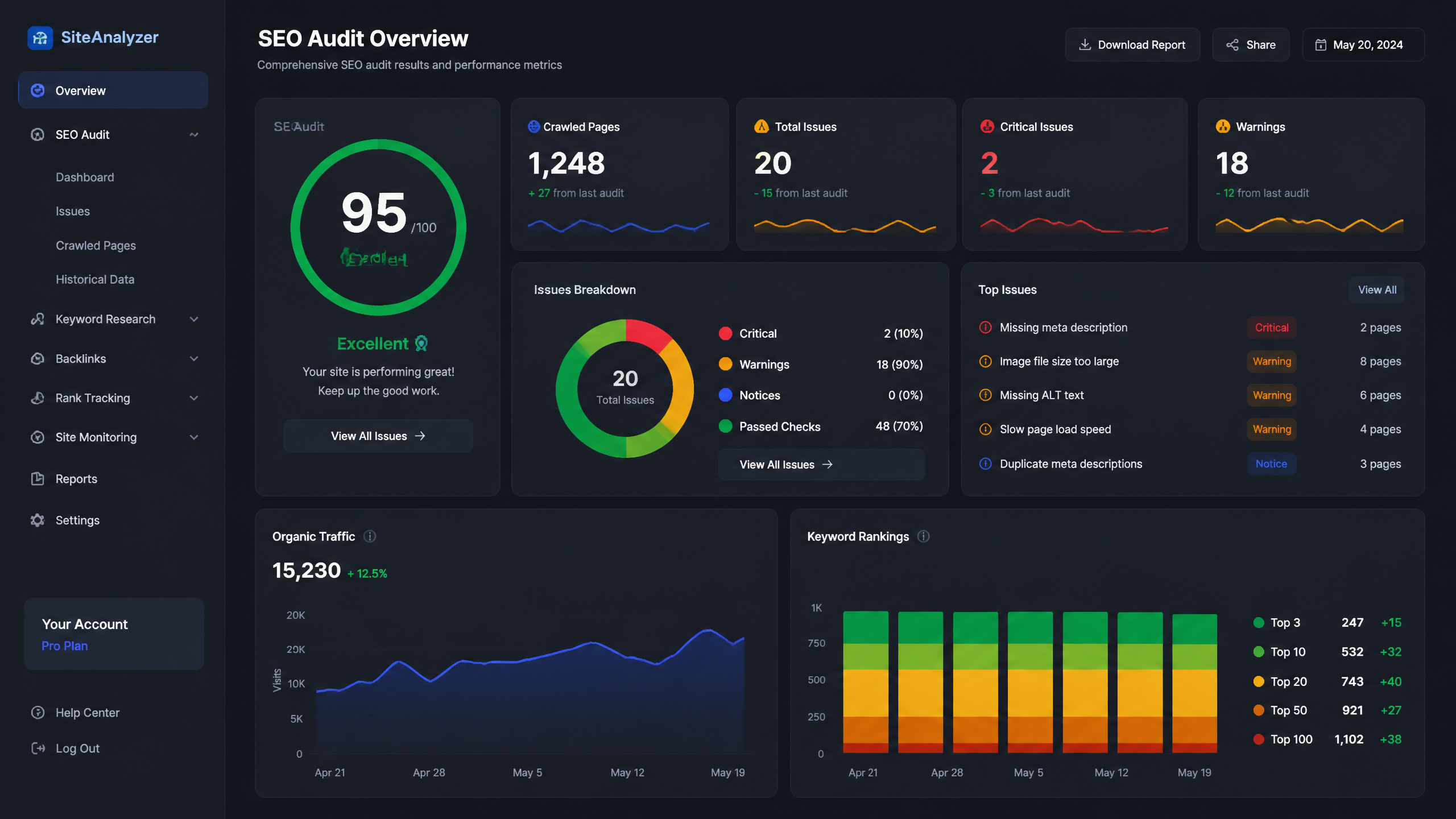
So, here's the deal: most websites are leaking traffic, and their owners have absolutely no idea why. They keep pumping out new content, building more links, and praying to the search algorithm gods, all while their foundation is crumbling underneath them.
After 8 years of auditing sites—from massive e-commerce platforms to scrappy tech startups—I've seen the same patterns repeat. Too many audits get bogged down in theory; I prefer to keep things actionable and focus on what will make a real impact. If your site can't be crawled, or if your pages take 10 seconds to load, no amount of keyword stuffing is going to save you.
This isn't just another generic list. This is a battle-tested seo audit checklist designed to strip away the fluff, diagnose the actual bottlenecks, and get your site performing the way it should.
TL;DR Summary
• An effective SEO audit bridges the gap between technical functionality and content relevance.
• Prioritize fixes based on business impact—start with crawlability, move to speed, and finish with content optimization.
• Stop treating every error equally; a broken canonical tag on a core product page is an emergency, while a 404 on an old blog author page is just a nuisance.
Key Takeaways
• Crawl errors are the silent killers of SEO; fixing them yields the fastest ranking improvements.
• Site speed and Core Web Vitals are non-negotiable in 2026.
• Keyword cannibalization dilutes your authority—consolidate your content.
• Always prioritize actionable remediation over theoretical perfection.
Table of Contents
- The Foundation: Crawlability and Indexability
- Technical SEO: Speed, Security, and Structure
- On-Page Optimization and Content Quality
- Site Architecture and Authority Signals
- SEO Audit Checklist FAQs
- Conclusion and Next Steps
The Foundation: Crawlability and Indexability
Before we even look at your content, we need to ensure search engines can actually see it. If Googlebot can't access your pages, you don't exist. It is crucial to understand the baseline difference between On-Page SEO vs Technical SEO before you start ripping apart your site.
Here is what NOT to do before starting your technical audit:
• Do NOT blindly disallow directories in your robots.txt without testing.
• Do NOT assume a page is indexed just because you published it.
• Do NOT ignore the "Page Indexing" report in GSC.
Crawl Errors (GSC is Your Best Friend)
Most people overlook the importance of crawl errors in their audits — fixing these can lead to immediate improvements in rankings. GSC (Google Search Console) is your source of truth here. Look for 5xx server errors, 404s on high-value pages, and soft 404s where a page loads but has no meaningful content.
I always start by exporting the "Pages" report in GSC and sorting by "Why pages aren't indexed." If you see your money pages sitting in the "Crawled - currently not indexed" bucket, you have a quality or internal linking issue that needs immediate attention.
Robots.txt and Meta Tags
Your robots.txt file is the bouncer at the door of your website. It tells search engine bots where they can and cannot go. A single misplaced Disallow: / can deindex your entire site—I've seen it happen to a multi-million dollar e-commerce brand, and it was a bloodbath.
Similarly, review your meta tags. Ensure you aren't accidentally leaving noindex, nofollow tags on production pages after migrating from a staging environment.
XML Sitemaps
Your XML sitemap is the roadmap you hand to Googlebot. It should only contain clean, 200-status, indexable, canonical URLs.
| Sitemap Element | Best Practice | Common Mistake |
|---|---|---|
| URLs Included | Only canonical, 200 OK pages | Including 301 redirects or 404s |
| Update Frequency | Dynamic (updates automatically) | Manual updates that get forgotten |
| Size Limits | Under 50MB / 50,000 URLs per sitemap | Cramming 100k URLs into one file |
Technical SEO: Speed, Security, and Structure
Once search engines can crawl your site, we need to make sure the experience doesn't make users want to throw their devices out a window. For this phase, leveraging robust Technical SEO Tools is critical to gather accurate diagnostic data.
Site Speed and Core Web Vitals
I've found that a solid site speed can often outweigh extensive keyword research; if your site is slow, you're losing visitors immediately. Core Web Vitals (CWV) are Google's standardized metrics for user experience.
Here is what you need to measure and fix:
| Metric | What It Measures | 2026 Target |
|---|---|---|
| LCP (Largest Contentful Paint) | Loading performance | Under 2.5 seconds |
| INP (Interaction to Next Paint) | Interactivity and responsiveness | Under 200 milliseconds |
| CLS (Cumulative Layout Shift) | Visual stability | Under 0.1 |
Mobile Usability First
I still remember that time I ignored mobile optimization on a client site and paid for it later with a massive traffic drop when mobile-first indexing rolled out. Your site must be fully responsive. Check the Mobile Usability report in GSC to ensure text isn't too small to read and clickable elements aren't too close together.
HTTPS and Redirect Chains
Security is a baseline expectation. If your site isn't fully loading over HTTPS, you are bleeding trust and rankings. Check for mixed content issues where your page is secure, but you are loading images or scripts over HTTP.
Furthermore, audit your 301 redirects. A redirect chain (Page A -> Page B -> Page C) wastes crawl budget and dilutes link equity. Flatten them so Page A points directly to Page C.
On-Page Optimization and Content Quality
Technical SEO gets you in the door; on-page SEO gets you a seat at the table. To streamline this process, I highly recommend running your core pages through a dedicated On-Page SEO Audit Tool.
Fixing Keyword Cannibalization
Keyword cannibalization happens when multiple pages on your site compete for the exact same search intent. Instead of having one strong page ranking #1, you have three mediocre pages ranking on page 2.
Identify these competing pages, choose the strongest one, consolidate the content, and set up 301 redirects from the losers to the winner.
Search Intent and Content Depth
If you are targeting "best running shoes," but your page is a 300-word block of text while the top 10 results are all highly visual, interactive listicles, you will never rank. Audit your top pages against the current SERP (Search Engine Results Page) features. Does your content match the format, depth, and angle that users actually want?
Canonical Tags and Duplicate Content
Duplicate content confuses search engines. If you run an e-commerce site, faceted navigation (like sorting by color or size) can generate thousands of parameter URLs that are essentially duplicates of the main category page.
Ensure every page has a self-referencing canonical tag, and use canonicals to point duplicate parameter URLs back to the primary version.
Site Architecture and Authority Signals

How your pages connect to each other—and how the rest of the internet connects to you—dictates how authority flows through your site.
Internal Linking Strategies
Internal links are the most underutilized tool in an SEO's arsenal. An orphaned page (a page with no internal links pointing to it) is practically invisible.
• Audit your site architecture to ensure no page is more than 3 clicks away from the homepage.
• Use descriptive, keyword-rich anchor text for internal links.
• Funnel link equity from your high-traffic blog posts to your high-converting product or service pages.
Auditing Your Backlink Profile
While we don't obsess over toxic links as much as we did a decade ago, your backlink profile still matters immensely. Look for unnatural spikes in low-quality links or a severe lack of authoritative industry links. If your competitors have links from major industry publications and you only have links from spammy directories, you have a massive gap to close.
Structured Data and Schema Markup
Structured data translates your content into a language search engines natively understand. It is how you get those rich snippets—star ratings, recipe times, and FAQ drop-downs—in the search results. Run your key pages through a schema validator to ensure there are no syntax errors preventing your markup from rendering.
SEO Audit Checklist FAQs
How often should I run an SEO audit?
• Comprehensive Audits: Once a year for small sites, bi-annually for large enterprise or e-commerce sites.
• Mini-Audits: Monthly checks on crawl errors, 404s, and indexation status.
How long does a full SEO audit take?
It heavily depends on the site size. A 50-page local business site might take 5-10 hours. A 500,000-page e-commerce site can take 3-4 weeks of deep data crunching and cross-referencing.
Which SEO issues should I fix first?
Always prioritize by business impact and effort.
| Priority Level | Issue Type | Example |
|---|---|---|
| High Priority | Blocks indexing or breaks user experience | Sitewide noindex tag, broken checkout, massive server errors |
| Medium Priority | Degrades performance but site still functions | Slow LCP, missing canonical tags, keyword cannibalization |
| Low Priority | Best practice optimizations | Missing meta descriptions on low-traffic pages, minor duplicate content |
Conclusion and Next Steps
Turning Findings into an Action Plan
An audit is entirely useless if it just sits in a PDF on your desktop. You need to translate your findings into a prioritized roadmap. Group your fixes into "Quick Wins" (things you can fix today, like broken links or meta tags) and "Long-Term Projects" (like site speed overhauls or massive content consolidations).
Tracking Metrics Post-Audit
Finally, measure the impact. Take a baseline snapshot of your organic traffic, keyword rankings, and GSC index coverage before you implement fixes. Monitor these metrics over the next 30, 60, and 90 days. If you've executed this seo audit checklist correctly, you'll see a cleaner index profile and a steady climb in organic visibility.
Sources/References
• Google Search Central Documentation (Core Web Vitals & Indexing Guidelines)
• W3C Web Standards for Accessibility and Structure